Découvrez plus, construisez plus avec CodeQR
Profitez de nos tutoriels et articles pratiques pour apprendre à configurer, gérer et faire évoluer vos liens, codes QR, pages et intégrations à votre rythme, pour chaque étape de votre activité.
Catégories
Tutoriels et guides populaires
Explorez tous les articles
Add comments to a link or QR code
Leave a private note on a link or QR code so you and your team remember why it exists, what it was for, and what has to change later.
Create a Wi-Fi QR code for guests
Print a QR code that joins your Wi-Fi network without anyone typing the password, and know why the static one belongs on the table tent.
Choose the right QR code type
A QR code can join a Wi-Fi network, open WhatsApp, save a contact or receive a Pix. Pick the type that does the job and know what it costs you.
Open a WhatsApp chat with a QR code
Scanning opens WhatsApp with your number and a message already written, so the customer only has to press send. Works from print or a screen.
Share your contact details with a QR code
A code that saves your name, phone and email straight into someone's address book, with no app and no typing. Print it on a badge or a card.
Create a Pix QR code to get paid
Build a Pix code with your key, the amount and your name, so the customer scans and their banking app fills the payment in already.
Show a text with a QR code
Put instructions, a serial number or a note behind a QR code. A static one shows the text with no internet at all, which is the point.
QR codes that call or write to you
Put your phone number or your email behind a QR code, with the subject already written, and know what the phone actually does when it reads one.
Your QR code does not do what you expected
The code scans but the phone shows a page, joins nothing, saves an empty contact or opens the wrong number. Find the cause by type and fix it.
Choose the fields your form asks for
Rename, reorder and add fields on a CodeQR page, mark what is required, validate what people type, and split a long form into steps.
Create a contact form QR code
Build a contact form on its own web address, point a QR code at it, and start receiving messages from anyone who scans the code.
Read and export your form responses
Find what people sent through your page, export everything as a CSV file, and get an email for every new lead the moment it arrives.
Ask for consent before you collect data
Every CodeQR page asks the visitor to agree before it accepts a submission. Write your own notice, link your privacy policy and keep the proof.
Measure views, leads and conversions
Read the numbers on a CodeQR page: what counts as a view, when a submission becomes a lead, and which figures on the screen you can trust.
Design your page to match your brand
Set the colours and font of a CodeQR page, then fill the SEO tab so a shared link shows your own title, description and cover image.
No responses are arriving from your page
Work through why a CodeQR page collects nothing: the wrong address, a form nobody can finish, notifications in spam, or an app browser blocking it.
Share a digital business card by QR code
Put your name, role and contact details on a page whose QR code saves you to someone's phone, and capture their details back in the same visit.
Set or change your password
Add a password to an account created with Google, or change the one you have. A password is also what unlocks two-factor authentication.
Turn on two-factor authentication
Protect your CodeQR account with a code from an authenticator app, save the ten backup codes, and know what to do if you lose the phone.
Sign in to CodeQR
Sign in with Google, Apple, LinkedIn, GitHub or your email address, and find out what to do when the password field or the code prompt appears.
Download a copy of your data
Export your personal data from CodeQR as a JSON file, see what the file contains and what it leaves out, and where to get your links and scans.
Delete your account
Deleting a CodeQR account starts with the workspaces you own. Here is the order that works, what happens to your links, and what cannot be undone.
What happens to your QR codes if you stop paying
Your links and dynamic QR codes keep redirecting after a CodeQR plan ends. What changes, what does not, and the one thing you have to set up again.
Choose a plan and change it later
What each CodeQR plan includes, how to upgrade or move down, when a change takes effect, and which usage counters reset on your billing date.
Try CodeQR free for 7 days
Start a 7-day CodeQR trial without a credit card, see which features it unlocks and which it does not, and know what happens the day it ends.
Find your invoices and update your payment method
Download CodeQR invoices, change the card on file, and enter the tax details that appear on them — including CNPJ for Brazilian customers.
Cancel your CodeQR subscription
Cancel a CodeQR plan from Settings, choose whether it ends now or on your renewal date, and undo the cancellation while the plan is still running.
Fix a payment that did not go through
What happens when a CodeQR charge fails, how long you have before the subscription ends, and what to do so a printed QR campaign is never at risk.
Choose between folders and tags to organize links
Folders answer where a link lives, tags answer what it is about. How to pick before you have a thousand links, and what each one costs to change later.
Create folders to group links and QR codes
Group links, QR codes and pages into folders, move items between them, and see exactly what happens to your links when a folder is deleted.
What owners and members can each do
The two CodeQR roles and exactly what each one reaches — links, domains, billing, API keys and the audit log — plus what is not recorded anywhere.
Invite people to your workspace
Add teammates to a CodeQR workspace, understand how many seats your plan includes, and know what to do when an invitation expires or the limit is reached.
Rename, transfer or delete a workspace
Workspace settings in CodeQR — the name, the slug, the logo, when a second workspace is worth it, how to hand one over, and what deletion destroys.
Name links so your team can find them later
A naming rule for short links, QR codes and UTM values that survives a growing team — lowercase, hyphens, a fixed order, and one owner for the vocabulary.
Find a link you created months ago
Search and filters in the CodeQR links list — what the search actually matches, how filters combine, and why archived items do not show up by default.
Use tags to filter links, QR codes and pages
Tag links, QR codes and pages so you can filter them and compare campaigns in Analytics — how many tags each plan allows, and what deleting one does.
Track leads and sales from your links and QR codes
Connect a click on a CodeQR link or QR code to the sign-up and the sale it produced — what the chain needs, which plan, and where the results show up.
Send lead and sale events from your server
Record a sign-up and a purchase against the click that produced them — request bodies, the click id, amounts in cents, and idempotency.
Set up conversion tracking on your website
Turn conversion tracking on for a link, generate a publishable key, allow your domain and install the script — plus what the script does not do.
Attribute Stripe payments to the right link
Carry the CodeQR click id into Stripe Checkout so a completed payment is credited to the link or QR code that produced it, without writing tracking code.
See which links and QR codes generate sales
Read conversion results in CodeQR — the customer timeline, revenue per link, and which screens are reliable when you need to prove a sale was recorded.
Fix conversions that are not being recorded
Why clicks grow while leads and sales stay at zero — the checks in order, from the switch to checkout on another domain, blockers and consent.
How CodeQR decides which click gets the sale
The attribution rule behind CodeQR conversions — the thirty-day window, which click wins, and why totals differ from Meta and GA4.
Send your conversions to Meta Ads
Forward the leads CodeQR records to Meta Ads through the Conversions API, so campaigns optimize on conversions the browser pixel never sees.
Point your domain with a CNAME or A record
The exact DNS records that point a domain at CodeQR — CNAME for a subdomain, A record for a root domain, plus the TXT ownership check and TTL.
Connect your own domain to CodeQR
Use your own domain for CodeQR short links and QR codes. What to prepare, how many domains each plan allows, and what changes once it is live.
Fix a custom domain that is not working
Why a custom domain stays unverified or stops serving links — Cloudflare proxy, CAA records, conflicting DNS, caching, and the 30-day suspension.
Redirect your domain root to your website
Send anyone who opens your short-link domain by itself to your website, with Target Page and Behavior — and what visitors see if you leave it empty.
Remove CodeQR branding from links and QR codes
Where the CodeQR mark appears on a free workspace — the QR code logo and the visitor pages — how a paid plan removes it, and what stays on every plan.
Choose the right domain for your short links
Subdomain or root, which name to pick, and what not to use for a branded short-link domain — the decision to make before touching any DNS record.
Change or remove a domain without losing links
Deleting a domain in CodeQR deletes every link and QR code on it. What renaming does, what to do with printed QR codes, and the safer alternatives.
Use more than one domain in your workspace
Run several custom domains in one CodeQR workspace — set the primary domain, archive the ones you retired, and pick a domain per link or QR code.
Create a short link and set advanced options
Create a short link in CodeQR, pick the domain and key, add an internal note, and find the advanced option that solves your problem.
Add UTM parameters to a short link
Use the UTM Builder to tag a CodeQR short link for Google Analytics — where the parameters are stored, what overwrites them, and how to check.
Set a custom link preview image and title
Choose the image, title and description that appear when your CodeQR short link is shared on WhatsApp, Facebook, LinkedIn, X and Slack.
Keep your short links out of search results
How Search Engine Indexing works on a CodeQR short link, what the noindex header does, and when to let a link be found on Google.
Let the recipient choose the destination of a link
Create a flexible link in CodeQR, send the exclusive link to whoever knows the destination, and let them set it without access to your workspace.
Choose a custom key for your short link
Pick the ending of your CodeQR short link — allowed characters, length rules, what changing a key breaks, and the errors you may see.
Fix a short link that opens the wrong page
Why a CodeQR short link opened something unexpected — the order options are applied, caches, blocked shorteners, in-app browsers and stray clicks.
Automate CodeQR: API, MCP, Zapier, Make, n8n and webhooks
Which route automates short links and QR codes best — REST API, MCP for AI assistants, Zapier, Make, n8n, IFTTT or webhooks — and what each plan includes.
Create an API key and choose its permissions
Create a CodeQR API key in Settings → API Keys, pick All Access, Read-Only or Restricted permissions, copy it once, check Last used, rotate or delete it.
Create your first short link with the CodeQR API
Create, read, update and list short links with the CodeQR REST API — real curl requests and responses, rate limits per plan, externalId and the SDK.
Create links and QR codes in bulk from a spreadsheet
One short link or dynamic QR code per spreadsheet row — CSV import, the bulk API endpoints, or a Make, Zapier or n8n scenario — without duplicates.
Connect CodeQR to Zapier, Make, n8n and IFTTT
Enable the CodeQR apps on Zapier, Make, n8n and IFTTT from Settings → Integrations, what each can trigger and do, and the fallback when a field is missing.
Connect CodeQR to Claude, ChatGPT and Cursor with MCP
Add the CodeQR MCP server to Claude, ChatGPT, Cursor, VS Code or Claude Code, sign in to pick a workspace, and let the assistant manage links and QR codes.
Fix CodeQR API errors: 401, 403, 404, 409 and 429
Every CodeQR API error with its cause and fix — invalid API key, missing Bearer, missing permission, wrong workspace, duplicate key, 405 on PATCH, 429.
Send link and QR code events to your app with webhooks
Create a CodeQR webhook, pick the events, verify the CodeQR-Signature header, handle retries and failures, and read the delivery log — with a real payload.
Share a public analytics page for a link or QR code
Turn on the public analytics page of a short link or QR code in CodeQR, send the stats URL to a client without giving account access, and turn it off.
Track link clicks and QR code scans in Analytics
Open Analytics in CodeQR to see clicks on your short links and scans of your QR codes — what each number means, what counts, and how to verify it works.
Find out where your clicks and scans come from
Read the Countries, Devices, Referrers and URLs cards in CodeQR Analytics — what (direct) means, how accurate cities are, and which plans open each card.
Clicks not showing or numbers that do not match
Why a click or scan is missing in CodeQR Analytics, why there are more than expected, and why numbers differ from Google Analytics: bots, cache, time zone.
Filter analytics by link, tag, and date range
Narrow CodeQR Analytics to one link, QR code, tag, domain, country or device, pick a preset or a custom period, and know how far back each plan can look.
Measure UTM campaigns on links and QR codes
Compare campaigns, sources and mediums across links and QR codes with the CodeQR UTM Report, export the CSV, and learn how UTM values are attributed.
Browse every click and scan in the Events log
One row per click, QR scan or page view in CodeQR Events — country, device, browser, referrer, time — filter from any cell, copy a click ID, export data.
Read analytics from the API, MCP, and webhooks
Read clicks and scans with GET /analytics and GET /events, ask for them through the CodeQR MCP server, and get link.clicked and qrcode.scanned webhooks.
Create a dynamic QR code you can edit after printing
Create a dynamic QR code in CodeQR — it encodes a short link, so you can change the destination after printing and see every scan in Analytics.
Fix a QR code that does not scan or opens the wrong page
Why a printed QR code does not scan, opens the old page, an expired or password page, or codeqr.io/not-found, and why scans do not show — and the fix.
Change a QR code destination after printing
Edit the destination URL of a dynamic QR code already printed on menus, packaging, or posters. Live at the next scan — no reprint, same image.
Download and print a QR code at the right size
Export a QR code as SVG, PNG, or JPEG, pick the pixel size, and print it at a size and contrast that scans — with the public link and Wallet passes.
Choose between dynamic and static QR codes
Dynamic QR codes encode a short link you can re-point and measure; static codes bake the content into the image. Plan limits and how to convert.
Add your logo, colors, and a frame to a QR code
Put your workspace logo in the middle of a QR code, set foreground and background colors, pick a pattern, and add a Scan me frame that still scans.
Create QR codes with the API, MCP, and automations
Create, update, list, and delete QR codes with the CodeQR API, one by one or in bulk, from an AI client through the MCP server, or from Make and webhooks.
Create WhatsApp, Wi-Fi, and vCard QR codes
Make QR codes that open a WhatsApp chat with a preset message, share a Wi-Fi password, or save a contact — plus text, email, phone, and Pix codes.
Set an expiration date for your links
Make a CodeQR short link stop working on a date and choose where late visitors land — with the timezone rule and what people see afterwards.
Capture leads with a form before the redirect
Show a lead-capture form when someone opens your short link or scans your dynamic QR code, then send them to the destination. Plans, leads, guides.
Make the form required or let visitors skip it
Mandatory Forms? removes the close button; otherwise visitors can skip. What happens after submit or skip: same short link, Smart Rules, WhatsApp, cookie.

The form did not show or the lead did not arrive
Symptom-by-symptom fixes: form does not appear or appears once, fails in Instagram, blank Google Form, grey button, lead missing from Events or Zapier.
Where your leads go: Responses, Customers, CSV, CRM
Where a Pre-redirection form lead can land: Responses and CSV, Customers, Events, email, CRM connectors, webhooks, Zapier — and the setting that decides.
Add a lead form to a QR code or short link
Build a CodeQR Page form, attach it to a short link or dynamic QR code as a Pre-redirection form, test it and read the first responses. With API call.
Pre-redirection form reference: fields, plans, and cookies
Plans per capability, UI labels and API fields, visitor cookies, what the modal shows, field types and limits, validation messages, and what is.
Use a Google Form or Typeform before the redirect
Show a Google Form, Typeform or Tally form when someone opens your link or scans your dynamic QR code, then continue to the destination. Limits and tests.
Set up pre-redirection forms with the API and automations
The four API fields of a Pre-redirection form on links and QR codes, live request and response examples, every validation error, bulk, webhooks, MCP.
How Smart Rules choose a destination — and why it differed
The exact order CodeQR evaluates Smart Rules, cloaking, iOS/Android and geographic targeting; how split traffic sticks; what bots and link previews get; geolocation accuracy; and a symptom-by-symptom troubleshooting list.
Geo redirect by country, region, city, or language
Send visitors to a localized page by country, state, city, continent or browser language with one short link or QR code — steps, API and MCP examples, and what IP geolocation can and cannot do.
Smart Rules reference: attributes, operators, and values
Every Smart Rules attribute, operator and accepted value — device names, country, region, continent and language codes, referrer and UTM formats — plus limits, validation messages, precedence and plan availability.
Create Smart Rules with the API, MCP, and automations
The rules field on CodeQR links and QR codes — endpoints, full request and response examples, every validation error, the MCP tools that accept rules, and what Make, Zapier, Pluga and webhooks can do.
Split one link's traffic to A/B test destinations
Link rotator for A/B tests — split one short link or QR code between 2–4 landing pages by percentage, keep each visitor on the same variant, read clicks and conversions per destination, and end the test — in the app, API or MCP.
Send iOS and Android visitors to their app store
One link or QR code that opens the App Store on iPhone, Google Play on Android and your website everywhere else — set up in the link builder, the API or MCP.
Send each visitor to the right destination with Smart Rules
Smart Rules route one short link or QR code to different destinations by device, country, language, campaign, referrer — or split traffic for an A/B test.
Route campaign traffic by UTM or referrer
Send newsletter, ad or social traffic to its own landing page from one short link, using UTM parameters on the link or the referring site — steps, API, MCP and the cases where the referrer is empty.
FAQ – Affiliate Program
Common questions about the CodeQR Affiliate Program.
How to receive payouts (PayPal)
Connect your PayPal account to receive affiliate payouts from CodeQR.
How commissions and payouts work
Commission rate, when a referral counts, recurring duration, holding period, and payout frequency.
How to join and get your referral link
Step-by-step guide to joining the CodeQR Affiliate Program and getting your unique referral link.
What is the CodeQR Affiliate Program?
An overview of the CodeQR Affiliate Program: who can join, what you earn, how attribution works, and where to find it in the app.
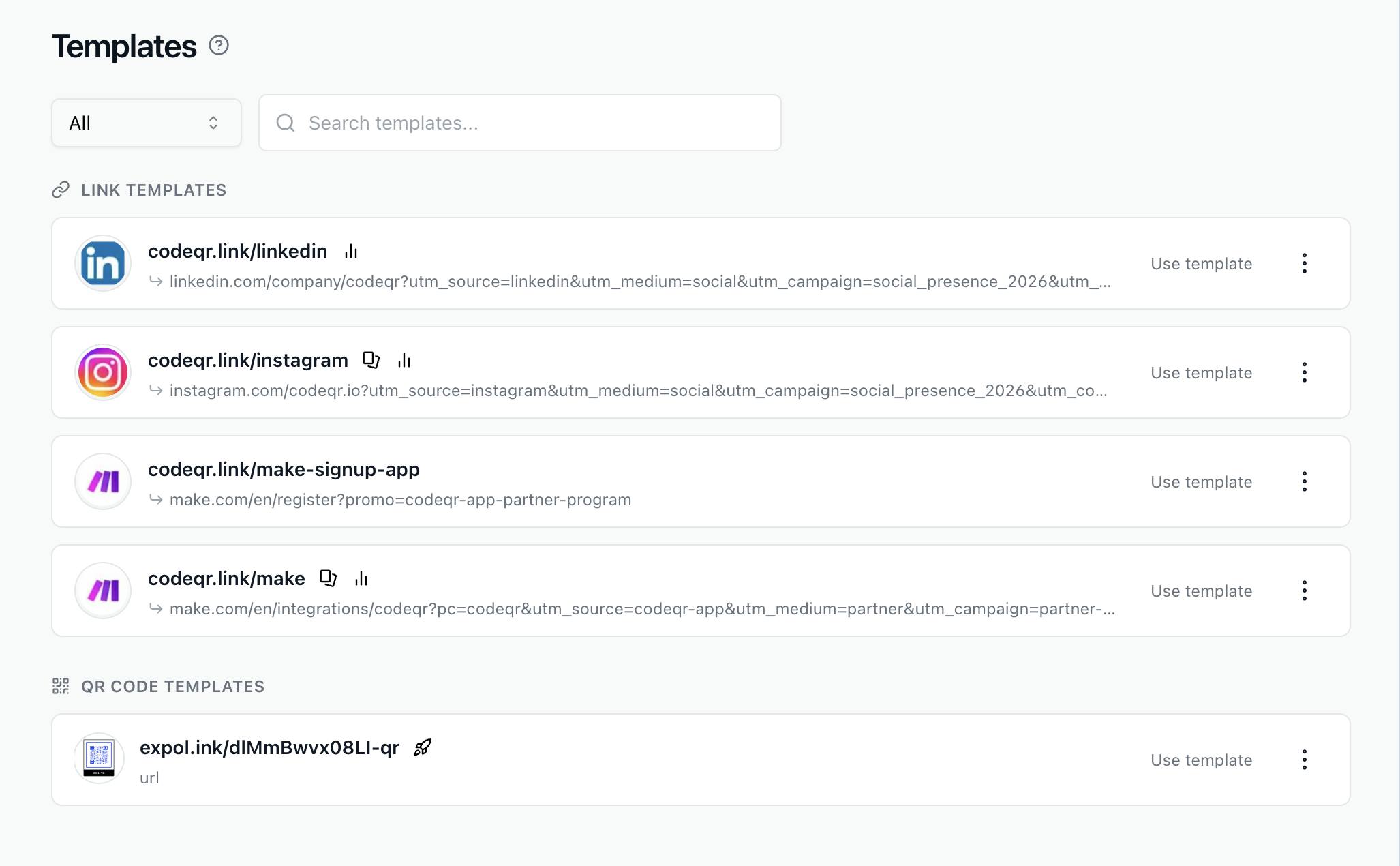
Duplicate Links & QR Codes + Templates
Learn to duplicate links/QR codes & use templates in CodeQR. Copy settings, UTM tags & designs in just a few clicks.
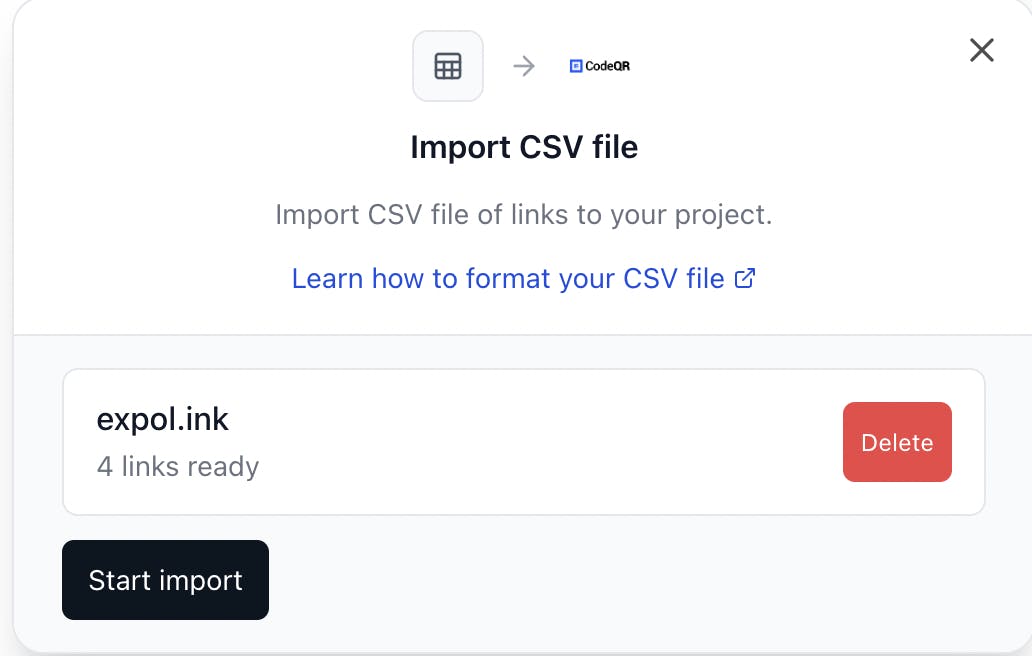
How to Import QR Codes from a CSV File
Learn how to easily import your QR Codes from a CSV file into CodeQR. Perfect for bulk QR Code creation or migrating from other providers.
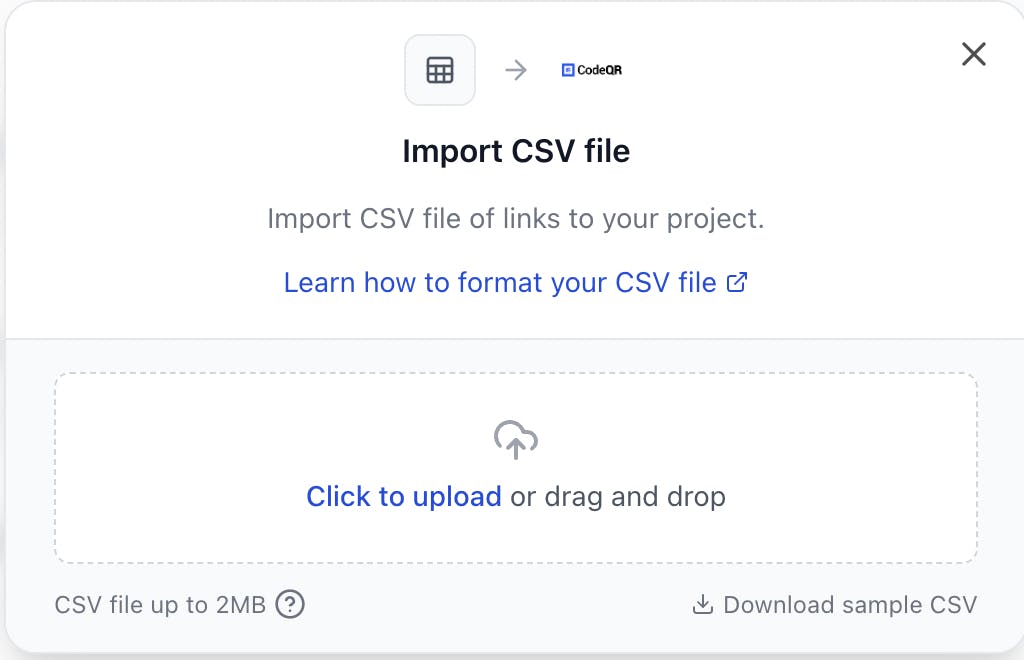
How to Import Links from a CSV File
Learn how to easily import your links from a CSV file into CodeQR. Perfect for bulk link imports or migrating from other providers.
How to Create Short Links via the CodeQR API: Complete Guide
Learn how to use the CodeQR API to programmatically create short links and integrate this functionality into your applications.
How to Create QR Codes via the CodeQR API: Complete Guide
Learn how to use the CodeQR API to programmatically create QR codes and integrate this feature into your applications.
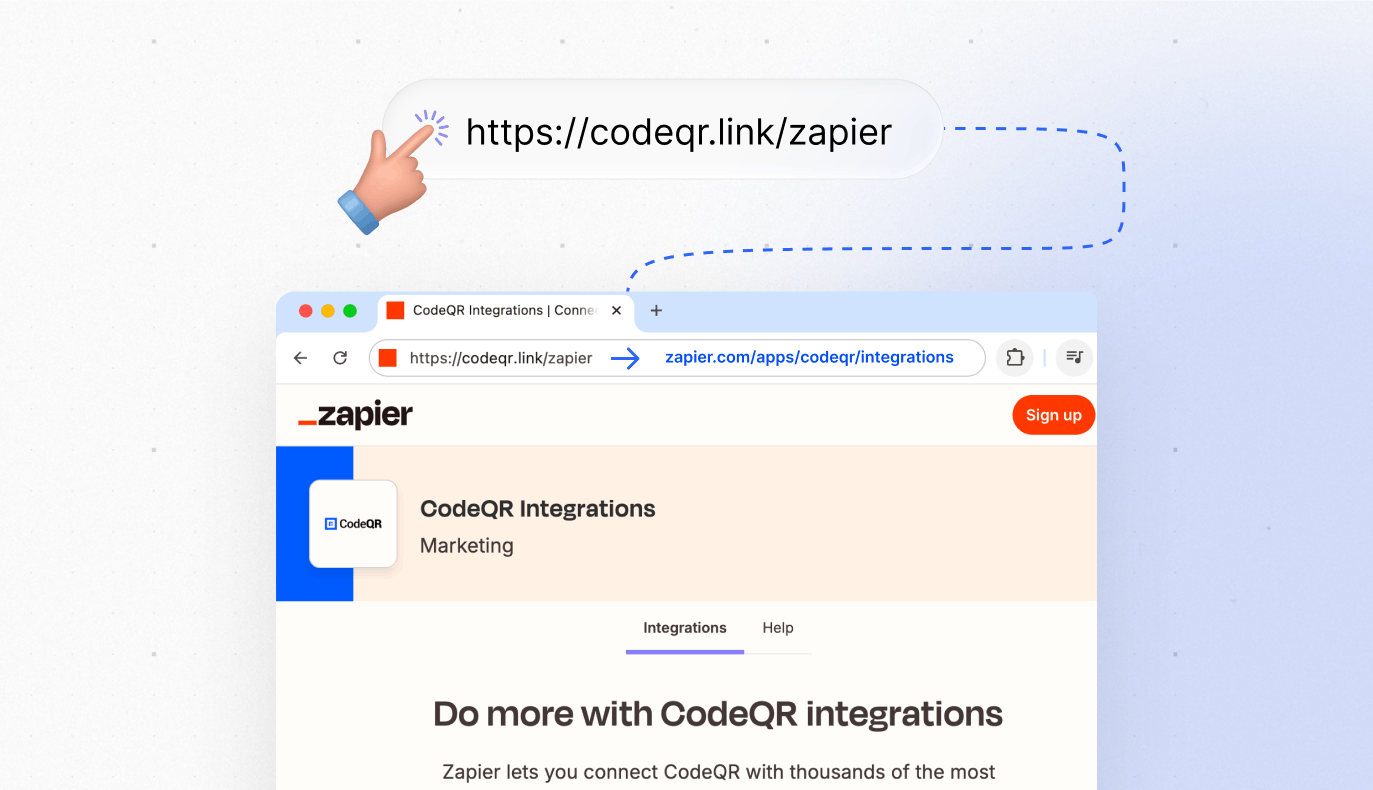
Link Cloaking in CodeQR: How to Mask URLs
Learn how to use link cloaking in CodeQR to mask destination URLs with short links.
How to create password-protected links in CodeQR?
Learn how to protect your short links with a password in CodeQR to prevent unauthorized access.
How to Integrate CodeQR with RD Station
Learn how to integrate CodeQR with RD Station to automate lead capturing via QR Codes, short links, and smart forms.
CodeQR and ActiveCampaign Integration: Lead Generation and Dynamic QR Codes
Learn how to integrate CodeQR and ActiveCampaign to automate lead capture, map data, and create QR Codes and dynamic links in your marketing automations. Complete guide to boost your campaigns.
CodeQR & Make.com Integration: Automate Workflows
Learn to automate short links, QR codes, and lead capture by integrating CodeQR with Make.com. Set up triggers and actions without coding.
CodeQR and Pluga Integration via Webhooks: Step by Step
Learn how to configure CodeQR integration with Pluga using webhooks to automate events such as clicks, scans and lead captures.
Vous avez encore des questions ?
Si vous avez des questions sur quelque chose qui n'a pas été mentionné ici, contactez notre support.
Contactez-nous