
Redirect your domain root to your website
Send anyone who opens your short-link domain by itself to your website, with Target Page and Behavior — and what visitors see if you leave it empty.

People type the domain they saw without the rest of the link. Somebody reads go.acmestore.com/summer off a poster, remembers go.acmestore.com, and opens that. Target Page decides where they land.
Availability
- Plan: Pro and above. The field is visible on Starter, but the change is refused when you save.
- Where: Domains → Edit on the domain → Target Page.
What happens if you leave it empty
The visitor gets a CodeQR page. It carries the CodeQR navigation, a Powered by CodeQR line, a paragraph describing the platform, and a browser tab that reads GO.ACMESTORE.COM - A CodeQR.io Custom Domain.
That page is a reasonable default for a domain nobody visits directly, and a poor one for a domain printed on packaging. Filling Target Page replaces it with your own site.
Steps
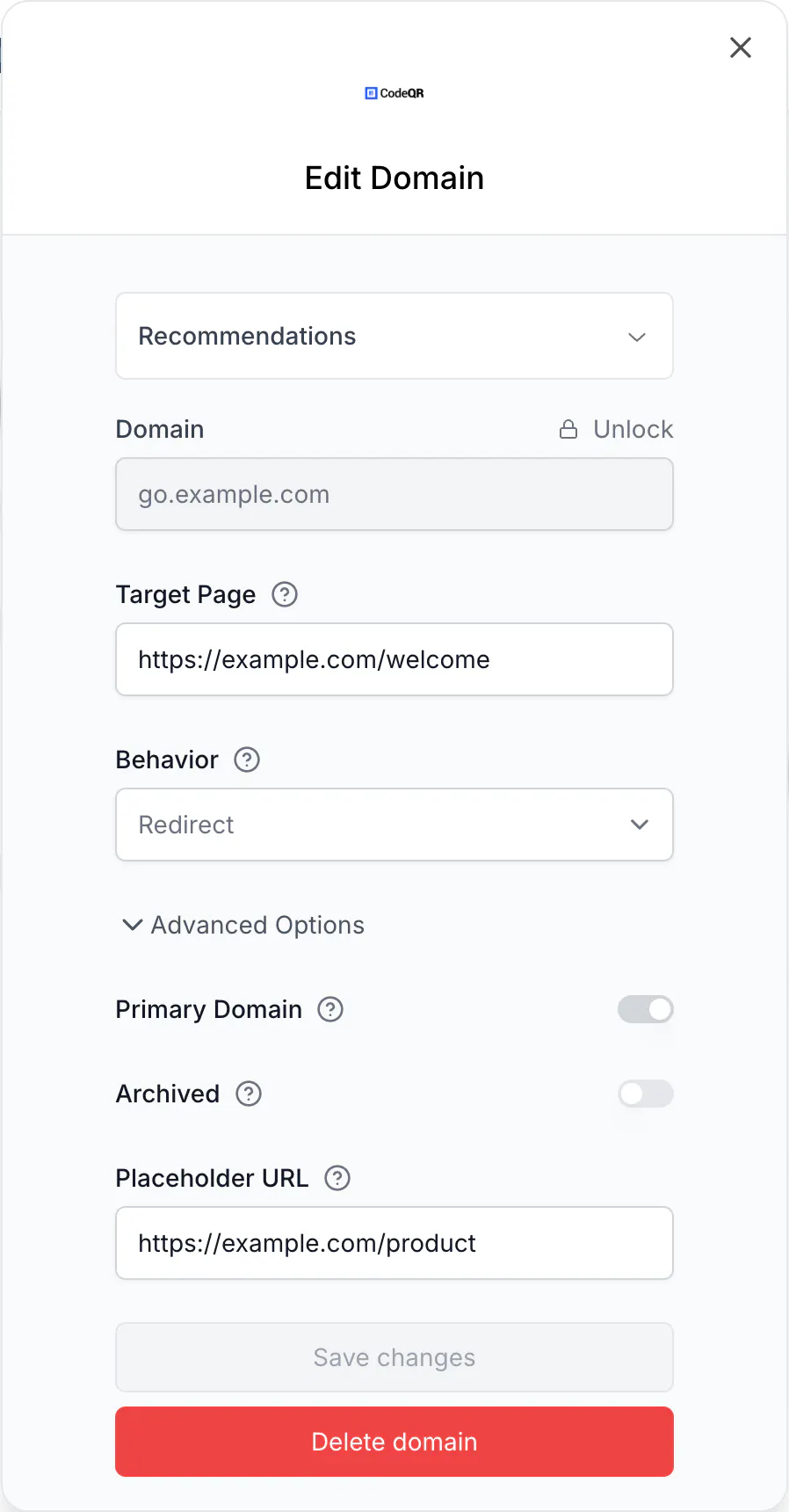
- Open Domains and select Edit on the domain.
- Fill Target Page with the full address, starting with
https://. - Behavior appears once the field has a value. Choose one: - Redirect sends the visitor to that address. The address bar shows your website. - Rewrite serves that address while the address bar keeps showing your domain.
- Select Save changes.
Redirect or Rewrite
Redirect is the honest and predictable option, and the right default. The visitor ends up on your site, at your URL, with your analytics recording the visit as usual.
Rewrite keeps your short domain in the address bar while the content comes from elsewhere. It is useful when the short domain is the brand you want people to remember, and it comes with the trade-offs of any cloaked address: your destination's own analytics see the traffic differently, relative links on the target page can break, and pages that refuse to be embedded will not render.
What this does not change
- Links keep working.
go.acmestore.com/summerstill resolves to its own destination. Target Page only covers the domain with nothing after the slash. - Root visits are not counted. The click counter and Analytics do not record someone opening the domain by itself, so a busy root looks like zero traffic.
- An address that does not exist is not covered either. If someone opens
go.acmestore.com/wrong-key, they are redirected to a CodeQR "not found" page, not to your Target Page. There is no setting for that today.
Do the same with the API
Domain settings are dashboard-only. The domain endpoints listed in the API reference return a 404, so a script cannot set Target Page — see Connect your own domain to CodeQR.
Verify it works
curl -sSI https://go.example.com/
HTTP/2 307
location: https://example.com/welcome
A 307 with your website in location means Redirect is live. With Behavior set to Rewrite you get a 200 instead, and the content of your target page in the body.
If you get a 200 with a page titled … - A CodeQR.io Custom Domain, Target Page is still empty.
Troubleshooting
The change is not saved on my plan
Target Page requires Pro or above. On Starter the field is editable and the save is refused, which reads as a bug and is one — the field should not be offered. Upgrade, or leave the root as it is.
I set Target Page and the old page still opens
Browsers cache redirects aggressively. Test with curl as above, or in a private window, before concluding that the setting did not apply.
Rewrite shows an empty page
The target refuses to be embedded. Sites send a header for exactly that purpose, and there is nothing to configure on the CodeQR side. Use Redirect for those destinations.
I want the root to show my own 404 for unknown links
Not available today. Every unknown address on a custom domain goes to the CodeQR "not found" page.