
One code for every record, created by your workflow
Order, ticket, label, certificate — Make, Zapier or your own app creates the code the moment the record is born. One a day or a thousand an hour, through the API or in bulk. Make them dynamic and each one stays yours: change where it points when the record changes, and see when and where it was scanned.
REST API and MCP server
Make, Zapier, Pipedream, IFTTT
Bulk create, update and delete
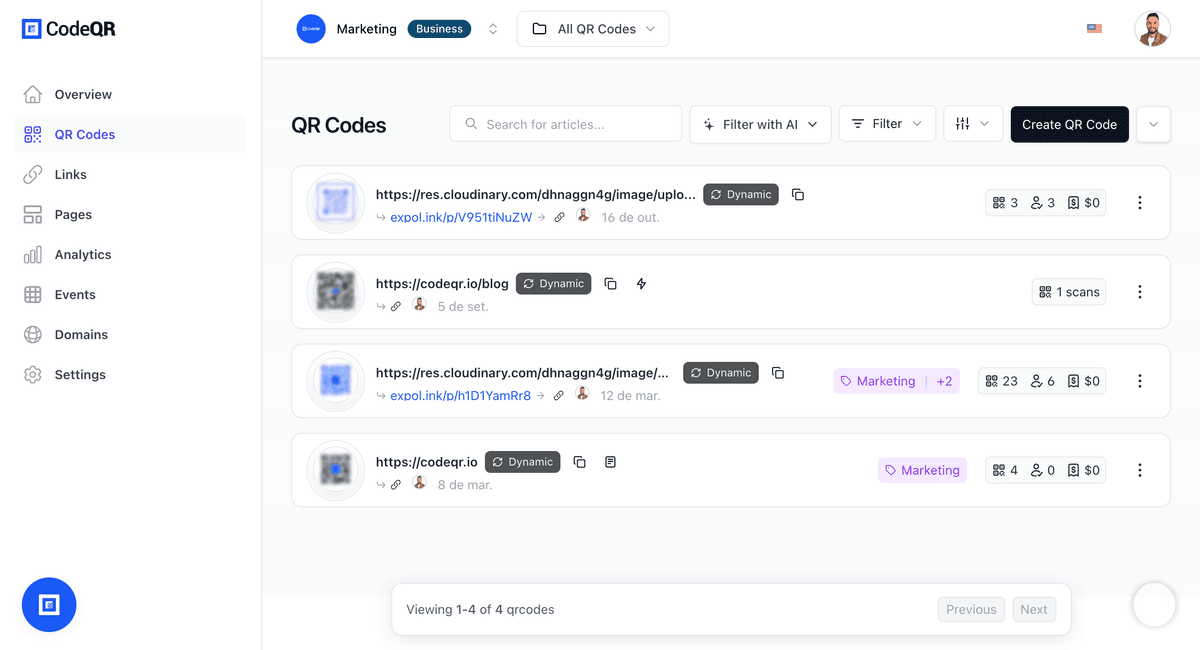
Built for the workflow that never stops
The code is created by a system, not by hand — so everything around it works by system too.
Created by your workflow
Make, Zapier, Pipedream and IFTTT modules, plus a full REST API and an MCP server. The code appears when the record does.
Bulk endpoints
Create, update or delete thousands of QR codes and links in a single call. Import a spreadsheet, or generate from a loop.
Static or dynamic — your call
Static encodes the destination directly and is unlimited on Pro and above. Dynamic redirects through CodeQR, so the destination can change and every scan is recorded.
Every scan, with context
On dynamic codes: country, city, device, browser, referrer and time — per code and per campaign, in the dashboard or through the API.
Webhooks on every event
Created, scanned, clicked, lead, sale. Send it back into your scenario or your own system the moment it happens.
Folders, tags and your domain
Organise by client, campaign or product line, tag by record type, and serve everything under your own domain.
Connect with your workflow
Integrate CodeQR with your favorite tools and automate QR code and link management.

Make
Official Make.com integration for CodeQR. Shorten and manage your links directly on Make.com.
Automation
Connect with Zapier, Make, IFTTT and other automation platforms to optimize your workflow.
Connect nowWebhooks
Transform long URLs into short and memorable links. Track clicks and conversions in real time.
Team Collaboration
Work together with your team. Share projects, manage permissions and collaborate efficiently.
REST API
Build custom integrations with our comprehensive REST API for advanced automation needs.
Smart Notifications
Receive instant alerts for important events such as high traffic periods or suspicious activity.
How automation teams use CodeQR
One pattern, four shapes: a system emits records, each record gets a code.
One code per order or shipment
The e-commerce or ERP creates the order; the scenario creates the code that goes on the label, invoice or box.
- Tracking, warranty or reorder behind one scan
- Destination changes when the order status changes
- Scans by region tell you where the box actually went
Tickets and certificates
Registration closes, the code is issued. Same code before, during and after the event — pointing wherever it should at each moment.
- Registration, then materials, then follow-up
- Check-in from the scan event via webhook
- One code per attendee, generated in bulk
Product labels and print runs
Every SKU or batch gets a code that lives on the packaging for years — and still points to the current manual, recall notice or offer.
- Update content without a reprint
- Batch-level analytics
- Bulk creation from your catalogue
Internal tools and agents
Wire CodeQR into your own app through the REST API, or let an AI agent create and manage codes through the MCP server.
- Typed SDK-friendly endpoints
- Rate limits that scale with the plan
- Same permissions model as the dashboard
What each plan lets your workflow create
If your scenario creates twenty codes a day, you will hit a limit — better to know which one before you subscribe.
| Plan | Static QR codes | Dynamic QR codes per billing cycle | Scans per billing cycle | API requests per minute |
|---|---|---|---|---|
| Starter | 150 | 150 | 6,000 | 100 |
| Pro | Unlimited | 1,000 | 30,000 | 500 |
| Business | Unlimited | 5,000 | 150,000 | 1,000 |
| Scale | Unlimited | 10,000 | 1,000,000 | 10,000 |
| Enterprise | Unlimited | Unlimited | Unlimited | 10,000 |
Static codes encode the destination in the image: nothing to change later, and no scan is recorded — CodeQR never sees them. Dynamic codes redirect through CodeQR, which is what makes the destination editable and every scan visible. Only dynamic codes count against the dynamic limit.
Trusted by leading platforms
Connect with the leading platforms and tools in the market to automate your workflows and increase your productivity.
Ready to explore all the features?
Start using CodeQR today and discover how these powerful features can transform your link and QR code management.