
Set a custom link preview image and title
Choose the image, title and description that appear when your CodeQR short link is shared on WhatsApp, Facebook, LinkedIn, X and Slack.

When someone pastes your short link into WhatsApp, LinkedIn or Slack, the app fetches the page and draws a card. Custom Link Preview lets you decide what that card says and shows, without touching the destination page.
Availability
- Plan: Starter and above.
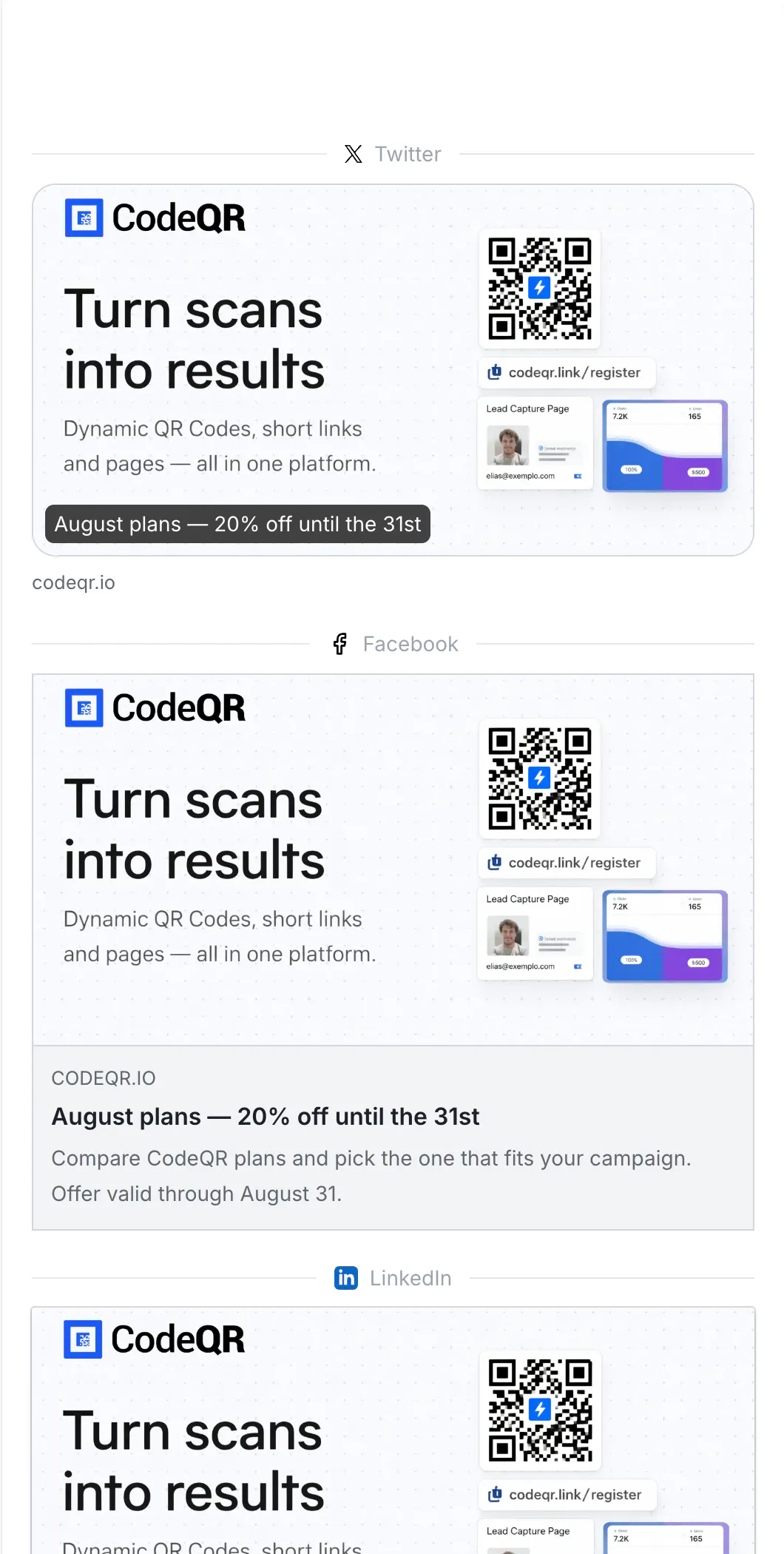
- Where: Custom Link Preview in the link builder. The Social Previews panel on the right shows the result for X, Facebook and LinkedIn as you type.
Before you start
- Have an image ready at 1200 × 630 pixels. Anything much smaller renders blurry, and some apps refuse very large files — around 1 MB is a comfortable ceiling.
- The card only changes what crawlers see. A person opening the link is redirected to the destination as always, so preview and destination can differ by design.
- Cards get cached by every platform. Set the preview before you share the link — see Troubleshooting.
Steps
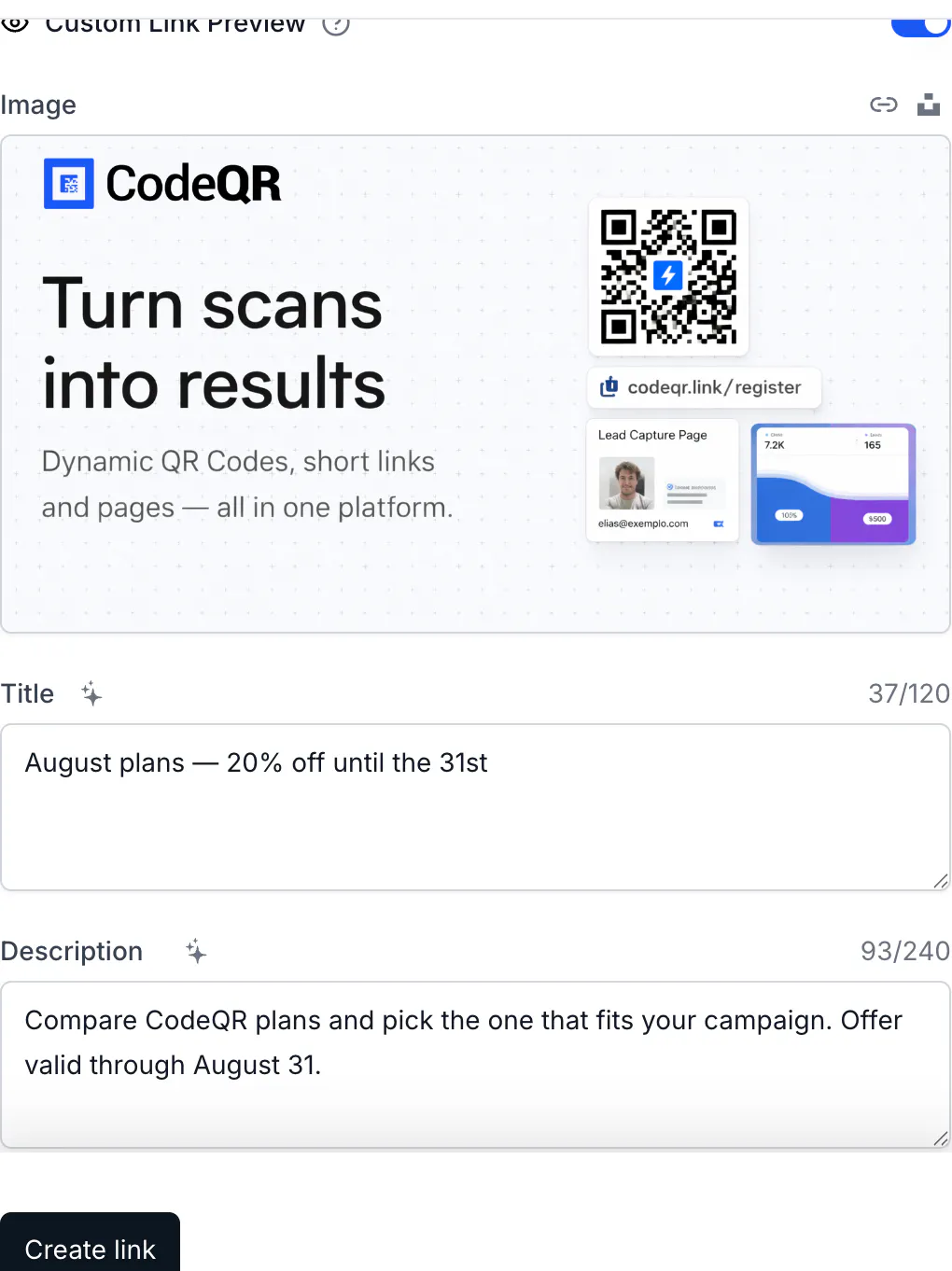
- In the link builder, turn on Custom Link Preview. CodeQR fills the fields with what it read from your destination page.
- Upload an image, paste an image URL, or search Unsplash. The recommended size is written next to the field.
- Edit Title and Description. The counters show the limits: 120 and 240 characters, and anything longer is cut when saved.
- Check the Social Previews panel on the right, then save.
What each platform shows
The card is served to crawlers — WhatsApp, Facebook, Messenger, LinkedIn, X, Slack, Telegram, Discord and iMessage all fetch the link before drawing it. Verified live: with a custom preview on, all of them receive your title, description and image, while a browser receives a plain redirect.
Two consequences worth remembering:
- The destination page's own tags no longer matter for that card. If the card looks wrong, fix it on the link.
- What is already shared does not change. The message that was sent yesterday keeps yesterday's card.
Do the same with the API
proxy turns the custom card on; the three fields fill it:
curl -X PUT https://api.codeqr.io/links/<linkId> \
  -H "Authorization: Bearer codeqr_xxxxxxxxxxxxxxxxxxxxxxxx" \
  -H "Content-Type: application/json" \
  -d '{
    "proxy": true,
    "title": "August plans — 20% off until the 31st",
    "description": "Compare plans and pick the one that fits your campaign.",
    "image": "https://example.com/og/august.png"
  }'
Send proxy: true together with the fields — a link with the switch on and nothing filled in renders an empty card. Titles are stored at 120 characters and descriptions at 240; longer values are truncated server-side, not rejected. The same fields exist in the MCP tools create_link and update_link.
Verify it works
Add ?bot=1 to your short link and CodeQR answers with the card itself, so you can read the tags without waiting for any platform:
curl -sS "https://go.example.com/august-plans?bot=1" | grep 'og:'
<meta property="og:title" content="August plans — 20% off until the 31st"
<meta property="og:description" content="Compare plans and pick the one that fits your campaign."
<meta property="og:image" content="https://example.com/og/august.png"
Then confirm the same link still redirects people:
curl -sSI https://go.example.com/august-plans
HTTP/2 302
location: https://example.com/pricing
For a final check in the wild, paste the link into a private chat with yourself before sending it to anyone else.
Troubleshooting
I changed the preview and WhatsApp still shows the old card
Every platform caches the card it fetched, and WhatsApp caches per link with no way to force a refresh. The cure is a new address: change the Short Link key — or create a second link — and share that one. For Facebook and Messenger, the Sharing Debugger can scrape the link again; LinkedIn has the Post Inspector. Neither of those affects WhatsApp.
The preview shows the destination page's image, not mine
The switch is off, or the fields are empty and CodeQR fell back to what it read from the page. Turn on Custom Link Preview, fill in all three fields, and save.
The first person to share it saw no image
Some apps draw the card from the first fetch and cache it. If the image URL was slow or still uploading at that moment, the card was built without it. Give the image a moment to finish uploading, then share.
The card is fine on X but wrong on WhatsApp
Each platform has its own cache and its own rules for image size. Check the card with ?bot=1 first: if the tags are right there, the difference is the platform's cache, not your link.
The AI button for the description does nothing
It stays disabled until there is a Title. Write the title first.
Nothing I do changes the card, and the link is not mine to edit
Preview settings live on the link, so only someone with access to that workspace can change them.