
Set an expiration date for your links
Make a CodeQR short link stop working on a date and choose where late visitors land — with the timezone rule and what people see afterwards.

An expiring link stops sending people to its destination at the moment you choose — useful for a registration that closes, a price that changes, or a document that should not circulate forever. You can also decide where latecomers land instead.
Availability
- Plan: Starter and above.
- Where: Expiration Date in the link builder, below the Optional divider. The same fields appear when you edit an existing link.
Before you start
- The date and time you type are read in your computer's timezone, not the visitor's and not a workspace setting. If your audience is in another country, convert the moment you mean before typing it.
- Decide what should happen after the date: with an Expiration URL, visitors are forwarded there; without one, they see a CodeQR page saying the link expired.
- Expired visits are not counted as clicks, so your reports keep showing what happened while the link was live.
Steps
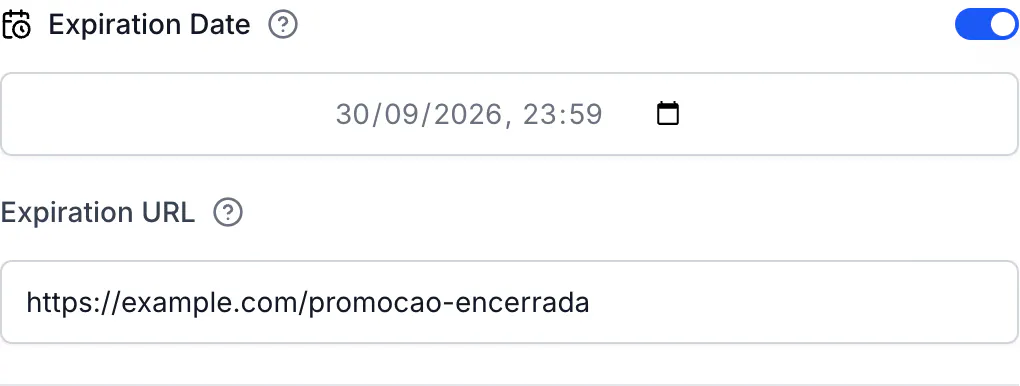
- Open the link builder and turn on Expiration Date.
- Pick the date and time in the calendar field. Past dates are refused.
- Optional but recommended: fill in Expiration URL with the page latecomers should see — the new campaign, the next event, or your homepage.
- Save the link.
What visitors see afterwards
With an Expiration URL, the short link forwards to that address. Nothing announces the expiry; people land on the page you chose, which is why it is worth pointing it somewhere that explains the situation.
Without one, the short link answers on its own address with the CodeQR expired page:
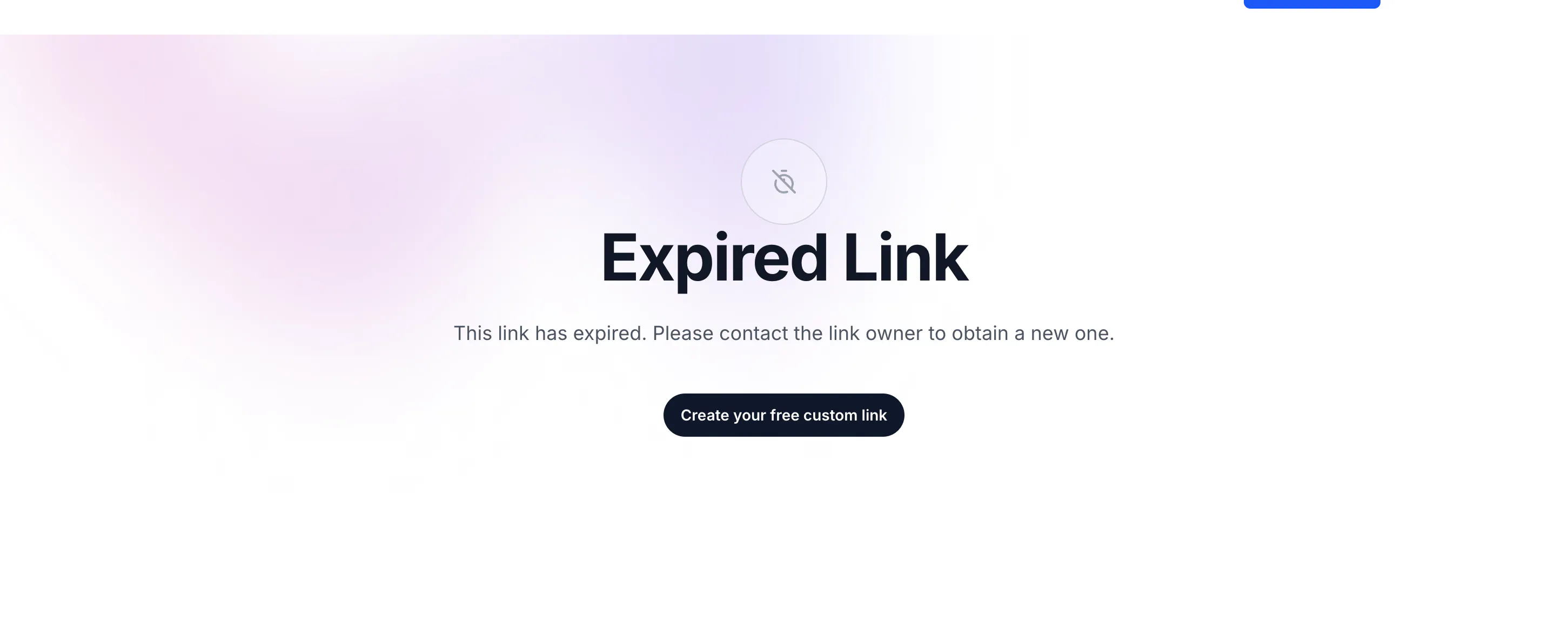
That page is shown in English to every visitor, whatever their language. If your audience reads another language, set an Expiration URL to a page of your own instead.
Links that are already printed
An expiration date is a poor fit for anything printed. A poster, a menu or a business card cannot be reprinted because a date passed, and a code that leads nowhere costs you the visit.
Prefer one of these:
- Change the destination instead of expiring the link. The address stays valid and the campaign moves on. This is the whole reason the destination is editable.
- Use the Expiration URL when you do need a hard stop, so the printed code still leads somewhere sensible.
- Send different visitors to different pages with Smart Rules when the difference is country or device rather than time.
Do the same with the API
Send expiresAt in ISO-8601, and expiredUrl alongside it:
curl -X POST https://api.codeqr.io/links \
  -H "Authorization: Bearer codeqr_xxxxxxxxxxxxxxxxxxxxxxxx" \
  -H "Content-Type: application/json" \
  -d '{
    "url": "https://example.com/enroll",
    "domain": "go.example.com",
    "key": "enroll-august",
    "expiresAt": "2026-08-31T23:59:00Z",
    "expiredUrl": "https://example.com/enrollment-closed"
  }'
expiresAt is stored as an absolute instant — the Z above means UTC, and any offset works. Sending expiredUrl without expiresAt is accepted and does nothing, so always send both.
To expire a link that already exists, PUT the same two fields to https://api.codeqr.io/links/<linkId>. To bring it back, set expiresAt to null.
Verify it works
Before the date, the short link forwards to the destination:
curl -sSI https://go.example.com/enroll-august
HTTP/2 302
location: https://example.com/enroll
After it, with an Expiration URL:
HTTP/2 302
location: https://example.com/enrollment-closed
And without one, the expired page answers on the short link itself:
HTTP/2 200
The change takes effect on the next visit — there is no cache to wait out.
Troubleshooting
The link expired hours earlier or later than I expected
The field uses your computer's clock. A time typed at a desk in São Paulo is that instant in São Paulo, and visitors in Lisbon reach the link four hours later in their own day. Reopen the link and read the date back: it displays in the timezone of whoever is looking.
The expiration date must be in the future.
The moment you typed has already passed — often because a date was set weeks ago and the link is being edited now. Pick a new date, or turn the switch off to remove the expiry.
The link still works after the date
Check that the change was saved, and reload rather than reusing an open tab: a browser that already followed the link may have cached the redirect. The check with curl above bypasses that cache.
Visitors see an English page
That is the built-in expired page. Set an Expiration URL pointing at a page of yours to control the language and the message.
Expired visits are missing from my reports
They are not counted: a link that has expired never records a click. The visits you see are the ones that arrived while it was live.