
Capture leads with a form before the redirect
Show a lead-capture form when someone opens your short link or scans your dynamic QR code, then send them to the destination. Plans, leads, guides.

A printed QR code on a poster, a short link in a bio, a code on a menu: with a Pre-redirection form the person who opens it sees a short form first — name and email, for example — and is then sent to the destination you configured. You keep the lead, the visitor keeps the redirect. Read this page to understand what the visitor sees, where the lead lands, and which guide fits your job.
Availability
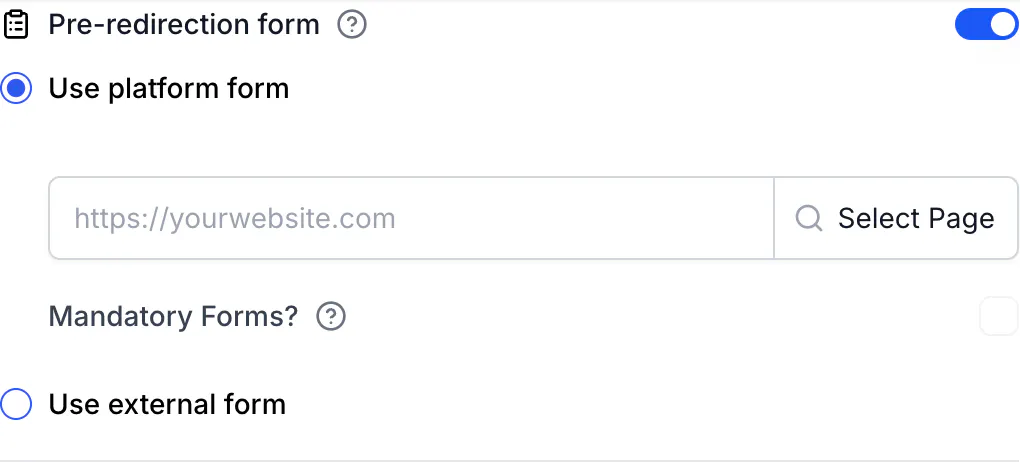
- Plan: Business and above (pricing). On lower plans the toggle shows a Business badge and the API answers
403. - Where: in the link builder (Links → Add Link, or open a link and choose Edit) and in the QR code editor for dynamic QR codes of any type — URL, WhatsApp, Wi-Fi, vCard and the others. Static QR codes cannot use it: the toggle is disabled with the note "Pre-redirection pages are only available for dynamic QR codes".
What the visitor sees
- They open the short link or scan the QR code. CodeQR records the click or scan.
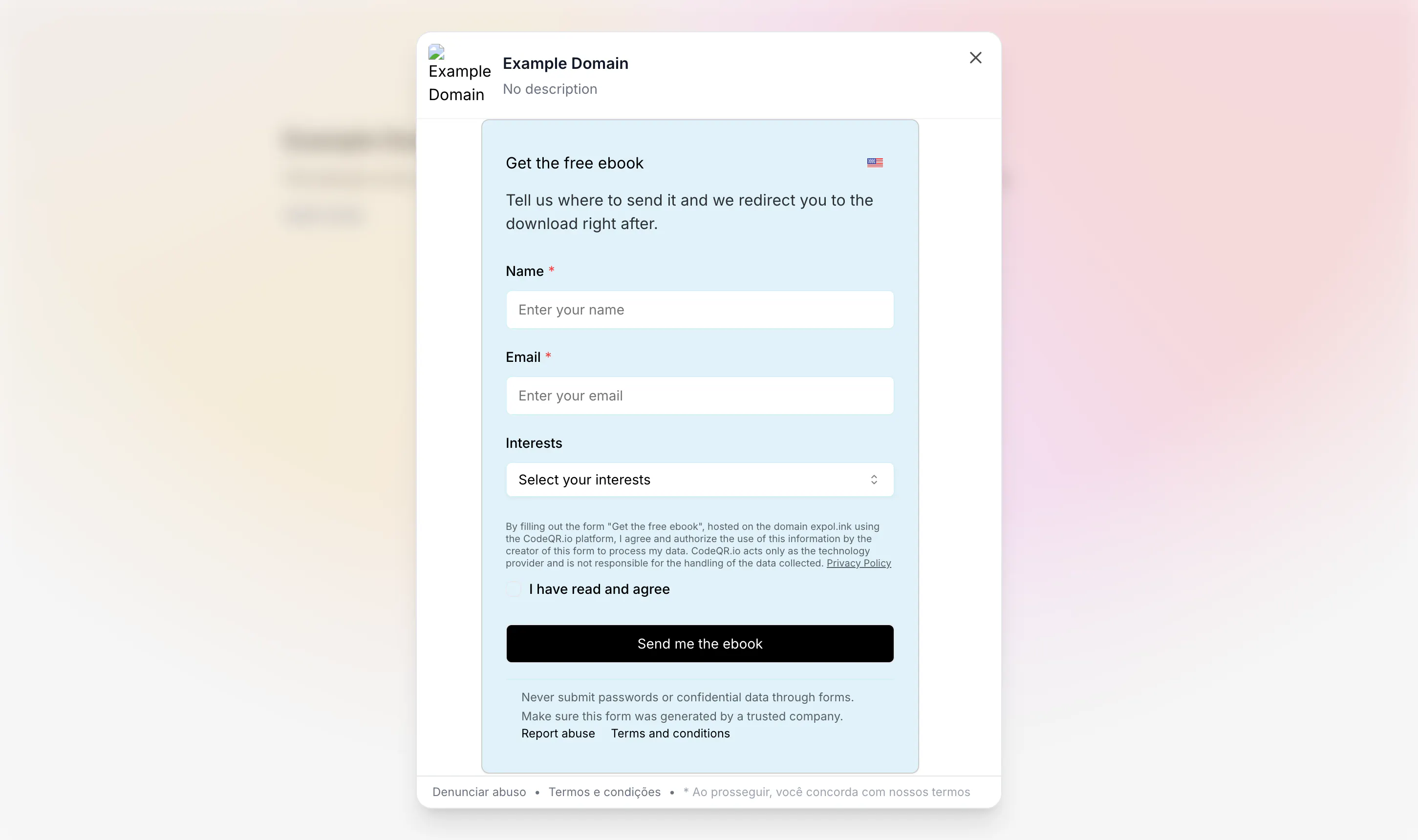
- Instead of the destination, a modal opens over a blurred preview of the destination page. Inside it is your form: a CodeQR Page form (fields you defined, a consent checkbox, your privacy policy link) or an external form (Google Forms, Typeform, Tally or any other URL, shown in a frame).
- They fill in the form and press the button. CodeQR saves the response and sends them through the same short link to the destination — Smart Rules, device and geographic targeting still apply, and a WhatsApp QR code still opens WhatsApp.
- If the form is not mandatory, a close button lets them skip it and continue to the destination. If it is mandatory, there is no close button.
- For one hour, the same browser goes straight to the destination on any further visit to that link — the form does not repeat.
What you get
- Every response in Pages → your page → Responses, with Export CSV.
- A Customers record for each lead (Business and above), with the click that brought the person in its timeline.
- With Conversion tracking switched on for the page: a lead event in Events and Analytics, attributed to the link or QR code, plus a
lead.createdwebhook to Zapier, Make, Slack and your own endpoints. - An email to the workspace owners for each new lead, when Email me new leads is on for the page.
- The lead in your CRM — RD Station, Kommo, HubSpot or Google Sheets — when a connector is installed.
External forms are the exception: the response stays in Google Forms, Typeform or Tally; CodeQR only shows the form and handles the redirect. Details in Where your leads go.
Why not a plain "QR code for a Google Form"
A QR code that points straight at a Google Form ends at "Your response has been recorded" — the visitor never reaches your product page, your app store listing or your WhatsApp. A Pre-redirection form keeps the destination: the form is a step, not the end. It also stays editable after the code is printed, because the form is a setting on the link or QR code, not part of the image.
Pick your guide
- Put a CodeQR form in front of a link or dynamic QR code — Read: Add a lead form to a QR code or short link
- Show a Google Form, Typeform or Tally form instead — Read: Use a Google Form or Typeform before the redirect
- Decide whether visitors can skip the form, and what happens after they submit — Read: Make the form required or let visitors skip it
- Find, export or forward the leads — Read: Where your leads go: Responses, Customers, CSV, CRM
- Configure it by code or from an automation — Read: Set up pre-redirection forms with the API and automations
- Look up fields, plans, limits and the visitor cookies — Read: Pre-redirection form reference
- Understand why the form did not show or a lead is missing — Read: The form did not show or the lead did not arrive
Where it fits
- Events and trade shows: one QR code on the booth banner; the form asks for name and email; the visitor lands on your catalog. Leads arrive in Customers with the scan attached.
- Downloads and ebooks: the destination is the PDF or the download page; the form collects the email first.
- Menus and venues: a dynamic QR code with a WhatsApp destination; the form captures the contact, then WhatsApp opens with your message pre-filled.
- Real estate and print ads: the destination is the listing; the form captures the interested buyer.
Limits in short
- Business plan and above; dynamic QR codes only.
- One form per link or QR code; a CodeQR Page can serve many links and QR codes.
- Mandatory only with a CodeQR Page form; external forms can always be closed.
- The form is shown to people, not to link previews and bots — WhatsApp, Slack and Facebook unfurls go straight to the destination.
- Query parameters on the short link (
?utm_source=…) are saved with the response but are not forwarded to the destination after the form. - Not configurable through the MCP server today; Zapier, Make and Pluga modules have no form field — use the API.