
Where your leads go: Responses, Customers, CSV, CRM
Where a Pre-redirection form lead can land: Responses and CSV, Customers, Events, email, CRM connectors, webhooks, Zapier — and the setting that decides.

After reading this page you know where to look for a lead captured by a Pre-redirection form, which destinations depend on the page's Conversion tracking switch, and why a lead can be in one place and not in another.
This applies to CodeQR Page forms. External forms (Google Forms, Typeform, Tally) keep their answers in their own tool — CodeQR receives nothing.
The one setting that matters
Open Pages → your page → Form Content. The Conversion tracking switch decides how far the lead travels:
- Responses tab of the page + Export CSV — Conversion tracking off: yes · Conversion tracking on: yes
- Email to workspace owners (Email me new leads on) — Conversion tracking off: yes · Conversion tracking on: yes
- Customers screen** — Conversion tracking off: yes, Business and above · Conversion tracking on: yes
- CRM connectors: RD Station, Kommo, HubSpot, Google Sheets — Conversion tracking off: yes · Conversion tracking on: yes
- Events and Analytics (lead event,
leadscounter on the link or QR code)** — Conversion tracking off: no · Conversion tracking on: yes lead.createdwebhook: Zapier, Make, Slack, Segment, your endpoints — Conversion tracking off: no · Conversion tracking on: yes
Conversion tracking is available on Pro and above; the form itself needs Business and above. If a lead "never reached Zapier", this switch is the first thing to check.
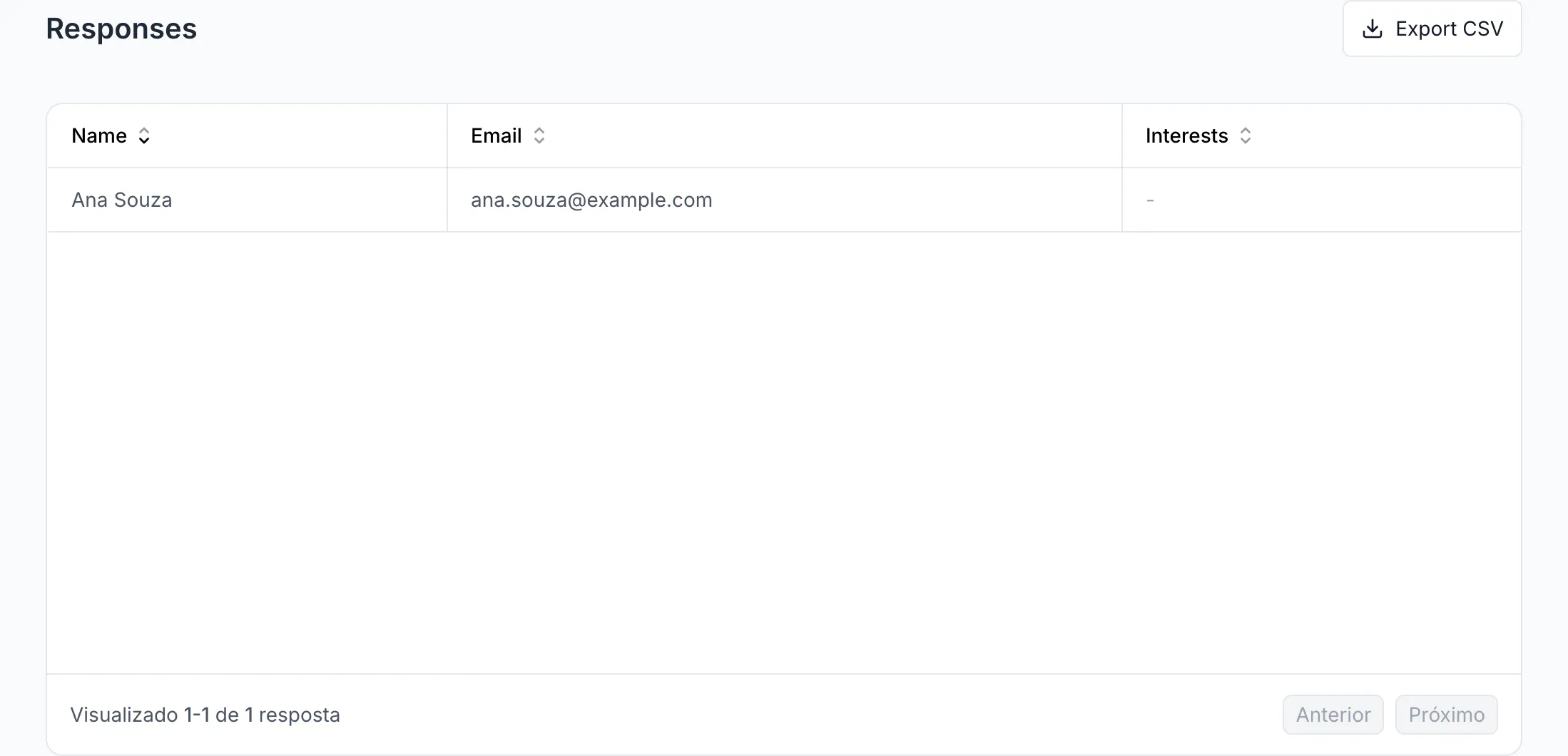
Responses and CSV
Pages → your page → Responses lists every submission with one column per field. Export CSV downloads responses_export-generated-by-codeqr.csv with these headers: createdAt, name, email, message, rating, completed, duration, consentAt, then one column per custom field (its label), then the UTM parameters that were on the short link when the visitor opened it (utm_source, utm_campaign, …). This tab is the source of truth: it lists every response, whatever the plan or the conversion setting.
The funnel counters on the page card (views → starts → completed) count visits to the standalone page; submissions made through the Pre-redirection modal are not added to them. Read the Responses tab.
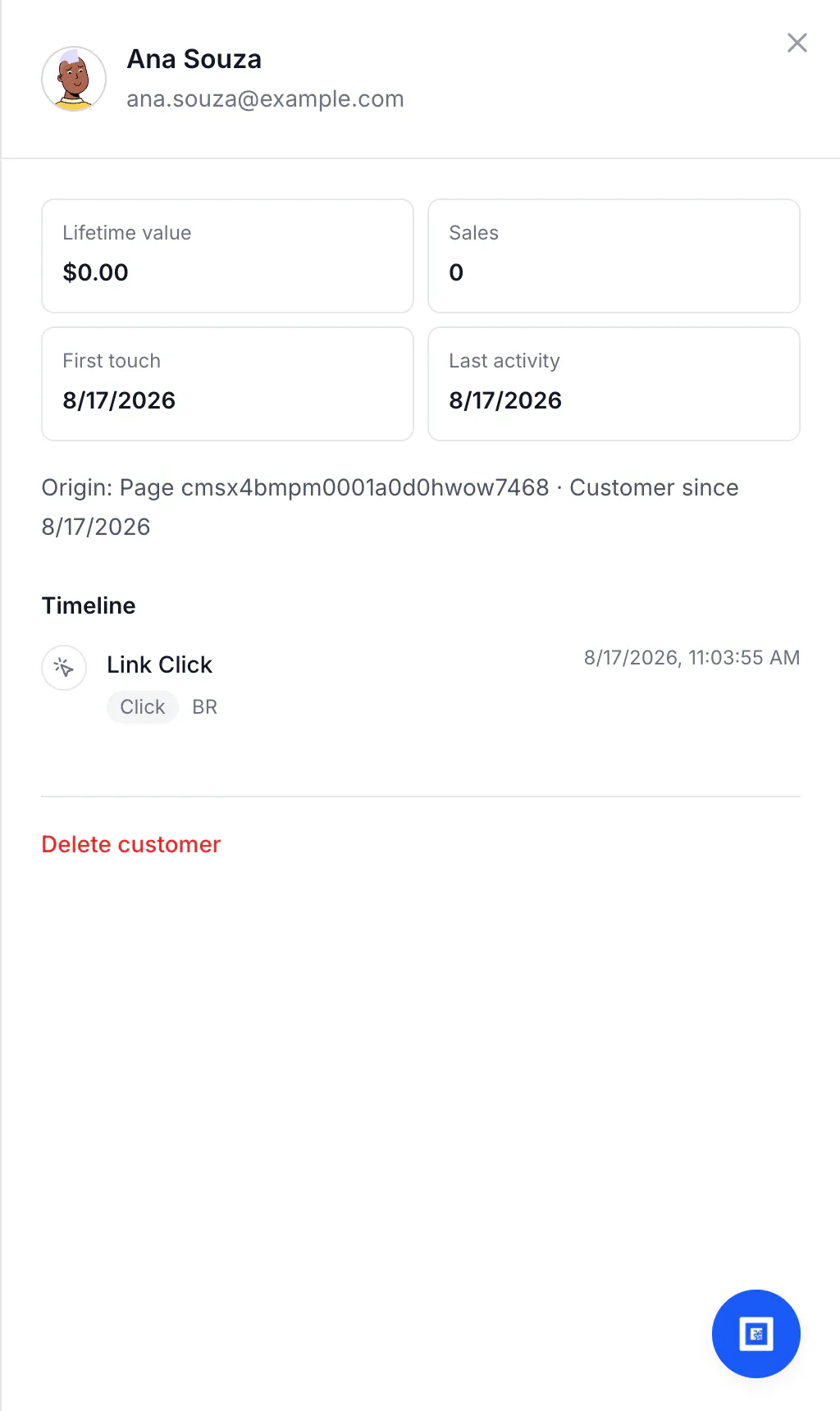
Customers
Customers (Business and above) shows one record per lead: name, email, Origin: Page …, first touch and last activity, and a timeline with the Link Click that brought the person in — country included. Open a record to see it; Delete customer removes it.
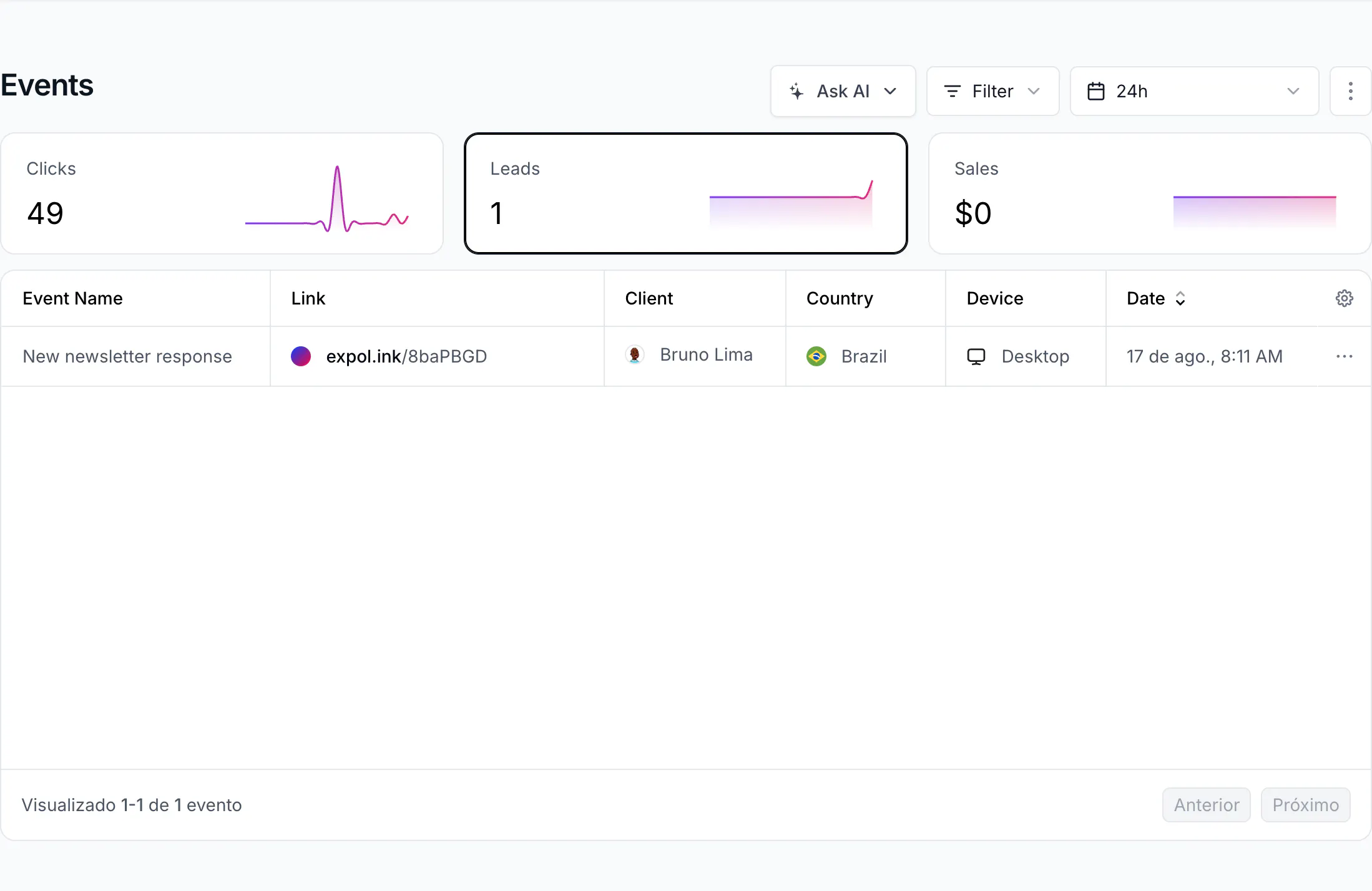
Events and Analytics
With Conversion tracking on, each submission is a lead event named New <page type> response (for example "New newsletter response") in Events, attributed to the link or QR code the visitor opened — with client, country and device. The link's Analytics show it under Leads, and the leads counter of the link increases ("leads": 1 on GET /links/{id}).
The attribution works through the cq_id cookie set when the visitor opened the link: the response carries the click id, and the lead inherits the link or QR code of that click. Without a click (someone opened the page directly) the lead is attributed to the page.
Email notification
Turn on Email me new leads in Form Content and save. Every workspace owner receives an email with subject New lead on <page title>, the submitted values, and a View all responses button. It goes to owners, not to members; it is sent for completed submissions; there is no push notification for leads.
CRM connectors
With RD Station, Kommo, HubSpot or Google Sheets installed in Settings → Integrations, each lead is sent to the tool with full_name, email and your custom fields (unknown fields become a note in Kommo and RD Station). CRMs deduplicate by email: a second submission from the same address updates the contact instead of creating a new one — that is their behaviour, not a lost lead. Setup guides: How to integrate CodeQR with RD Station.
Webhooks, Zapier, Make, Pluga
With Conversion tracking on, CodeQR sends a lead.created webhook (Pro and above) to every subscription: your own endpoint (Settings → Webhooks), Zapier, Make, Pluga, Slack, Segment. The payload carries customer (name, email, customFields with your fields and the UTM values), the interaction (the click: country, device, referrer) and the link or qrcode object. See Make and Pluga.
Two behaviours to plan for on the receiving side: delivery is at-least-once (a slow endpoint may receive the same lead twice, seconds apart — deduplicate by the customer id), and lookup-before-create in a Zap does not protect against two runs at the same time.
Duplicates
CodeQR records at most 5 leads per hour for the same email and event name; a sixth submission in that window is stored in Responses but not counted again as a lead. Submitting twice from the same browser is unlikely anyway: the form is skipped for one hour after a submission.
Troubleshooting
The lead is in Responses but not in Events, and my Zap did not fire
Conversion tracking is off for that page. Turn it on in Form Content and save; leads captured from then on flow to Events and webhooks. Earlier responses stay in Responses and Customers only.
The lead is in Customers but not in Events
Same cause: Customers is fed in both modes, Events only with Conversion tracking on.
The lead is in Google Sheets but not in HubSpot
Each connector receives the lead independently. HubSpot answers "contact already exists" for a repeated email and updates the record — count conversions, not contacts. Check the connector's mapping if the contact never existed.
No email arrived
Email me new leads is off, or you are a member and not an owner of the workspace, or the message is in spam. Emails are sent for completed submissions only.
The lead was counted twice in Zapier
Your endpoint answered slowly and the delivery was retried, or two Zaps listen to the same event. Deduplicate by the customer id in the payload and answer 200 before processing.