
Create a short link and set advanced options
Create a short link in CodeQR, pick the domain and key, add an internal note, and find the advanced option that solves your problem.

A short link in CodeQR is a live endpoint: you decide where it goes, you can change that destination after it has been shared, and every visit is recorded. This page creates one and points you to the option that solves whatever brought you here.
Availability
- Plan: every plan, Free included. The number of links you can create per cycle depends on the plan; advanced options have their own requirements, listed below.
- Where: Links in the sidebar, then Add Link. The same builder opens when you edit an existing link.
Before you start
- Have the destination ready — the full address, starting with
https://. - Decide which domain the link lives on. A CodeQR shared domain works right away; your own domain has to be connected first and makes the link look like you.
- Anything you set here can be changed later, except one thing: the Short Link key. Changing it breaks every copy already shared.
Steps
- Open Links and select Add Link.
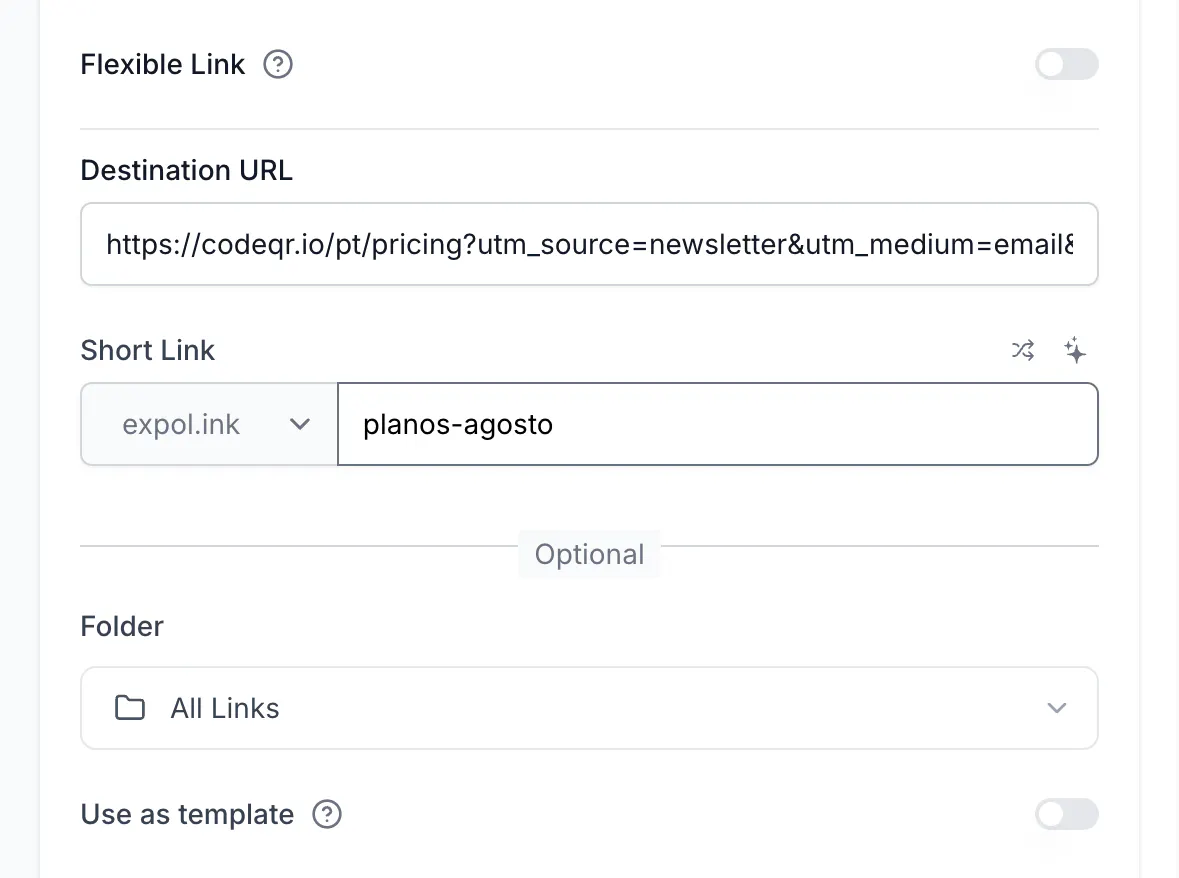
- Paste the address into Destination URL. CodeQR reads the page and fills the preview cards on the right.
- Pick the domain in Short Link and type the ending you want. Leaving it as Optional gives you a random one; the two icons above the field generate a random key or ask AI for one.
- Optional: choose a Folder, add tags, or turn on Use as template to reuse these settings on the next link.
- Select Create link.
The link appears at the top of Links, ready to copy.
Pick the option that solves your problem
Everything below the Optional divider is a switch you can turn on now or later.
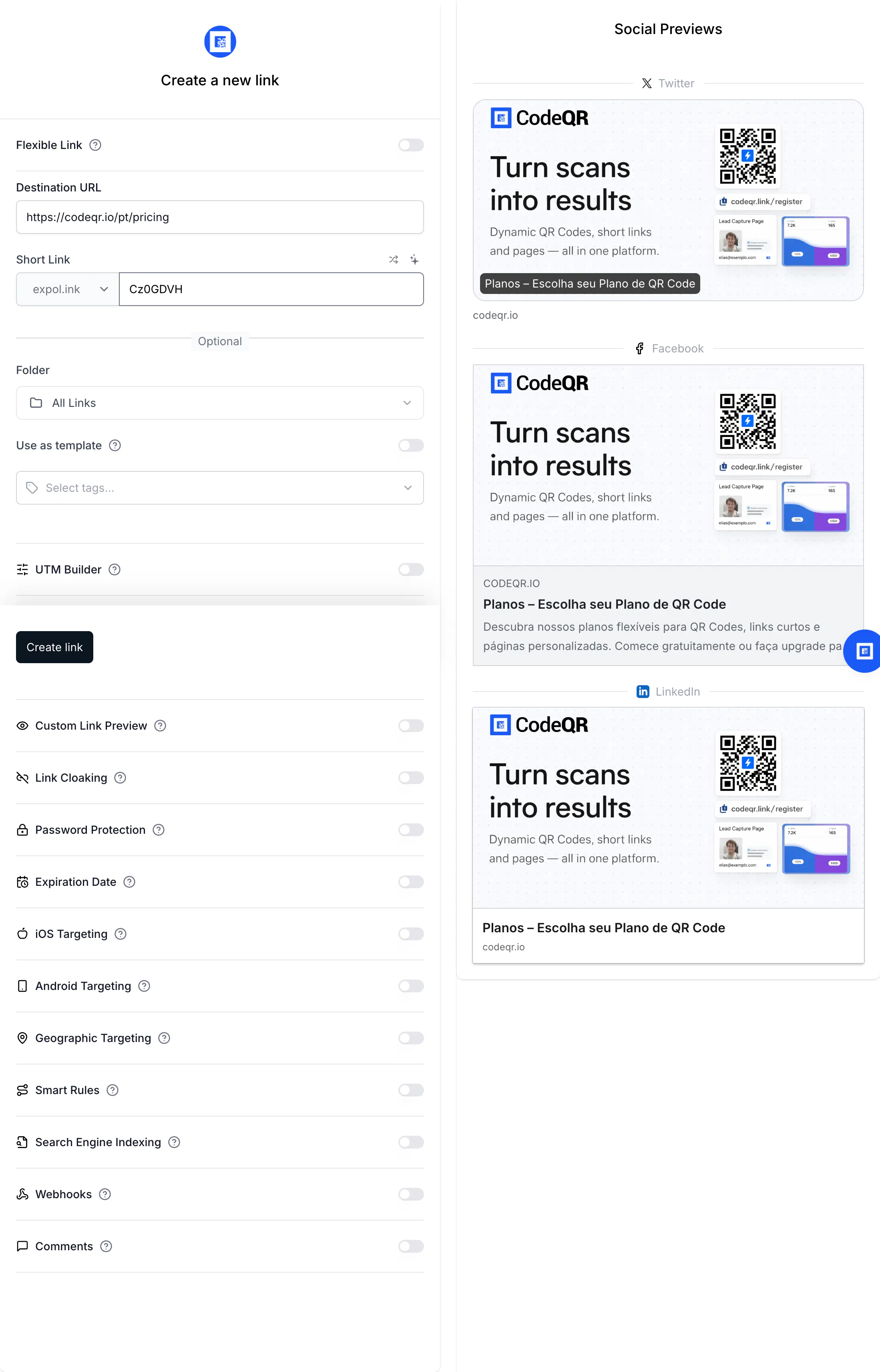
- You want the campaign to show up in reports — turn on UTM Builder. It writes the parameters into your destination URL. See Add UTM parameters to a short link. Every plan.
- You want a specific ending, like your campaign name — type it in Short Link. Rules and limits in Choose a custom key for your short link. Every plan.
- The link has to stop working on a date — Expiration Date. See Set an expiration date for your links. Starter and above.
- The card on WhatsApp or LinkedIn has to show your image and headline — Custom Link Preview. See Set a custom link preview image and title. Starter and above.
- The link must not show up in Google — Search Engine Indexing decides that. See Keep your short links out of search results. Starter and above.
- Someone else will decide the destination — Flexible Link. See Let the recipient choose the destination of a link. Starter and above.
- Only people with the password should get through — Password Protection. See How to create password-protected links in CodeQR?. Starter and above.
- iPhone and Android users need different app stores — iOS Targeting and Android Targeting. See Send iOS and Android visitors to their app store. Starter and above.
- Visitors from another country need another page — Geographic Targeting. See Geo redirect by country, region, city, or language. Starter and above.
- The destination depends on device, source, language or an A/B split — Smart Rules. See Send each visitor to the right destination with Smart Rules. Business and above.
- You want the visitor to leave contact details first — Pre-redirection form. See Capture leads with a form before the redirect. Business and above.
- Your address bar should keep showing your domain — Link Cloaking. See Link Cloaking in CodeQR: How to Mask URLs. Pro and above.
- You need to group links for reporting — tags, and Folder on Pro and above. See How to Use Tags in CodeQR.
On a Free workspace the paid switches are visible but the save is refused with the exact reason, naming every option involved: You can only use custom link preview and link expiration on a Starter plan. Upgrade to Starter to use these features.
Leave a note for your team with Comments
Comments is a free text field stored with the link, visible only inside CodeQR — visitors never see it. Use it for the things a URL cannot say: which campaign the link belongs to, who asked for it, when it can be deleted.
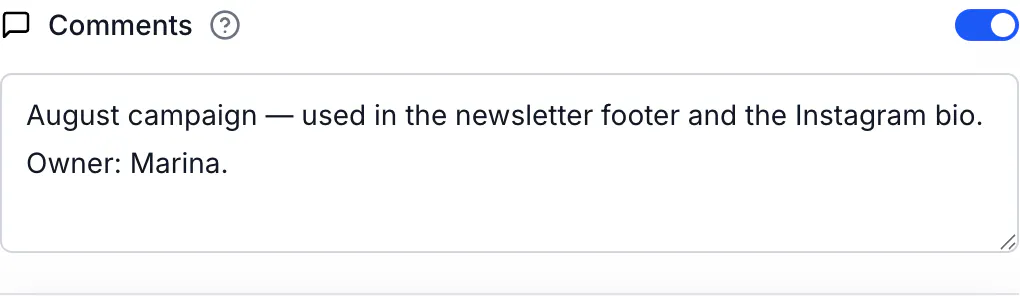
Links carrying a note show a document icon in the list, next to the lightning icon that marks a link with advanced options:

Check a link before you share it
Add + to the end of any CodeQR short link — go.example.com/summer-menu+ — and you get the public inspector page, showing where the link leads without following it. It works for anyone, so you can send it to a colleague who asks whether a link is safe.
Do the same with the API
The same link, created with one request:
curl -X POST https://api.codeqr.io/links \
  -H "Authorization: Bearer codeqr_xxxxxxxxxxxxxxxxxxxxxxxx" \
  -H "Content-Type: application/json" \
  -d '{
    "url": "https://example.com/blog",
    "domain": "go.example.com",
    "key": "summer-menu",
    "comments": "August campaign — newsletter footer"
  }'
The response carries the finished link and its QR code:
{
  "id": "cmsxmiaps0003pmi0yyolgqp7",
  "domain": "go.example.com",
  "key": "summer-menu",
  "url": "https://example.com/blog",
  "shortLink": "https://go.example.com/summer-menu",
  "qrCode": "https://api.codeqr.io/qr?url=https://go.example.com/summer-menu?qr=1",
  "clicks": 0
}
An AI assistant connected through MCP creates the same link from a sentence — see Connect CodeQR to Claude, ChatGPT and Cursor with MCP. To get a key first, see Create an API key and choose its permissions.
Verify it works
Open the short link in a browser: you land on the destination. From a terminal, the same check without leaving a click behind is a plain header request:
curl -sSI https://go.example.com/summer-menu
HTTP/2 302
location: https://example.com/blog
The click count in Links updates within seconds, and Analytics shows the visit within a few minutes.
Troubleshooting
The key I typed turned into random characters
CodeQR generates a random key as soon as you enter the destination, and that answer can land on top of a key you typed a second earlier. Look at the Short Link field one more time before selecting Create link, and retype the key if it changed.
Duplicate key: this short link already exists.
That ending is already taken on that domain. Pick another one, or leave the field empty for a random key. Deleted links free their key.
Invalid key.
The key has a character that is not allowed — a space, an accent that cannot be converted, or punctuation. Letters, numbers, - and / are safe.
You can only use … on a Starter plan.
The switch you turned on needs a paid plan. The message lists every option involved, so turning off the ones you do not need may be enough.
The link opens a "not found" page
The key does not exist on that domain — usually a typo, a deleted link, or the wrong domain. Check the list in Links and copy the link from there.