

A dynamic QR code encodes a short link instead of your final web address, so you can edit where it points at any time — even after it is printed — and record every scan. With CodeQR you generate one in minutes, add your logo, then track reads by country, device, browser, and referrer from a single dashboard.
What it's for
A dynamic QR code solves the two things a printed code normally cannot do: change and count. Because the code carries a short link with a redirect layer, the destination lives in your account, not in the printed dots — so you swap the target without reprinting, and each scan is logged. A static QR has no redirect layer: you can edit the record and export the image again, but codes already printed keep the old content and record nothing. More than 100 million U.S. smartphone users scanned a QR code in 2025, up from 89.5 million in 2022, which makes an editable, measurable code worth the setup.[^1] Start with the CodeQR QR code generator and the broader QR code features.
How to create your dynamic qr code
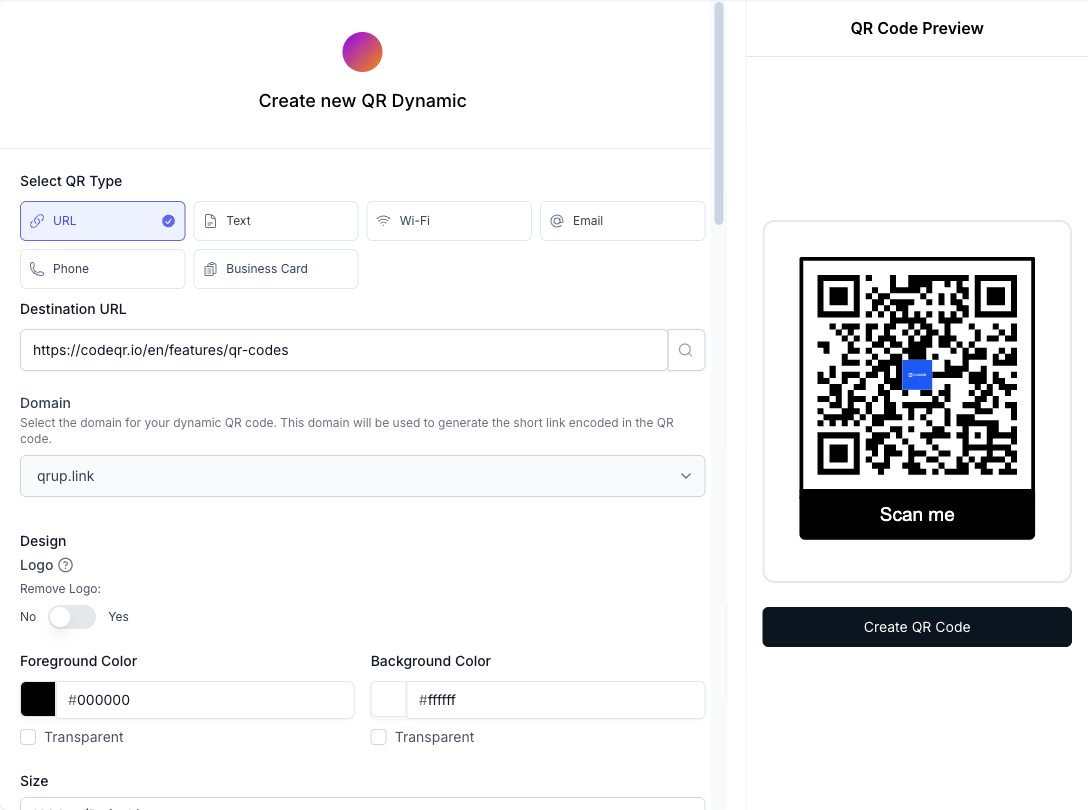
- Create a URL QR code. Open the CodeQR generator, choose the URL type, and paste the web address you want people to reach.
- Keep it dynamic. Save it as a dynamic QR so it encodes a short link rather than the raw URL. If the page is not ready, use flexible mode — print now and set the destination later.
- Customize the design. Upload your logo, set brand colors with enough contrast, and add frame text such as "Scan for menu" so the code explains itself.
- Download and print. Export a high-resolution PNG or SVG and size it for the distance people will scan from.
- Edit the destination anytime. Point the same printed code to a new link whenever the target changes — the printed code stays valid.
- Track each scan. Review scans by country, city, device, browser, OS, referrer, and UTM. For the full metric breakdown, see QR code scan tracking.
Practical example
Consider a café printing table-tent QR codes that point to a digital menu. With a dynamic QR code, the owner prints once and updates the linked menu every time prices or specials change — the cards on the tables never need reprinting.
Now imagine the same café runs a summer promotion. Using the UTM builder, the owner tags the table codes separately from the code on the front-window poster, then compares which placement drives more scans in the conversion tracking view. If the poster underperforms, they move it — no new print run, no guesswork about which sign people actually used.
Best practices
- Size the code to the scan distance. A rough rule is a 1:10 ratio — a code meant to be read from 1 meter away should be at least 10 cm wide. Keep any printed QR to a minimum of about 2 cm on close-range materials like business cards.
- Leave the quiet zone. Keep a clear margin of at least 4 modules (four "dots" wide) around the code so scanners can find its edges. Text or graphics crowding the border cause failed reads.
- Expect wear on rough surfaces. Curved cups, laminated menus, and anything handled daily will scuff. QR codes carry built-in error correction — at the highest level, H, roughly 30% of a damaged or obscured code can still be recovered[^2] — which is also what gives a center logo room without breaking the scan.
- Keep strong contrast. Use a dark code on a light background. Light-on-dark and low-contrast color pairs are the most common reason a phone camera refuses to read a code.
- Choose dynamic when anything might change. If the destination, campaign, or landing page could ever move, use a dynamic QR code so you edit the link instead of reprinting. A static code locks the URL forever.
Need a code for a downloadable pass instead of a web page? See wallet passes. To compare tiers before printing at volume, check CodeQR pricing.
[^1]: Statista — More than 100 million U.S. smartphone users scanned a QR code in 2025, up from 89.5 million in 2022. https://www.statista.com/statistics/1337584/number-of-smartphone-qr-code-scanners-usa/ [^2]: QR Code (Denso Wave) — QR code error-correction level H can recover roughly 30% of a damaged or obscured code, the highest of the four defined levels. https://www.qrcode.com/en/about/error_correction.html