

A QR code for WhatsApp encodes a wa.me click-to-chat link, so anyone who scans it opens a chat with your number — usually with a message already typed in, ready to send. You make one in CodeQR as a dynamic URL QR code, add your logo and a short label, then track every scan. Print it wherever people can point a phone.
What it's for
A WhatsApp QR code removes the step where someone has to find your number, type it in, and start a conversation. They scan, the chat opens, and they send. This works well on flyers, storefront windows, packaging, receipts, business cards, and event signage — anywhere a person is holding a phone and might want to reach you directly. The URL QR code type is what carries the wa.me link.
How to create your qr code for whatsapp
- Build your wa.me link. Write your number in full international format with no plus sign, spaces, dashes, or leading zeros. A US number becomes
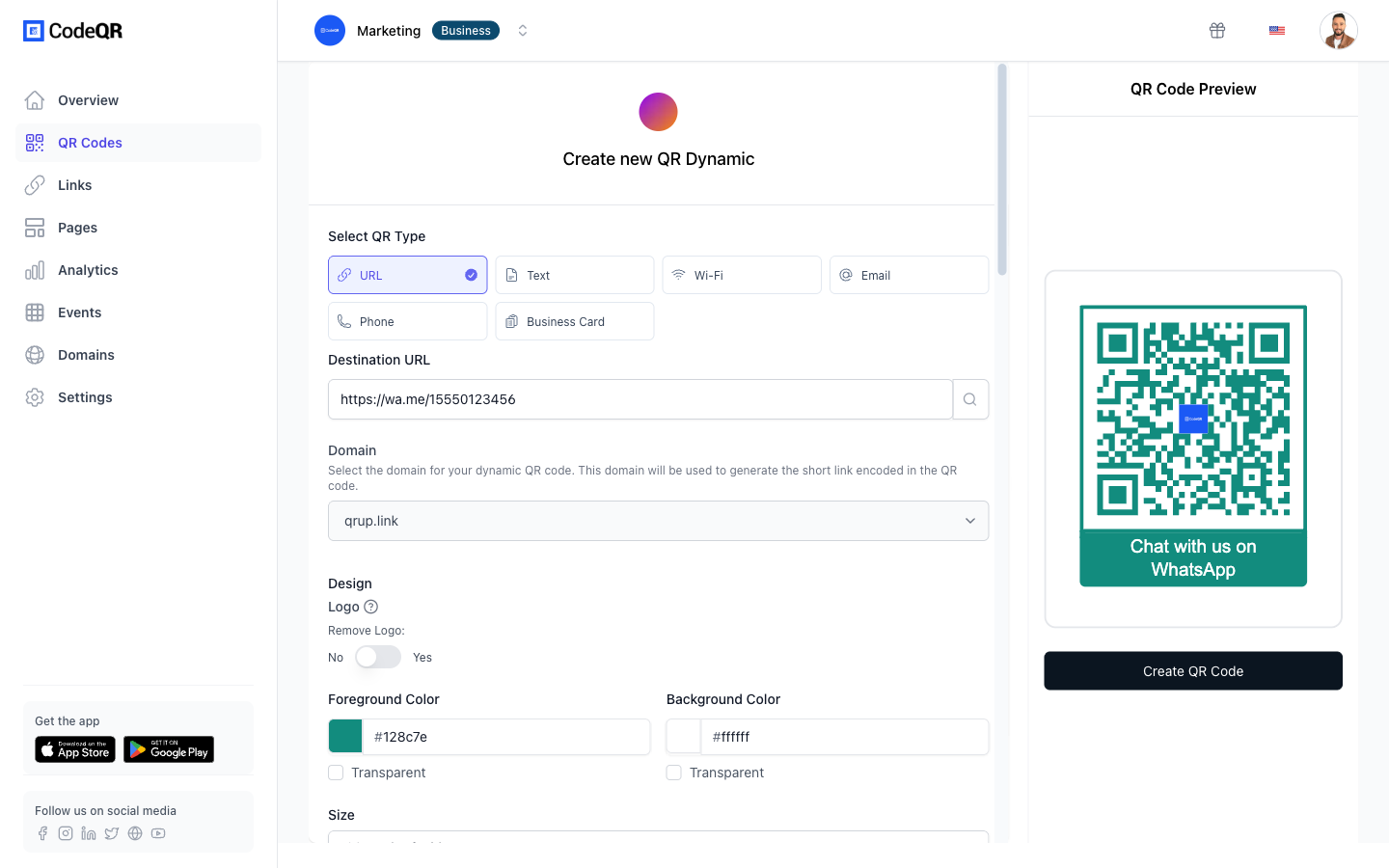
https://wa.me/15551234567. To pre-fill a message, add?text=and your URL-encoded text, for examplehttps://wa.me/15551234567?text=Hi%2C%20I%20saw%20your%20flyer. - Create a URL QR code. Open the CodeQR QR code generator, choose the URL type, and paste your wa.me link. Keep the code dynamic so you can swap the number or message later without reprinting.
- Customize the design. Upload your logo, set your brand colors, and add frame text such as "Chat with us on WhatsApp" so people understand what the code does before they raise their phone.
- Download at the size of your sign. Export a high-resolution PNG or SVG sized for the surface it will live on, and keep a clear quiet-zone margin around the code so a phone can lock onto it.
- Track scans and tag sources. Turn on scan analytics and use the UTM builder to label each placement, so you can tell a window sticker apart from a flyer.
More than 100 million U.S. smartphone users scanned a QR code in 2025, up from 89.5 million in 2022, so the scan itself is a familiar motion for most people you'll reach.[^1]
Practical example
Consider a small repair shop that wants walk-ins to message before visiting. The owner prints a window sticker with a WhatsApp QR code whose link is https://wa.me/15551234567?text=Hi%2C%20I%20want%20a%20repair%20quote. Someone scans, and the chat opens with that request already typed.
Because the code is dynamic, the owner can point it at a different number during holidays without touching the printed sticker. With a UTM tag on the window sticker and a second tag on the counter flyer, the owner can compare which placement starts more chats — without guessing and without reprinting either sign.
Best practices
- Test the wa.me link before you print. Open it on a phone with WhatsApp installed and confirm the chat opens with the correct number and message. A single wrong digit sends every scanner nowhere.
- Leave a quiet zone. Keep a clear margin of at least four modules (the small squares) around the code so scanners can find its edges. Crowding the code with text or a border hurts read rates.
- Size for scan distance. A rough rule is a minimum width of about 2 cm for a code scanned at arm's length; scale up for window stickers read from the sidewalk — roughly 1 cm of code width for every 10 cm of distance.
- Test tricky surfaces before you print the run. Error correction is what lets a laminated, curved, or logo-covered code still resolve — at the highest level, H, roughly 30% of it can be obscured and still recover.[^2] It has limits, so scan the printed proof with a phone before ordering a batch of stickers.
- Keep strong contrast and go dynamic. Use a dark code on a light background, never the reverse, and choose a dynamic code so you can update the number, message, or destination later. See CodeQR pricing for what dynamic tracking includes.
[^1]: Statista — More than 100 million U.S. smartphone users scanned a QR code in 2025, up from 89.5 million in 2022. https://www.statista.com/statistics/1337584/number-of-smartphone-qr-code-scanners-usa/ [^2]: QR Code (Denso Wave) — QR code error-correction level H can recover roughly 30% of a damaged or obscured code, the highest of the four defined levels. https://www.qrcode.com/en/about/error_correction.html