

To track QR code scans, you need a dynamic QR code — one that points to a short redirect link you own. Each scan then records the country, city, and region, the device model and vendor, the browser, the operating system, the referrer, and any UTM tags. A static QR has no redirect layer, so it records nothing.
What it's for
This page is for anyone who prints or publishes a QR code and wants to know how it performed. A dynamic QR code sends every scan through a redirect link before the person reaches your page, and that hop is where the data is captured. With it, you can see when scans happen, roughly where they come from, and what devices people use — the foundation for campaign scan tracking across posters, packaging, and direct mail. More than 100 million U.S. smartphone users scanned a QR code in 2025, so the audience for a well-tracked code is large.[^1]
How to create your track qr code scans
- Create a dynamic URL QR code. In the CodeQR QR code generator, generate a URL QR code and keep it dynamic so it points to a short redirect link you own. The redirect layer is what makes scan tracking possible — a static code baked straight to your URL cannot report anything.
- Add UTM tags to the destination. Use the UTM builder to tag each sign or channel separately, so a scan from a flyer and a scan from a shop window arrive labeled and comparable.
- Customize the design. Upload a logo, set brand colors, and add frame text like "Scan me" so people understand what the code does. CodeQR keeps the code scannable while you style it.
- Print or publish at the right size. Export the code and place it where it will actually be scanned. Leave a clear quiet-zone margin, and size the code for the distance people will scan it from.
- Open the scan analytics dashboard. Watch scans arrive and break them down by country, city, region, device model and vendor, browser, operating system, and referrer. A bot flag separates automated fetches from real people.
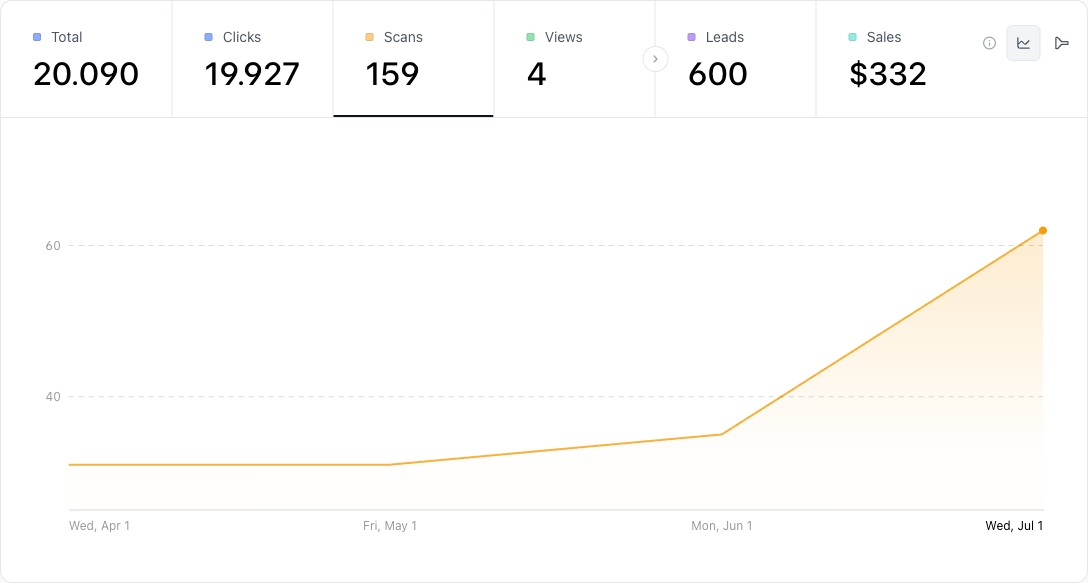
CodeQR reports device model, vendor, and coarse geography — country, city, and region. It never records a person's identity or a GPS location, so read the data as "which kinds of devices, roughly where," not "who." The richer breakdown and longer history live on a paid plan; retention runs 30 days, 90 days, 1 year, or 2 years depending on the plan.
Practical example
Consider a small shop mailing a postcard with a QR code that opens a seasonal offer. Because the code is a dynamic QR code, the shop can print one code, tag the postcard link with its own UTM source, and print a second code for the window display with a different source.
When scans arrive, the owner compares the two sources without guessing: the postcard scans cluster in one region and one time window, the window scans in another. If the landing page needs to change after the mail drops, the owner swaps the destination behind the same code — no reprint, no reorder. The mechanism is the value: one printed code, an editable destination, and side-by-side origins.
Best practices
- Use dynamic, not static. A static QR code encodes your URL directly and has no redirect layer, so it captures zero scan data. Choose dynamic whenever you want to track or edit later.
- Give the code room. Keep a quiet-zone margin of at least four modules (four "dots" wide) of empty space around the code, or scanners may struggle to lock on.
- Give a logo-covered or curved code more room to fail. Error correction is what lets a partially obscured code still resolve — at the highest level, H, roughly 30% of it can be recovered.[^2] The more the code is covered, curved, or scuffed, the more you should test the printed piece with a real phone before the run.
- Size for the scan distance. A rough rule is a 1:10 size-to-distance ratio — a code read from 1 meter away wants to be about 10 cm wide. For a table card scanned up close, roughly 2 cm still works.
- Keep strong contrast. Dark code on a light background scans best. Avoid low-contrast color pairs and busy photo backgrounds behind the code.
[^1]: Statista — More than 100 million U.S. smartphone users scanned a QR code in 2025, up from 89.5 million in 2022. https://www.statista.com/statistics/1337584/number-of-smartphone-qr-code-scanners-usa/ [^2]: QR Code (Denso Wave) — QR code error-correction level H can recover roughly 30% of a damaged or obscured code, the highest of the four defined levels. https://www.qrcode.com/en/about/error_correction.html