

A QR code for event registration is a URL QR code that opens your signup or ticketing page on an attendee's phone. Make it dynamic so the same printed poster survives an agenda or venue change, add UTM tags to see which placement drives signups, and track every scan by the hour. CodeQR hosts the form and the trackable QR layer.
What it's for
This QR code sends anyone who scans it straight to a registration form, RSVP page, or ticketing link — no typing a URL, no searching. You print it on posters, flyers, table tents, badges, and slides, and people sign up from their own phones. More than 100 million U.S. smartphone users scanned a QR code in 2025, so most of your audience already knows the gesture.[^1] CodeQR builds the registration form and the trackable QR that points to it; it does not sell tickets, process payments, or scan attendees at the door.
How to create your qr code for event registration
- Create a URL QR code. Open the QR code generator, choose the URL type, and paste the link to your registration form, RSVP page, or existing ticketing page. Keep it a dynamic QR code so you can swap the destination later without reprinting.
- Add UTM tags to the destination. Use the UTM builder to tag the link by poster, placement, or channel — for example,
lobby-bannerversusemail-footer— so each signup source is separated in your reports. - Customize the design. Upload your event logo, set brand colors, and add frame text such as "Register here" so the code reads as an invitation, not a mystery square.
- Download and place it. Export a high-resolution PNG for screens or an SVG for large-format print, then add it to posters, flyers, badges, and slides.
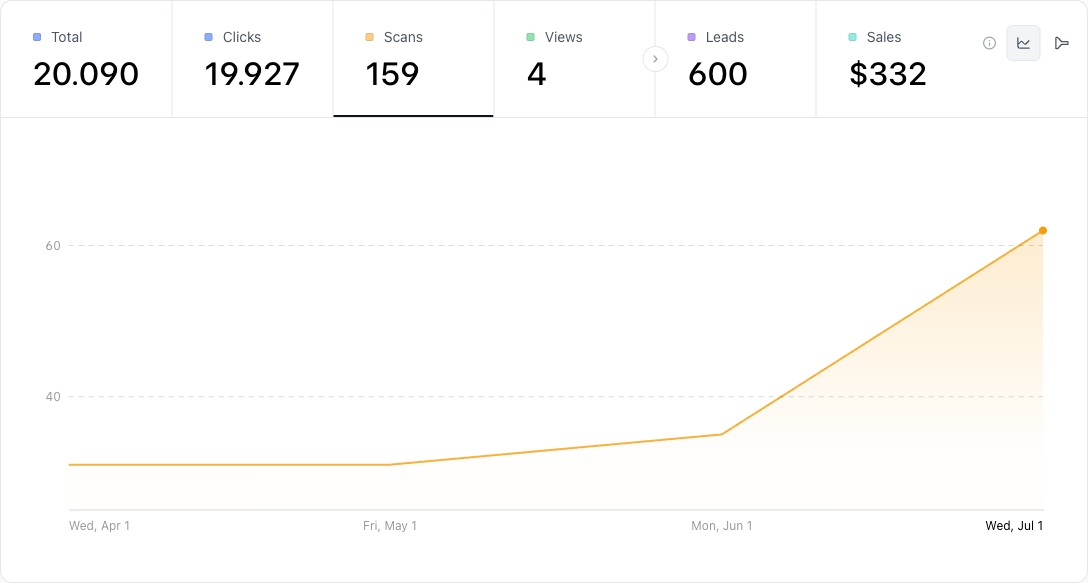
- Track scans and adjust. Open scan analytics and conversion tracking to watch the hour-by-hour timeseries, see when signups spike, and reprint only the placements that underperform.
Practical example
Consider an organizer running a one-day conference who prints the same registration QR on a lobby banner, a stack of flyers, and the closing slide of every partner's talk. Each surface gets its own UTM tag, so the organizer can compare which placement actually produced signups instead of guessing.
Two weeks before the event, the venue moves the afternoon sessions to a different room and the agenda shifts. Because the code is a dynamic QR, the organizer updates the destination page once in CodeQR — the printed banners and flyers keep working, no reprint needed. The wallet pass option can hold a confirmation for attendees who prefer their phone's wallet.
The value here is the mechanism: one edit swaps the destination for every printed copy, UTM tags split the signups by origin, and the hour-by-hour timeseries shows whether the lobby banner or the closing slide did the work.
Best practices
- Keep the code dynamic. Agendas, room numbers, and venue pages change. A dynamic QR lets you edit the destination after printing, so a late change never forces a reprint.
- Print at the right size for the scan distance. A rough rule is a 10:1 distance-to-size ratio — a code read from 2 meters away needs to be about 20 cm wide. Wall posters need bigger codes than table tents.
- Expect glare and curvature on badges and laminated posters. Built-in QR error correction absorbs much of that — at the highest level, H, roughly 30% of a damaged or obscured code can still be recovered[^2] — so prioritize print size and contrast, and test a laminated sample.
- Leave a quiet zone. Keep a clear margin of at least four modules (the width of four dots) around the code so cameras lock on fast. Don't crowd it with text or graphics.
- Hold high contrast. Dark code on a light background scans best. Avoid low-contrast color pairs and busy photo backgrounds behind the code.
When you're ready to compare plans for multiple events or higher scan volumes, review CodeQR pricing.
[^1]: Statista — More than 100 million U.S. smartphone users scanned a QR code in 2025, up from 89.5 million in 2022. https://www.statista.com/statistics/1337584/number-of-smartphone-qr-code-scanners-usa/ [^2]: QR Code (Denso Wave) — QR code error-correction level H can recover roughly 30% of a damaged or obscured code, the highest of the four defined levels. https://www.qrcode.com/en/about/error_correction.html