

Bitly is a mature short-link platform strong on branded links and enterprise-grade reporting; CodeQR centers on QR-native workflows plus short links and conversion tracking, with a published free tier. If your work is mostly managing short links at scale, Bitly fits; if QR codes and conversion tracking lead, CodeQR sits closer. Both offer custom domains on paid plans.[^1][^2]
What people are deciding between
Bitly and CodeQR overlap on the basics: both shorten URLs, generate QR codes, and report on scans and clicks. Bitly has a long track record with marketing and enterprise teams that need bulk link management and detailed audience reporting. CodeQR is built around QR codes and conversion tracking, aimed at teams that treat the QR code as the primary asset rather than an add-on. The choice usually comes down to which side of that split—links first or QR first—matches your daily work.
Side-by-side: CodeQR vs Bitly
| Axis | CodeQR | Bitly |
|---|---|---|
| Pricing | Tiered plans; see pricing page[^2] | Tiered plans; see pricing page[^1] |
| QR codes included | Core feature across plans[^2] | Available; depth varies by plan[^1] |
| Analytics depth | Scan/click plus conversion tracking[^2] | Click and scan analytics; deeper on higher tiers[^1] |
| Free tier | Published free tier[^2] | Free tier with monthly caps[^1] |
| Custom domains | Available on paid plans[^2] | Available on paid plans[^1] |
| Dynamic QR editing | Supported[^2] | Supported; varies by plan[^1] |
| API access | Available[^2] | Available; varies by plan[^1] |
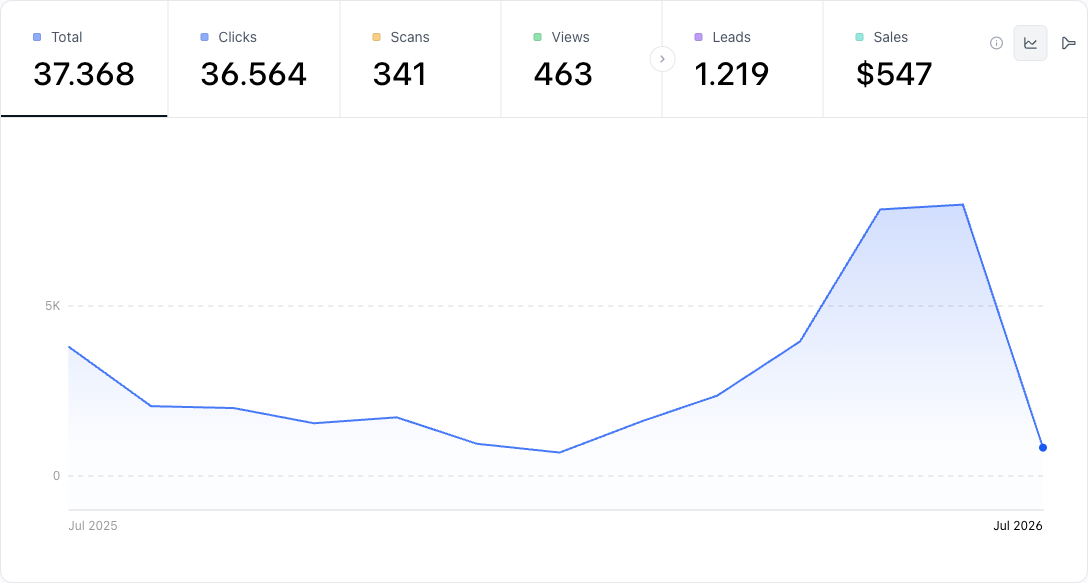
Where CodeQR wins
- QR codes are a first-class object, not a bundled extra, so building and editing dynamic codes lives at the center of the product. See the QR code features.
- Conversion tracking ties a scan or click to a downstream action, which is useful when the goal is a signup or purchase, not just a redirect.
- A published free tier lets you validate a QR campaign before paying.[^2]
- Built-in helpers like a UTM builder and wallet passes reduce the number of separate tools needed for a campaign.
Where Bitly wins
- A long track record with marketing and enterprise teams, with mature bulk link management.
- Established audience and click reporting that deepens on higher tiers.[^1]
- Broad integration ecosystem built up over years of adoption.
- Brand-link management at scale is a core, well-worn workflow rather than a newer addition.[^1]
Practical example
Consider a small retail team printing table-tent QR codes for a seasonal menu, expecting a few thousand scans a month and wanting to see which location performs best. QR-code scanning in the U.S. passed 100 million smartphone users in 2025, up from 89.5 million in 2022, so print-to-scan campaigns are a reasonable bet.[^3]
For that team, the deciding factor is dynamic QR editing plus conversion reporting: they want to change the linked menu without reprinting, and they want to know which scans led to an order. CodeQR fits when the QR code is the campaign and conversion tracking matters. Bitly fits better when the same team is mostly managing hundreds of branded short links across channels and needs the reporting maturity that comes with it. One switching detail to weigh: a dynamic QR code's destination stays editable only while the account that generated it remains active, so migrating printed codes between platforms is a real cost, not a quick export.
How CodeQR compares
- CodeQR treats the QR code as the primary asset, so dynamic-code creation and editing are central rather than a secondary menu—useful for print campaigns you expect to revise. Try the QR code generator.
- Conversion tracking connects a scan to a downstream signup or purchase, which pure link shorteners typically report less directly.
- The published free tier and pricing let you test a campaign before committing, with QR codes included rather than gated as an upsell.[^2]
- CodeQR is a closer match when QR codes lead the campaign; Bitly remains the stronger choice for teams whose day-to-day is large-scale branded link management.[^1]
[^1]: Bitly, "Pricing." https://bitly.com/pages/pricing (plans, QR features, and free-tier limits vary by plan). [^2]: CodeQR, "Pricing." https://codeqr.io/pricing (plans, QR codes included, and free tier). [^3]: Statista, "Number of smartphone QR code scanners in the U.S." https://www.statista.com/statistics/1337584/number-of-smartphone-qr-code-scanners-usa/
References
- [1]Bitly Pricing— Bitly · 2026-05-04
- [2]CodeQR Pricing— CodeQR · 2026-05-04