
Static vs Dynamic QR Code: Which One Should Your Business Use?
Static vs dynamic QR codes compared: what each one stores, what a reprint really costs and the cases where a static code is still the better choice.


Every QR code is either static or dynamic, and you can't tell which by looking at it. The difference decides whether you can fix a code after it's printed, whether you can count its scans and how much a mistake will cost you. This guide compares the two side by side, walks through the real cost of a reprint and shows when a static code is still the smarter pick.
What is a static QR code?
A static QR code stores its content directly in the pattern: the URL, the phone number, the Wi-Fi details or the contact card itself. Once the code is printed or shared, that content can't change. If the destination URL, the phone number or anything else changes, you need a new code, and every printed copy has to be replaced.
That simplicity has real advantages. Scanning a static code doesn't go through any service, so it doesn't depend on an account, a plan or a provider. It works for as long as the content inside it is still valid. The trade-off is that nothing is measured: there is no scan count and no analytics.
Static codes suit content that is permanent, such as:
- Wi-Fi network details posted on a wall
- a contact email or phone number that won't change
- a URL that will stay valid for as long as the code is in use
What is a dynamic QR code?
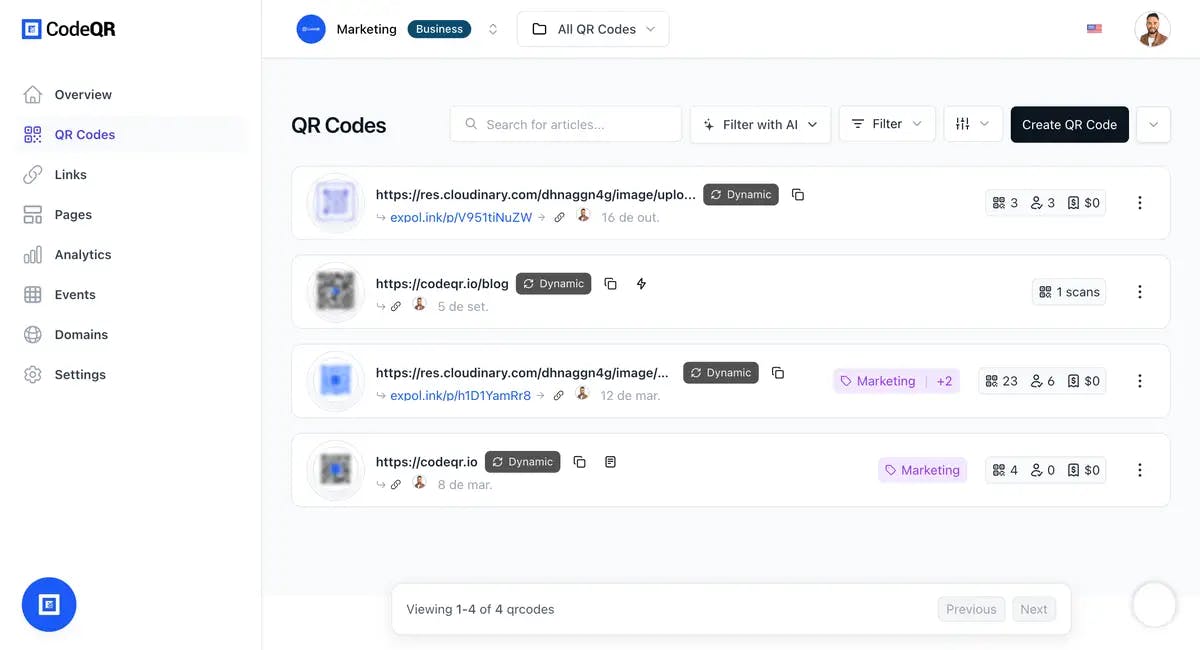
A dynamic QR code stores a short link instead of the final content. When someone scans it, the service behind that short link redirects them to the destination you set. Because the image never changes, you can change the destination after the code is printed, and every scan passes through a place where it can be counted.
That makes a dynamic code the right tool when you want to:
- change the destination after printing, for example to fix a typo or move a campaign
- see how many people scanned, and when and where
- connect scans to automations and other tools
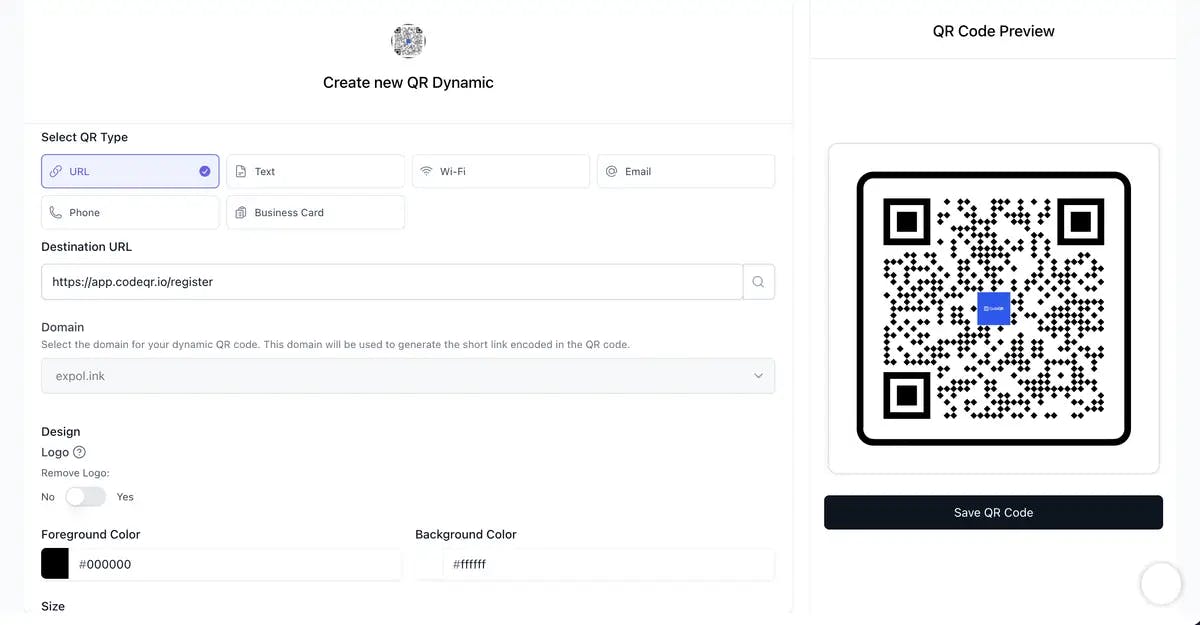
Dynamic codes can also carry options that need a server in the middle. In CodeQR, every plan shows scans over time and by country and city, and device breakdowns start on Starter. Password protection and expiration dates also start on Starter, conversion tracking on Pro, and Smart Rules (routing by device, country or city) and the Pre-redirection form for capturing leads on Business. See pricing for what each plan includes.
The one thing to plan for: a dynamic code depends on the service that runs its short link. Keep that link active for as long as the printed code is in circulation.
Static vs dynamic QR code: the differences at a glance
- What the image holds. Static: the content itself. Dynamic: a short link that redirects to the content.
- Editing after printing. Static: not possible; you need a new code. Dynamic: change the destination at any time.
- Scan tracking. Static: none. Dynamic: scan counts by date, location and device, depending on the plan.
- Dependency. Static: works with no service in between. Dynamic: needs its short link to stay active.
- Extra options. Static: none. Dynamic: passwords, expiration dates, routing rules and lead forms, depending on the provider and plan.
- Pattern density. Static: a long URL or a full contact card packs more data into the pattern, so the code needs more space to scan reliably. Dynamic: the code holds only a short link, so the pattern stays simpler.
- Cost of a change. Static: a new code and a reprint of every copy. Dynamic: an edit to one field.
What a reprint really costs
A static code is free to create, so it's tempting to call it the cheaper option. The cost shows up later, the first time something changes. Before you choose, add up what a single change would cost with a static code:
- design time to update the artwork
- printing and shipping new copies
- the labor to replace signs, stickers, menus or packaging already in the field
- the scans you lose while old copies still point to the wrong place
- the copies you can't recall at all, such as flyers already handed out or products already sold
Then weigh that against how likely a change is during the life of the print. A menu, a trade show booth or product packaging will almost certainly change. A label with a machine's serial number won't. The longer a code stays in circulation and the more copies you print, the more a dynamic code is worth.
When a static QR code is still the better choice
Static codes aren't obsolete. They are often the right call for:
- Wi-Fi access. The phone reads the network details straight from the code, with no redirect in between.
- Contact cards printed once. A vCard on a personal business card works with most phone cameras, with no account behind it.
- Payment codes. Many payment apps read the payment details straight from the code, so use the code your bank or payment provider generates as it is.
- Offline content. Plain text, such as an equipment serial number or short instructions, can be read without any internet connection.
- Short-lived, low-stakes uses. A handout for a small one-day event where you won't measure anything.
- Codes that must not depend on a provider. If a code has to keep working for years no matter which tools you use, keep the content inside it.
A static code is the wrong choice when you want to capture leads, measure results, test new offers or change destinations without paying for a new print run.
How to decide in five questions
- Will the destination or content change while the code is in use? If yes, or if you're not sure, go dynamic.
- Do you need to know how many people scanned, and when and where? Go dynamic.
- Is the code printed in volume or hard to replace, such as packaging, signage, menus or business cards? Go dynamic.
- Does it have to work with no service in between, such as Wi-Fi access, offline text or a payment code? Go static.
- Still undecided? Make it dynamic. A printed static code can never be edited, while a dynamic code keeps that option open.

Creating static and dynamic codes in CodeQR
CodeQR offers both formats on every plan. You choose the format as the first step of creating a QR code, and a static code can later be turned into a dynamic one from its edit page. Copies printed before the change still hold the old content, so you'll need to reprint them once.
For the step-by-step, how each format counts toward your plan and how to convert a code, read Choose between dynamic and static QR codes in the Help Center.
Keep reading:
- How dynamic QR codes work in CodeQR.
- The advantages and uses of dynamic QR codes for businesses and marketing.
- The advantages of using QR codes for companies.
- How CodeQR for companies supports teams and agencies.
Conclusion
Neither format wins everywhere. A static code is simple, independent and permanent, which is exactly right for Wi-Fi access, contact cards printed once and other content that never changes. A dynamic code adds a dependency on the service behind it and, in return, lets you edit, measure and adapt anything you print. For most business print, from packaging and signage to menus and flyers, that trade is worth making.
Pick one printed piece you expect to update this year, make its next code dynamic and see what the scan data tells you. You can start with CodeQR's QR Codes.
Static vs dynamic QR codes: FAQ
A dynamic QR code stores a short link instead of the final content. The service behind that link redirects each scan to the destination you set, so you can change the destination after the code is printed and see how many people scanned it.