
QR Codes for Therapists: Private, Ethical Ways to Share Your Practice
How therapists, counselors and psychologists can use QR codes on business cards, talks and referral materials while keeping clinical details private.


People looking for a therapist usually need a few basics before they reach out: whether you see clients in person or online, where you are, who you work with and how to request a first appointment. A business card, a brochure or a slide at a talk rarely has room for all of that.
A QR code can open a clear page with those details. In a mental health practice, the code has a narrow job: share information and make first contact easy. It should not collect personal stories on a public form, screen people automatically or promise therapeutic outcomes.
This guide is for therapists, counselors and psychologists in private practice. It covers what to link to, where to place the code, what to leave out and how to measure interest without tracking individuals.
With CodeQR, you can create dynamic QR codes, short links and simple mobile pages, then update them after your cards are printed.
Why a page works better than a direct message link
The person who scans your code may just be learning about your work, looking for care for themselves or someone else, or grabbing the slides from a talk. If every code opens a chat, you receive messages with no context, and the person may feel pushed to share personal details too early.
A page in between lets you explain how first contact works, what services you offer and what information you actually need to reply. Separate codes for each card, event or referral partner also show where interest comes from, without recording clinical content or following what any individual does.
Privacy and ethics rules to settle before you print
Health information is sensitive, and so is the simple fact that someone is looking for therapy. Your marketing has to follow your licensing board's code of ethics and advertising guidance, as well as the privacy laws that apply to you. Check both before you publish anything.
- Show your name, credentials and license details on promotional pages wherever your board's rules call for them.
- Don't promise a cure, guaranteed results or quick fixes, and don't claim to be better than other professionals.
- Keep clinical stories, diagnoses, health history and documents off public intake or interest forms.
- Don't use client testimonials or images in a way that reveals the therapeutic relationship, private details or a health condition.
- Explain why you need any piece of information, and how you will reply, before you ask for it.
- Never present a QR code as a crisis resource. Point people to local emergency services instead.
For forms, integrations and data storage, review security, who has access, how long you keep the data and whether each field is really necessary.
8 ways therapists can use QR codes responsibly
Each of these uses puts information and access first. In every case, the person should understand where the code leads before scanning and feel free not to share more than needed.
1. A professional introduction page
Your business card or brochure can open a page with your name, credentials, license details, areas of focus described in plain informative language, session formats, city and a contact option. Avoid sensational testimonials, guarantees or content that nudges people toward a self-diagnosis.
2. A first-contact or appointment request
Use a short form that asks for a name, preferred times and how to get back to the person. Don't ask for a detailed description of what they are going through, their health history or documents on an open page. Say clearly that submitting the form doesn't confirm an appointment, and explain how and when you reply.
3. Details about in-person and online sessions
A page can cover your address, accessibility, the video platform you use, the approximate session length, your contact policy and what to expect at the first session. Keep it general; anything specific to one person belongs in a private conversation.
4. Materials from a talk or workshop
At events, a code can share references, the slides you are allowed to distribute, a reading list or your contact page. Keep general education clearly separate from individual advice, and don't use public questions to collect attendees' personal stories.
5. A card for your referral network
Physicians, schools, employers and other professionals can receive a card that opens a page about who you work with, your session formats and how to reach you. Create a different code for each referral partner to see where requests come from, without revealing who was referred or sharing data between organizations.
6. Office logistics
At the front desk or in a welcome message, a code can open directions, accessibility details, administrative contacts and general paperwork. Never put patient records, receipts, reports or individual documents behind a public link.
7. Feedback on the administrative experience
A short survey can ask about how easy it was to book, how clear your information was and how the front office works. CodeQR Pages include a Feedback page for this. Don't invite public reviews of the therapy itself, and avoid questions whose answers would expose health details, a diagnosis or private life.
8. Public content and professional profiles
A code can gather articles, educational videos and professional profiles on one organized page. Review your language, sources and ethical limits. Publishing content doesn't turn the page into therapy, and it is no substitute for urgent help.
What to link to
For most promotional materials, an introduction page is a better destination than a messaging app. It gives context and removes the pressure to explain personal issues on the first tap.
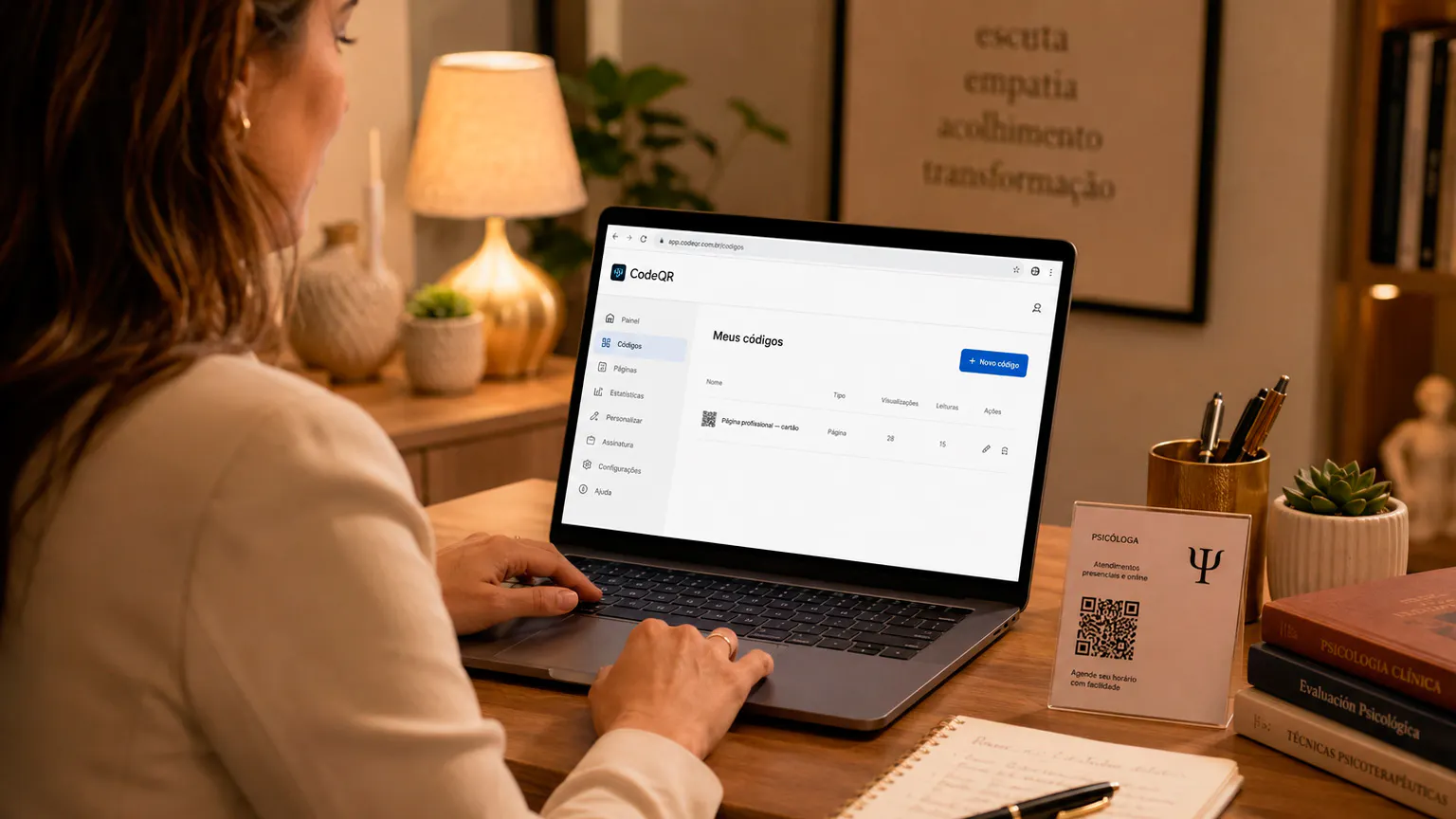
The page can include your credentials and license details, session formats, who you work with, your city or online availability, accessibility information and one contact button. Use clear, informative language. Avoid headlines that tie your services to a guaranteed cure, fast results or an assessment of a specific condition without an appointment.
For events, create a separate destination with the session materials and a distinct, opt-in way to receive updates. For current clients, individual documents and messages should travel through the secure channels you already use, not through a reused public QR code.
CodeQR Pages include Contact, Feedback, Bio link, Gallery and Newsletter pages, so you can publish a simple mobile page without building one from scratch.
Where to place the code
The code belongs in places where people can choose to scan it privately. The line next to it should say exactly what opens.
- Business cards, brochures and the last page of a PDF introduction. A therapist business card with a QR code saves space for the essentials.
- The front desk of your office, for general administrative information.
- Slides and handouts at talks, courses and workshops.
- Cards for referral partners and organizations.
- Event pages, booths and printed materials for community outreach.
- Digital posts, with a short link next to the code for accessibility.
- Public educational materials, without tying the scan to a diagnosis or an urgent need.
Avoid placements that would let someone infer that a specific person is your client or has a certain condition. Don't present the code as a way to get immediate help; for emergencies, point people to local emergency services.
How to create a QR code for your practice
Let purpose, data minimization and transparency guide the setup. A good-looking code can't make up for a destination that feels intrusive or unclear.
- Decide whether the goal is to introduce your work, share educational material or receive an administrative request.
- Create a page with your credentials, the scope of your services and one clearly described main action.
- Cut the form down to what you need, and explain how the information will be used and protected.
- Use a dynamic QR code when your availability, page, address or materials might change.
- Customize the design while keeping strong contrast and nothing that gets in the way of scanning.
- Add a neutral call to action, such as "See how sessions work" or "Get the slides from today's talk."
- Test the code at its real size and location, including on phones with larger text and other accessibility settings turned on.
- Review the destination, license details, contact policy and compliance before you publish.
Static or dynamic QR code: which to choose
The choice depends on how stable the destination is, how long the material will circulate and whether you want to see how it performs.
A static code stores the address in the pattern permanently. It can work for information that never changes, but any change to your address, availability, practice page, talk materials or contact channel means a new code and a reprint. A static code also gives you no scan count.
With a dynamic QR code, the printed image stays the same while you change the destination after the code is printed, and scans are counted. Scans show interest, not results, so read them alongside the number of requests you actually receive.
Measure interest without tracking people
Keep your analysis at the level of the material and the information journey. Never use marketing data to infer a diagnosis, an emotional state or anything about sessions.
- Scans per business card, event or referral partner.
- Scans over time and by country and city; device breakdowns start on Starter.
- Appointment or contact requests received, counted in the tool that receives them.
- Scans of the codes that open your educational materials.
- The gap between scans and requests.
- The general source of inquiries, never clinical content.
An event with many scans of the slides and few contact requests may still have done its educational job. Judge each code against the goal you set, and share analytics only with the people who need them.
Keep your codes organized
As codes spread across cards, talks and partners, you need to know where each one was published and what it is for.
Use names with context, purpose and date, such as "school talk — slides — 2026-08." On Pro and above, group codes into folders for business cards, talks, referral partners, office logistics and educational content. On any plan, use tags and a consistent naming convention.
Keep a list of printed materials in circulation and decide who can edit destinations. When a campaign ends, point the code to a relevant page or retire the material, so nobody lands on an error, an expired form or information no one maintains.
Common mistakes to avoid
Check these before you publish or print. Small errors can reduce scans, cause confusion and make people trust the destination less.
- Linking to a text message or WhatsApp chat with a prefilled message that invites people to describe clinical issues in the wrong place.
- Asking for a diagnosis, health history or documents on an interest form.
- Using calls to action that promise a cure, fast results or superiority over other professionals.
- Publishing testimonials that identify clients.
- Reading scan data as if it revealed anything about a person's mental health.
- Leaving an outdated address, license details or session formats on printed material.
Frequently asked questions about QR codes for therapists
These answers show how to use a QR code for professional communication without turning a marketing tool into therapy, clinical screening or a crisis channel.
What should a therapist's QR code link to?
A page with your credentials, license details, session formats, location and an administrative contact option is usually the right choice. It should inform without diagnosing, promising results or asking for clinical details you don't need.
Can I use a form for appointment requests?
Yes, as long as it is short, transparent and limited to what you need to arrange the first contact. Sensitive details belong in the channels and procedures you use once you are working with someone.
Is it OK to put a QR code on slides at a talk?
Yes. The code can give attendees easy access to educational materials and your professional contact details. Keep general content clearly separate from individual advice, and get consent before any follow-up communication.
Can I change the link after my cards are printed?
With a dynamic QR code, you can update the destination. Make sure the new page still matches what the card says and the advertising rules that apply to your license.
How can I track scans without invading anyone's privacy?
Look at totals per material or event, limit who can see the data and never connect a scan to patient records, a diagnosis or session content. Analyze only what you need to improve your communication.
Share information and first contact without crossing professional lines
For therapists, counselors and psychologists, a QR code can organize your introduction, educational materials and administrative requests. The best experience lets people understand where the code leads, find enough information and choose their next step without telling their story on a public page.
Start with a business card or an introduction page, review your wording against your licensing board's guidance and keep forms to a minimum. The technology should support access and clarity while protecting confidentiality, autonomy and professional responsibility.
Create a free CodeQR account and give your cards and talks a clear, private next step.