
QR Codes for Nutritionists and Dietitians: Booking and Client Materials
Learn how nutritionists and dietitians use QR codes for booking and client materials. Get ideas, metrics to track and how to create one free on CodeQR.


A business card is still useful at private practices, gyms, companies, talks and partnerships. But there's not much room on a card to explain how you work, your location, your calendar and public content. A QR code can send someone to an up-to-date page instead of turning the card into a list of contact details.
For nutritionists and dietitians, this needs extra care around advertising rules, health data and the line between general information and individualized guidance. A code can support booking and access to materials, but it shouldn't open personalized meal plans, patient records or invasive forms on a public page.
With a QR code generator like CodeQR, you can bring together dynamic QR codes, short links, pages and visitor data in one organized flow. For a nutritionist or dietitian, that turns cards, printed materials, events and messages into contact points you can update and track.
Why use a QR code as a nutritionist or dietitian
The person holding your card might be looking for a consultation, a talk, corporate wellness services, or simply want to learn more about your work. A landing page sorts out these possibilities and keeps visitors from landing straight in WhatsApp with no context.
Different codes for a gym, a company or an event help you understand where interest is coming from. That lets you evaluate outreach without linking a scan to anyone's health condition — marketing metrics need to stay separate from clinical information and patient records.
9 practical QR code ideas for nutritionists and dietitians
These ideas focus on introductions, booking and public content. Individual materials should go through appropriate channels with access that matches how sensitive they are.
1. Full profile card
Your card can open a page with your name, license information, the services you offer, location, in-person or virtual care and a contact channel. Keep the language informational — don't promise weight loss, a cure or a body transformation on a set timeline.
2. Booking or contact requests
Link to a calendar or a short form asking for a name, a time preference and the type of care needed. Avoid collecting a diagnosis, test results, weight or medication history before there's a real need and the right context for it.
3. Services and who you work with
Explain individual care, group sessions, nutrition education, talks or corporate programs. Keep a clear line between marketing information and a consultation, and never present generic content as a prescription.
4. Partnerships with gyms and other professionals
Create a separate code for each partner. The page can introduce the service tied to that partnership along with a contact channel. Don't share information about people between professionals without a clear basis and disclosure.
5. Talks and nutrition education events
At events, the code can open references, general recipes, a reading list or sign-up for content. Make clear the material is educational and doesn't replace an individual assessment.
6. Non-sensitive follow-up materials
A page can bring together general guidance you've already shared, a schedule of sessions or an administrative contact channel. Meal plans, test results and individual documents shouldn't live behind a reusable public link.
7. Administrative experience surveys
Ask about booking, how clear your information was, and how the team handled the visit. Avoid collecting clinical details in an open survey, and don't encourage testimonials that expose someone's health condition.
8. Corporate events and wellness programs
Use QR codes for sign-up, materials and feedback on the activity. Use a separate code for each company and event, state what the data is for, and avoid building an individual health profile out of marketing interactions.
9. Public content and professional channels
The code can bring together articles, videos and your professional channels. Review sources, keep materials current, and keep the difference clear between general education and individualized nutrition guidance.
What to link the QR code to
On a business card, an introduction page tends to be the most versatile destination. It lets you update your calendar and channels without reprinting, and it gives visitors context before they reach out.
Include your professional information, the type of care you offer, city, accessibility, how to book and one main call to action. If you're including content, keep it in a separate section so it doesn't compete with the contact button.
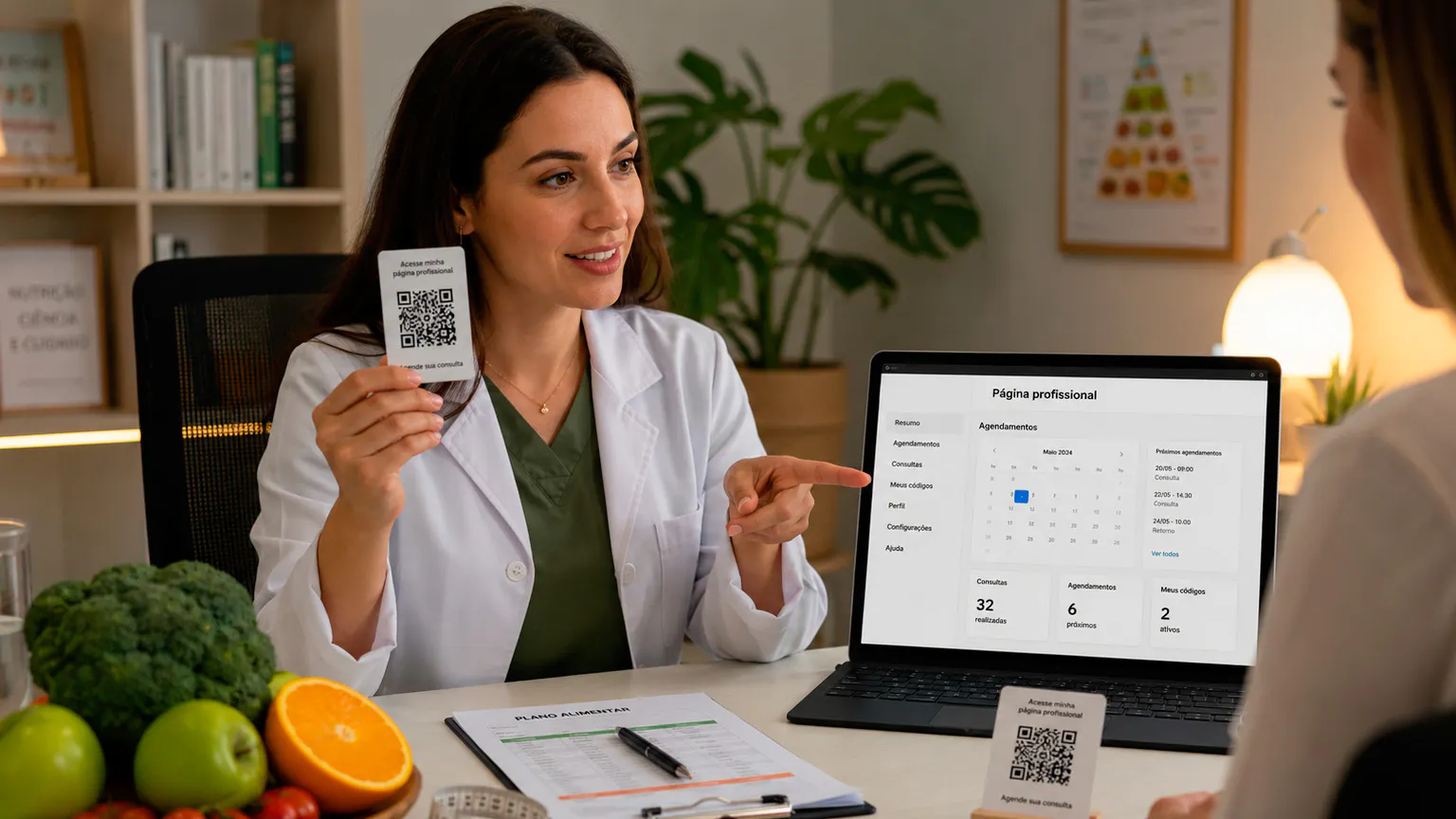
For active clients, use secure systems or channels for individual materials. The QR code on your card is public and can be photographed or shared, so it shouldn't work as a key to clinical data.
You can use CodeQR Pages to organize contact info, links, forms and one main call to action without building a page from scratch.
Where to place the QR code
Put the code somewhere people have time to read the call to action and choose what to do next, without exposing their condition or relationship with you.
- Your business card, a flyer and the practice's front desk.
- Authorized materials at gyms, clinics and partner spaces.
- Slides, handouts and posters at educational talks.
- Corporate programs, fairs and wellness events.
- Email signatures, presentations and proposal PDFs.
- Administrative materials given to clients, with no sensitive data on the public destination.
- Digital publications, with a short link as a backup.
Avoid codes on before-and-after content, result claims, or any material that identifies someone as a client. Test contrast and scan reliability, and make explicit whether the destination is a calendar, talk materials or a profile page.
How to create a professional QR code for a nutritionist or dietitian
Plan the card as an entry point to a page that's secure, informative and easy to keep current.
- Decide on the card's main goal: introduce your practice or drive booking requests.
- Build a professional page with your credentials, license and up-to-date information.
- Keep the form short, with no unnecessary clinical data.
- Choose a dynamic QR code so you can update your calendar, address or page.
- Customize it with high-contrast colors and a size that fits the card.
- Add a call to action like "See how I can help and book a visit."
- Test the printed card on different phones before the full run.
- Review advertising rules, privacy and links periodically.
Static or dynamic QR code: which one to choose
The choice between a static and a dynamic code depends on how stable the destination is, how long the material will be in circulation, and whether you need to track performance.
A static code stores the address permanently. It can work for something that truly never changes, but any update to your calendar, address, services, public content or form means printing a new code. That's worth thinking about for materials that stay in circulation for months.
With a dynamic QR code, the printed image stays the same while you can change the destination from your dashboard. You can also track scans and compare campaigns. Those numbers show interest, and should be combined with clicks, form submissions or contacts to judge business results.
Metrics that help you evaluate results
Measurement should evaluate your materials and outreach, not a visitor's health status. Work with aggregated data and restricted permissions.
- Scans by card, partner, talk or company.
- Clicks on your calendar, services and contact info.
- Completed booking requests.
- Visits to educational materials.
- The gap between a visit and a completed action.
- General source reported by the contact.
A partner card might generate few visits, but the right kind of contacts. A talk might get lots of downloads and no immediate bookings. Read the results against the goal, and don't mix campaign metrics with patient records.
How to keep track of multiple QR codes
As a nutritionist or dietitian starts using codes across different materials, it matters to know where each one was published and what it's meant to do.
Use names with context, an action and a date, like "downtown gym — front desk card — booking — 2026-08." On Pro and above, group codes into folders for your main card, partners, talks, companies and follow-up materials; on any plan, tags and a consistent naming convention work just as well. This makes it easy to find campaigns, compare periods, and stop an old code from ending up on the wrong material.
Keep a record of printed materials in circulation and decide who can edit destinations. When a campaign ends, redirect the code to something that still makes sense, or pull the material. Never leave a visitor looking at an error, an expired form or information with no one responsible for it.
Advertising, health data and professional ethics
Nutrition work involves sensitive data and communication that's subject to professional rules. Before you publish anything, check your profession's code of ethics and your professional association's current guidance.
- Don't promise weight loss, a cure, a guaranteed result or a transformation timeline.
- Avoid before-and-after content, testimonials or images that expose a client and their health condition.
- Don't ask for test results, weight, a diagnosis or medication on a public intake form.
- Keep meal plans and individual documents on secure channels.
- State the purpose, access and how you'll follow up when you collect data.
- Identify yourself as a professional and keep your credentials current.
Access through a QR code doesn't count as consent to use someone's data or to keep messaging them. Forms and pages should get a technical review and, when needed, a legal one.
Mistakes that hurt QR code performance
Review these points before you publish or print. Small mistakes can hurt the scan, raise doubts, and undermine trust in the destination.
- Sending the card to a page that promises a result.
- Asking for extensive clinical information on the first contact.
- Sending a meal plan through a public or shareable link.
- Using images and testimonials without authorization and an ethics review.
- Printing the code too small or without a clear call to action.
- Mixing marketing metrics with patient data.
Frequently asked questions about QR codes for nutritionists
These questions help you decide what goes on the card and how to separate outreach, education and individual follow-up.
What should go on a nutritionist's QR code?
A page with your credentials, license, the type of care you offer, location, calendar and contact info. Skip clinical data, result promises and too many buttons.
Can I link the QR code straight to WhatsApp?
You can, but a page first gives context and cuts down on incomplete messages. Make clear the channel is for administrative contact, not a consultation by message.
Can I share a meal plan through a QR code?
Only in a secure, individualized environment. A public code on a card or flyer isn't the right place for a client's documents.
Can I update my calendar after printing?
Yes, with a dynamic QR code and an updatable page. Test the new destination and keep the card's call to action consistent.
How do I measure which partnership generates bookings?
Use a separate code for each partner and combine scans with completed requests and the source recorded at the visit, without exposing clinical data.
Build a card that informs before it asks for contact
A business card with a QR code can introduce a nutritionist's or dietitian's work, make booking easier, and connect events to educational materials. The best destination is clear, mobile-friendly and careful with sensitive data.
Start with a professional page and a short form. Review your advertising rules, test the print, and organize codes by partnership. That way, the card stays useful even as your channels and calendar change.
Create a free CodeQR account and turn your nutrition practice materials into trackable contact points.