
Track leads and sales from your links and QR codes
Connect a click on a CodeQR link or QR code to the sign-up and the sale it produced — what the chain needs, which plan, and where the results show up.

Click counts tell you which link got attention. Conversion tracking tells you which link got paid. CodeQR ties a click to the person who signed up and to the amount they spent, so a campaign report ends in revenue instead of traffic.
Availability
- Plan: Pro and above. A 14-day trial is available once per workspace, and some older workspaces have it enabled from an earlier release.
- Where: the Conversion tracking switch in the link and QR code builder, and Settings → Conversion tracking.
Turning the switch on without the plan is refused with the exact reason: You can only use conversion tracking on a Pro plan and above. Upgrade to Pro to use this feature.
The three events
Everything rests on one identifier, the click id, which CodeQR issues when someone opens your link.
- Click — recorded by CodeQR on its own, with no work from you.
- Lead — someone identified themselves: signed up, filled a form, started a trial. Your server tells us, quoting the click id.
- Sale — money changed hands. Again your server, or the Stripe integration.
The asymmetry is the thing to understand before anything else: clicks are counted for you, leads and sales are reported by you. That is why a workspace often shows plenty of clicks and no conversions — nothing is broken, the second half was never wired.
What happens when you turn it on

With the switch on, the redirect changes in two ways:
- The destination URL receives
?cq_id=…, so your site can read the click id even before any script runs. - The
cq_idcookie lasts 30 days instead of one hour.
Both are how a click in August can still be credited for a purchase in September.
What you need to set up
- Turn the switch on for the links and QR codes you want measured — Set up conversion tracking on your website.
- Install the script on your site so the click id is stored in the browser. Same article.
- Report the lead and the sale — Send lead and sale events from your server, or let the Stripe integration do it in Attribute Stripe payments to the right link.
- Read the results in See which links and QR codes generate sales.
Where the results show up
Customers is the clearest view: each person, where they came from, and a timeline of everything they did.
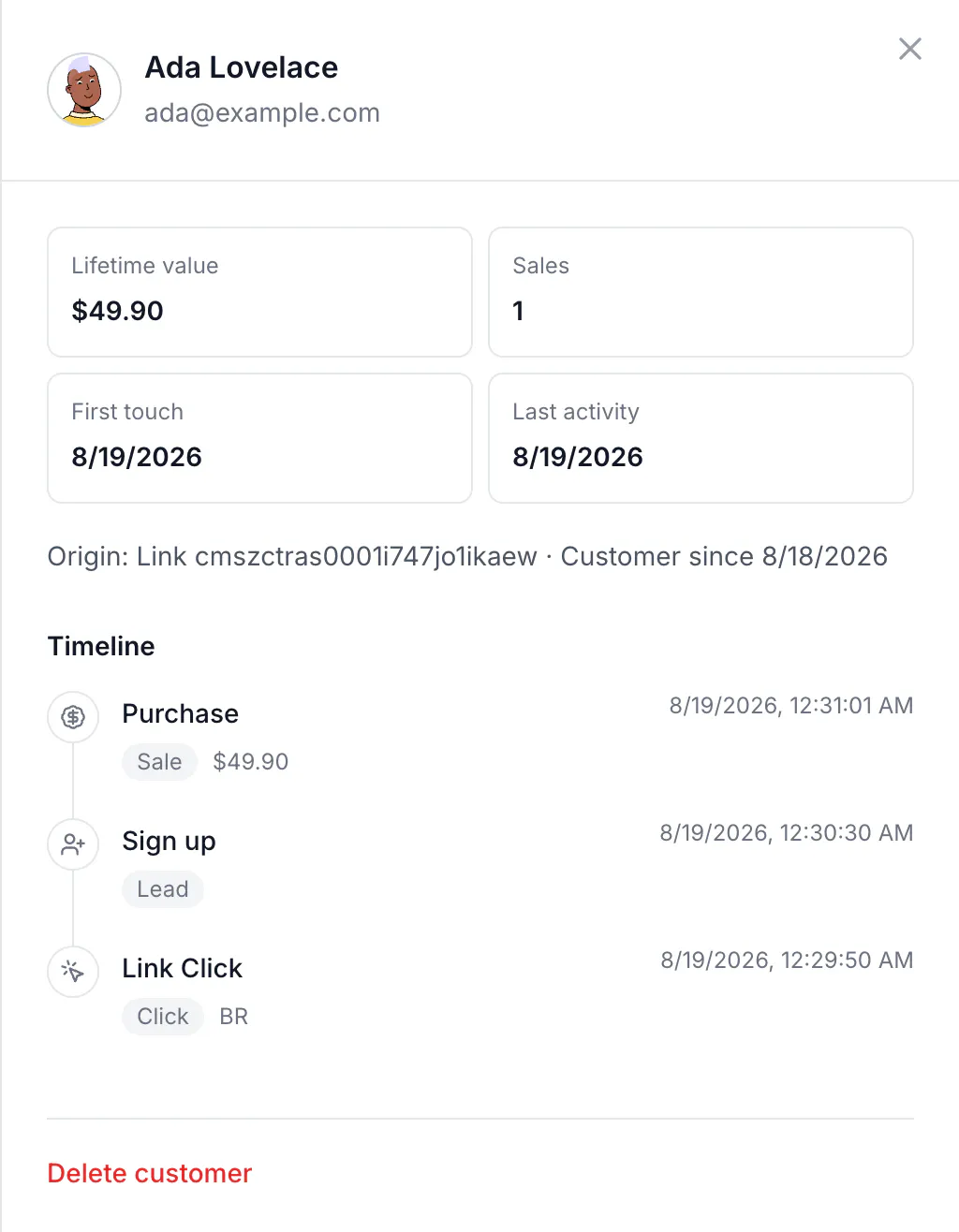
Each link and QR code also carries its own counters — clicks, leads, sales and revenue — which is what turns a campaign list into a ranking by money.
About the API
Domain management aside, conversions are the part of CodeQR most often driven by code. Two endpoints do the work:
curl -X POST https://api.codeqr.io/track/lead \
  -H "Authorization: Bearer codeqr_xxxxxxxxxxxxxxxxxxxxxxxx" \
  -H "Content-Type: application/json" \
  -d '{"clickId":"qcdyQHsX1oajEock","eventName":"Sign up","customerExternalId":"user_123"}'
An AI assistant connected over MCP can read your conversion totals but cannot record events — recording is deliberately left to your server.
Verify it works
After a full round trip, ask the link for its counters:
curl -sS "https://api.codeqr.io/links/info?domain=go.example.com&key=summer" \
  -H "Authorization: Bearer codeqr_xxxxxxxxxxxxxxxxxxxxxxxx"
{ "key": "summer", "trackConversion": true, "clicks": 1, "leads": 1, "sales": 1, "saleAmount": 4990 }saleAmount is in cents, so 4990 is $49.90.
Troubleshooting
Clicks are growing and leads stay at zero
Nothing is reporting the leads. Clicks are recorded by CodeQR; leads and sales arrive from your server. See Send lead and sale events from your server.
The switch is disabled on a static QR code
A static QR code encodes the destination directly, so no click passes through CodeQR and there is nothing to attribute. Use a dynamic QR code.
I turned it on after the campaign started
Only clicks that happen after the switch is on carry the long-lived click id. Earlier clicks keep the one-hour cookie and are unlikely to be credited.
The sale is recorded but the link shows no revenue
Check the currency and amount you sent: amount is in the smallest unit of the currency, so 49.90 means 49 cents, not $49.90.