
Let the recipient choose the destination of a link
Create a flexible link in CodeQR, send the exclusive link to whoever knows the destination, and let them set it without access to your workspace.

A Flexible Link is a short link created before anyone knows where it should lead. You hand a private address to the person who does know — a partner, a client, a sales rep — and they fill in the destination themselves, without an account and without access to your workspace.
Availability
- Plan: Starter and above.
- Where: the Flexible Link switch at the top of the link builder, above Destination URL. QR codes have the same switch in their own editor.
Before you start
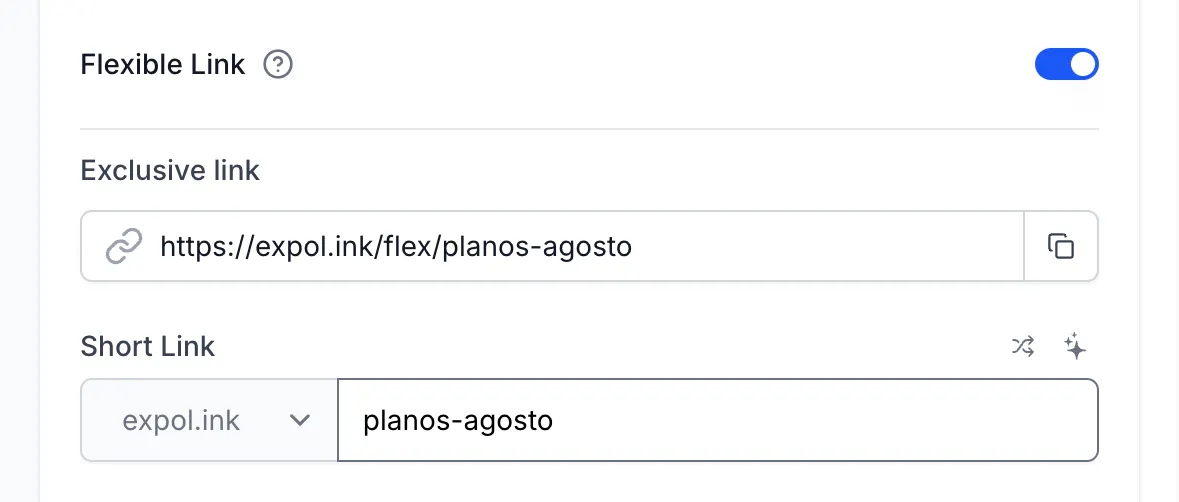
- Turning the switch on replaces Destination URL with an Exclusive link — the address you send to the person who will fill it in.
- The short link itself is created and shareable right away, but until someone fills it in, whoever opens it sees the fill-in page rather than a destination.
- Flexible links keep UTM Builder, Link Cloaking, Password Protection, Expiration Date and Comments. The other options are not available while the switch is on.
Steps
- Open the link builder and turn on Flexible Link.
- Set the Short Link key as usual — this is the address you will print or publish.
- Copy the Exclusive link shown in the form. It looks like
go.example.com/flex/summer-menu. - Save the link, then send the exclusive link to the person who will choose the destination.
What the recipient sees
They open the exclusive link, paste an address and save. No login, no account.
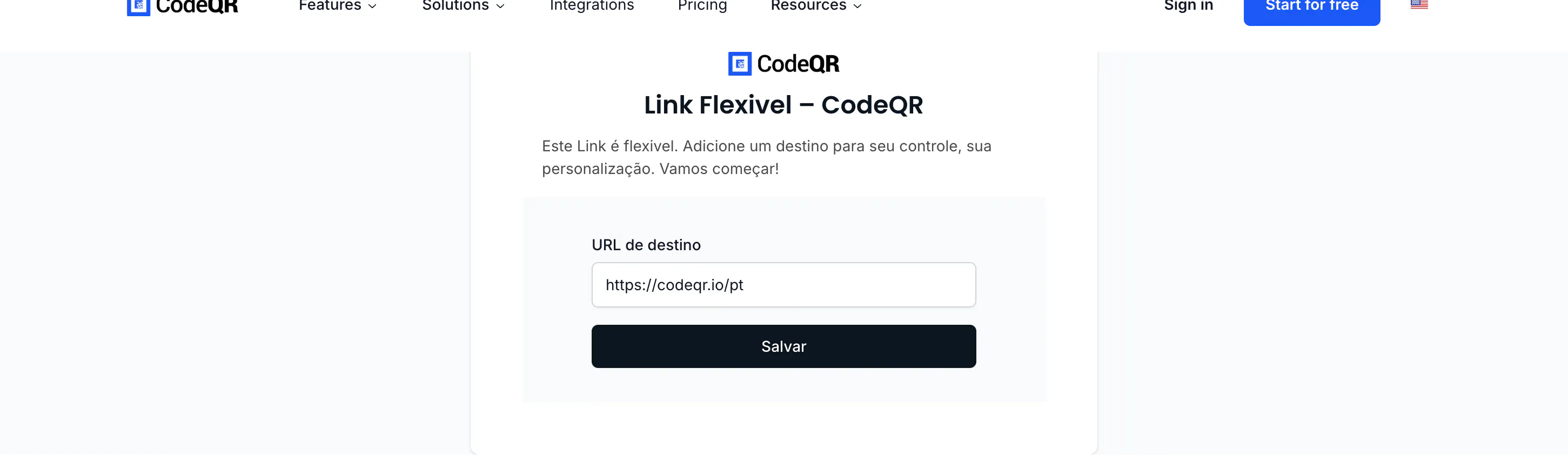
Two things to warn them about, both true at the time of writing: the page is in Portuguese for every visitor, and the confirmation after saving appears as a red message even though it worked. Once saved, the short link starts forwarding to the address they typed.
Where this fits
- Printed material you produce before the campaign exists. The code goes to print, the partner sets the destination later.
- A link per franchisee, reseller or venue, where each one knows their own page.
- A card or badge handed to a person who points it wherever they need.
If instead you want to change the destination yourself later, you do not need this: every CodeQR link's destination is editable, and the change takes effect on the next visit.
Do the same with the API
flexible is the field. The destination can be omitted:
curl -X POST https://api.codeqr.io/links \
  -H "Authorization: Bearer codeqr_xxxxxxxxxxxxxxxxxxxxxxxx" \
  -H "Content-Type: application/json" \
  -d '{"domain":"go.example.com","key":"partner-42","flexible":true}'
The response carries "flexible": true and "filled": false. filled becomes true once the recipient saves a destination, so you can list your links and see which ones are still waiting.
Verify it works
Before the recipient fills it in, the short link answers with the fill-in page:
curl -sSI https://go.example.com/partner-42
HTTP/2 200
After they save, the same request answers with a redirect:
HTTP/2 302
location: https://example.com/the-page-they-chose
Troubleshooting
The short link shows the fill-in page to everyone
That is the state before a destination is saved. Send the exclusive link to whoever should choose it, or turn off Flexible Link and set a destination yourself.
The recipient saved a destination and got a red message
The confirmation is shown in red today, even on success. Reload the short link — if it redirects, the destination was saved.
The page is in Portuguese and my recipient does not read it
The fill-in page is not translated yet. Tell the recipient what to expect: URL de destino is the destination field and Salvar is the save button.
I want to change what the recipient typed
Open the link in your workspace and edit Destination URL like any other link, or turn the switch off entirely.
The link counted a click before anyone was redirected
Opening the short link is a visit, whether it ends in the fill-in page or a redirect. Visits from the period before the destination existed stay in your reports.