
Add UTM parameters to a short link
Use the UTM Builder to tag a CodeQR short link for Google Analytics — where the parameters are stored, what overwrites them, and how to check.

UTM parameters tell your analytics tool where a visit came from. The UTM Builder in the link builder adds them to your destination URL, so Google Analytics and every other tool on your site see the campaign — and CodeQR reports on it too.
Availability
- Plan: every plan, Free included.
- Where: UTM Builder in the link builder, below the Optional divider. A standalone UTM Builder page also exists, reachable from the menu next to Add Link on the Links page.
Before you start
Fill in Destination URL first: the fields stay disabled until CodeQR has a valid address to add the parameters to.
One thing to know before you touch the switch, because it explains everything else: the parameters live inside your destination URL. CodeQR has no separate UTM storage. As you type, the Destination URL field changes in front of you.
Steps
- In the link builder, turn on UTM Builder.
- Fill in the fields you use. The usual minimum is UTM Source and UTM Medium; UTM Campaign names the campaign.
- Watch Destination URL — it now ends with
?utm_source=…&utm_medium=…. - Select Create link.
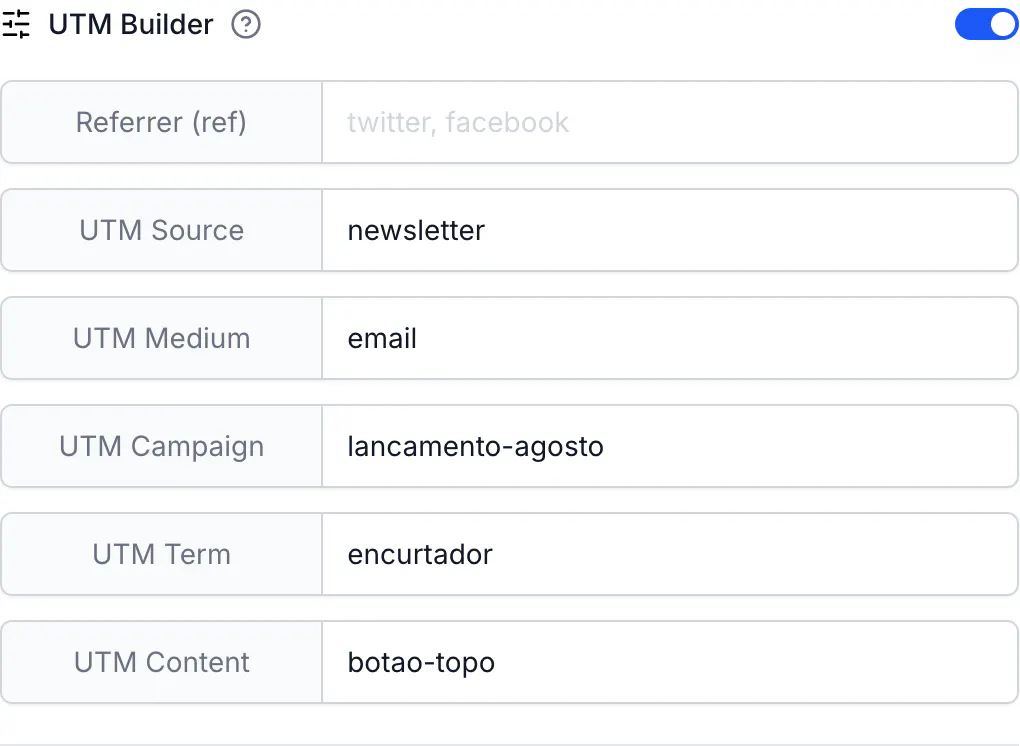
The six fields are Referrer (ref), UTM Source, UTM Medium, UTM Campaign, UTM Term and UTM Content. The five UTM fields are the standard ones every analytics tool understands. Referrer (ref) writes ?ref= instead, which some tools and affiliate programs read; CodeQR stores it in the URL like the others but does not treat it as a campaign field in reports.
Conventions that save you a cleanup later
- Lowercase everything. Google Analytics 4 treats
Newsletterandnewsletteras two different sources, which splits one campaign into two rows. - Use
-or_instead of spaces. A space arrives as%20or+depending on the tool that sent it, and those also become separate rows. - Keep the same vocabulary across campaigns — pick
emailornewsletterfor the medium and stay with it. - Turning the switch off deletes the parameters from your destination URL. That is how you remove them; it is also how you lose them by accident.
What happens when the destination already has parameters
Anything already in your destination URL stays. The builder adds or replaces only the six fields it manages, so a destination like https://example.com/menu?table=12 keeps table=12.
There is a second, less obvious case: a visitor who arrives with their own parameters. Everything on the short link is passed through to the destination, and a parameter with the same name wins over the one stored in the link. A link whose destination carries utm_source=newsletter, opened as go.example.com/menu?utm_source=instagram&extra=1, lands on:
https://example.com/menu?utm_source=instagram&extra=1&utm_medium=email&utm_campaign=august
The visitor's utm_source replaced the link's; the other parameters survived. This is what makes one short link reusable across channels — append ?utm_source= to the short link when you share it, and the destination sees the channel you named.
Where the numbers show up
CodeQR reports campaigns in Analytics → UTM report, described in Measure UTM campaigns on links and QR codes. Those figures come from the parameters stored with the link, so editing a link's UTM values changes how its past visits are grouped.
Smart Rules can also read UTM parameters to send different sources to different pages — see Route campaign traffic by UTM or referrer.
Build a campaign URL without creating a link
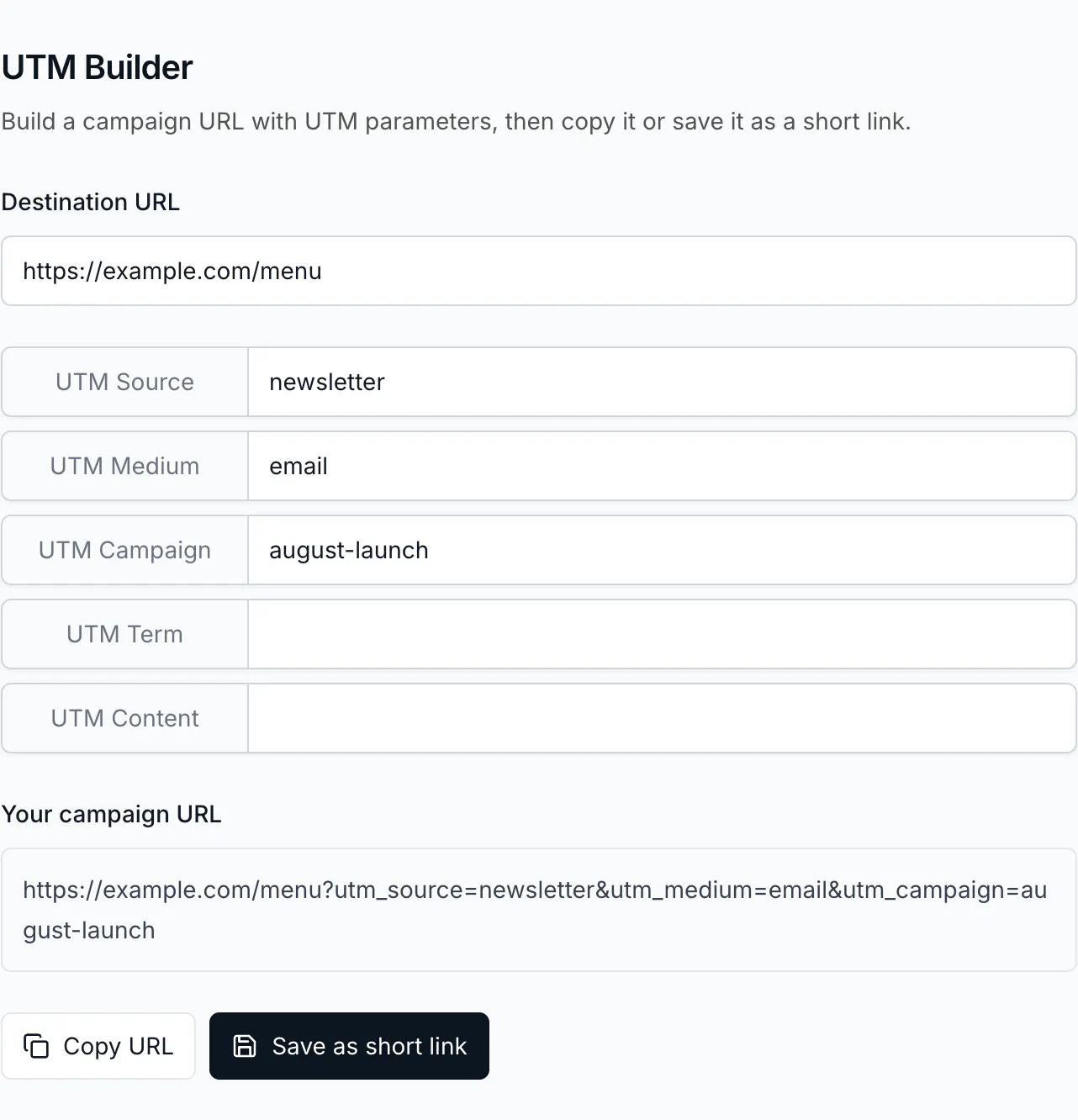
The standalone UTM Builder page assembles the address on its own: fill in Destination URL and the five UTM fields, read the result under Your campaign URL, then Copy URL for a page you are linking elsewhere, or Save as short link to open the builder with it already filled in.
Do the same with the API
Put the parameters in url. There is no utm_source field in the request body — sending one has no effect:
curl -X POST https://api.codeqr.io/links \
  -H "Authorization: Bearer codeqr_xxxxxxxxxxxxxxxxxxxxxxxx" \
  -H "Content-Type: application/json" \
  -d '{"url":"https://example.com/menu?utm_source=newsletter&utm_medium=email&utm_campaign=august","domain":"go.example.com","key":"august-menu"}'
The response reads them back out of the URL into their own fields, which you can then filter and export:
{
  "url": "https://example.com/menu?utm_source=newsletter&utm_medium=email&utm_campaign=august",
  "utm_source": "newsletter",
  "utm_medium": "email",
  "utm_campaign": "august"
}
Verify it works
curl -sSI https://go.example.com/august-menu
HTTP/2 302
location: https://example.com/menu?utm_source=newsletter&utm_medium=email&utm_campaign=august
The location line is exactly what the browser will request, so what you see there is what your analytics tool receives. In Google Analytics, the visit shows up under that source and medium in the realtime report within a few minutes.
Troubleshooting
My analytics tool shows the visit as direct
The parameters are not reaching it. Check the location line above: if the parameters are missing there, the switch was turned off after they were typed, or someone edited the destination by hand. Also check that the destination page does not redirect again — a redirect on your own site can drop the query string.
The same campaign appears twice in reports
Two spellings of the same value, usually differing in case or a space. Standardize the value and edit the links; new visits group correctly, and CodeQR's own UTM report follows the link's current values.
The parameters disappeared from my destination URL
Turning off UTM Builder removes all six from the URL. Turn it back on and refill, or paste the full URL, parameters included, into Destination URL — the fields read themselves back out of it.
The UTM fields are grayed out
There is no valid destination yet. Paste a complete address starting with https:// and they become editable.