
Choose the fields your form asks for
Rename, reorder and add fields on a CodeQR page, mark what is required, validate what people type, and split a long form into steps.

Every page starts with the fields its template shipped with. You decide which ones stay, what they are called, what is required, and what people are allowed to type into them.
Availability
- Plan: every plan.
- Where: Pages → your page → Form Fields.
The fields you start with
A contact page arrives with Name, Email, Phone, Subject and Message. The label under each name says required where the template made the field mandatory.
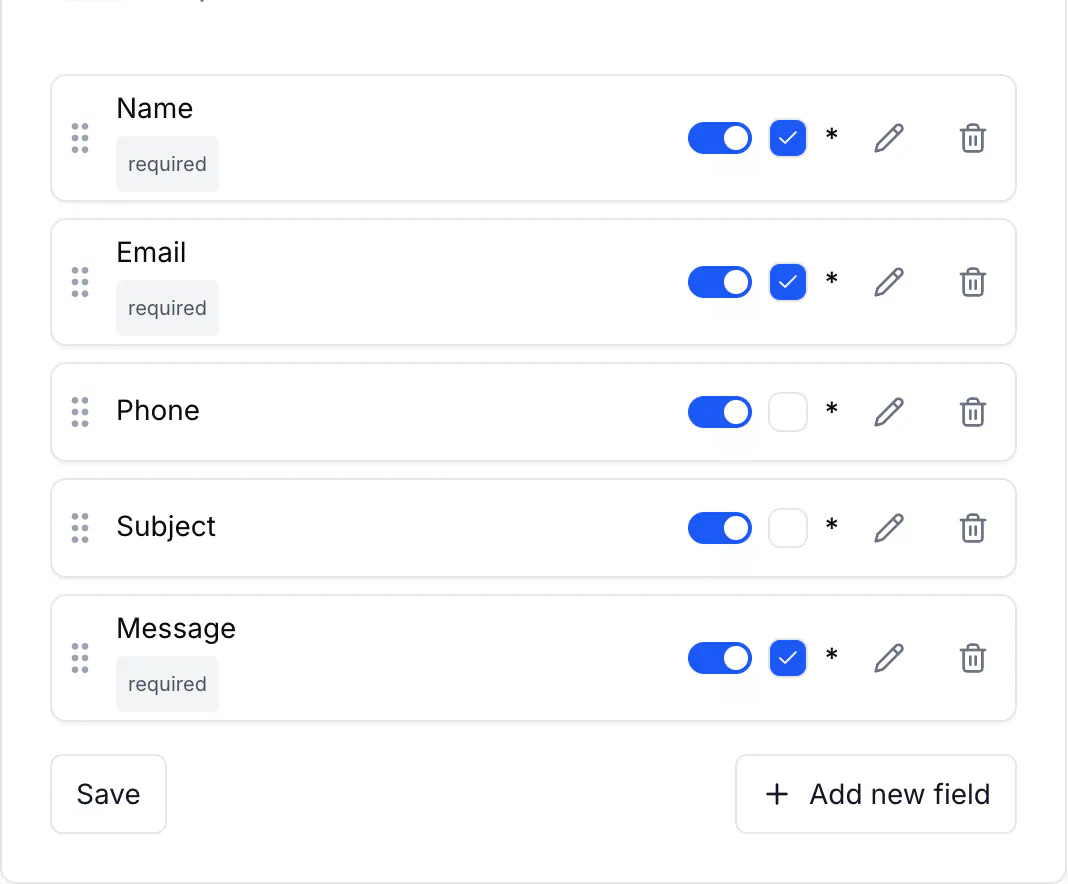
These labels are in English on every new page, whatever language you work in, so renaming them is the first thing to do on a page for a Portuguese-speaking audience.
Steps
- Open your page and select Form Fields.
- To rename a field, select the pencil at the end of its row. Change Field Name — that is the label the visitor reads — and Example text, which is the grey hint inside the box. Select Save changes.
- To make a field optional, or required, use the switch on its row.
- To change the order, drag a row by the handle on its left. The visitor sees them in the order shown.
- To add a field, select Add new field, choose a Field type, name it, and select Add field.
!The new field drawer with Field type, Field Name, Required, Example text and Step

- Select Save at the bottom of the card. Nothing reaches the live page until you do.
The field types
Text · Email · Number · Phone · Date · Time · Selection · Multiple choice · Checkboxes · Textarea · Rating · Hidden
Hidden is the one worth explaining: the visitor never sees it, and it carries a value you set — useful for marking which flyer, which shop or which event a submission came from, since you can give each printed code its own page.
Validation
Open Validation inside a field to constrain what is accepted:
- Min length and Max length.
- Pattern: None, Email, Phone, URL, Digits, CPF or Custom.
- Custom error message, shown when the value does not match.
CPF checks a Brazilian taxpayer number, which is the usual reason a form gets rejected data it cannot use later.
Prefill a field from the link
Under Advanced there is Prefill from URL parameter. Set it to email and a visitor arriving at expol.ink/p/hMdPbFS9N9?email=ada@example.com finds the email box already filled in.
The same panel holds Help text, shown under the label, Default value, and Custom key, which overrides the identifier CodeQR generates from the label. The identifier is what a prefill link and an integration refer to; the column in your export follows the label instead — see Read and export your form responses.
Split a long form into steps
Each field has a Step, from Step 1 to Step 4. Fields sharing a step are shown together, and the visitor moves through up to four screens instead of one long scroll. On a form reached by a QR code, where people are standing up and holding a phone, four short screens finish more often than one tall one.
Verify it works
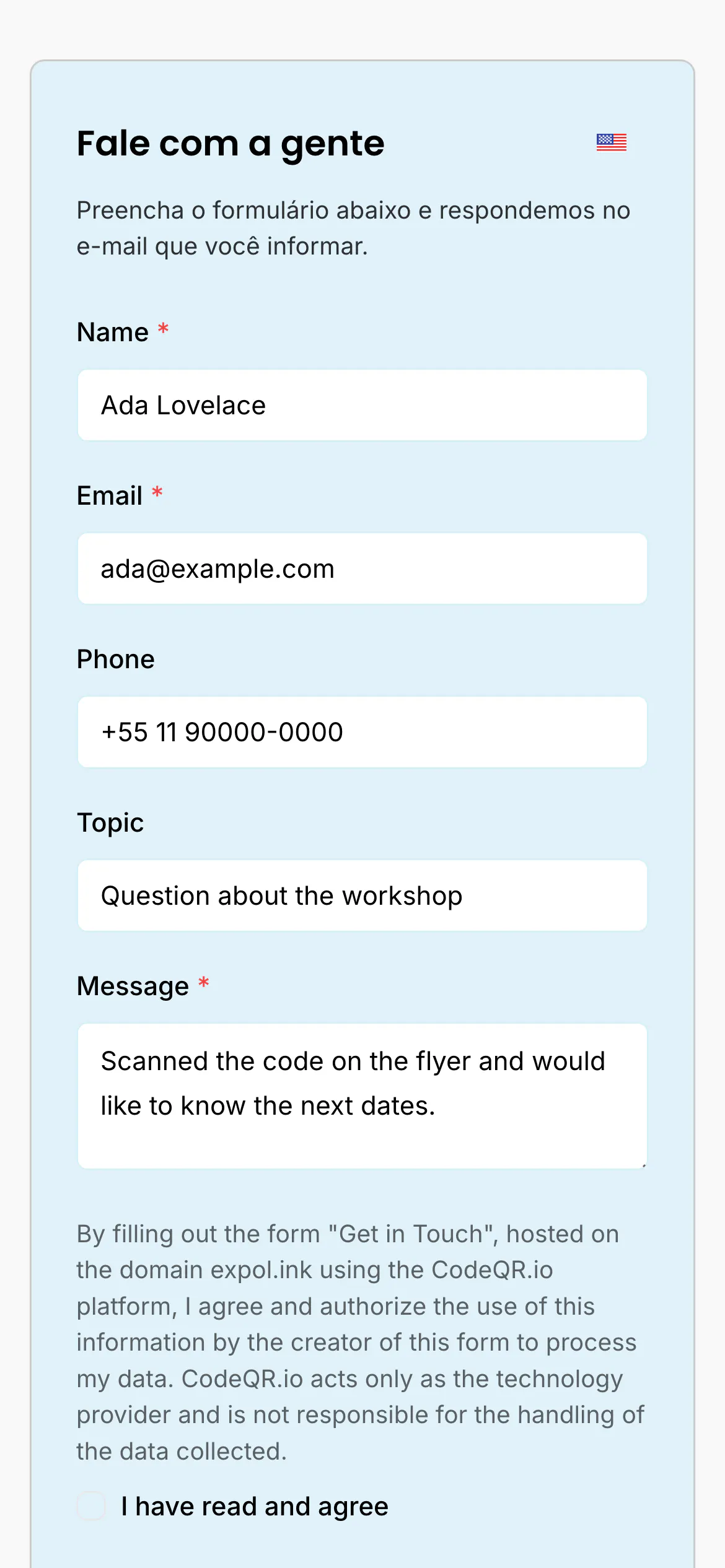
Open the page address in a private window. Every field you renamed shows its new label, required fields carry an asterisk, and a value that breaks a validation rule stops the form with your message.
Troubleshooting
The change is not on the live page
Save at the bottom of Form Fields is separate from Save changes inside a field. Both are needed: the drawer stores the field, the card stores the form.
A required field is blocking people
Required means the form cannot be sent without it. Phone and address fields are the common offenders — someone standing in a queue will abandon rather than type an address. Ask for the minimum, then follow up by email.
The consent checkbox looks like a field but is not one
It is not in Form Fields and cannot be removed from there. It is part of every page — see Ask for consent before you collect data.
You renamed a field and worry about the answers already collected
Nothing is lost and nothing is duplicated. The new label replaces the old one everywhere, including the column header over answers received before the change, and the field keeps its internal identifier — so a Prefill from URL parameter link built before the rename still works.