
Read and export your form responses
Find what people sent through your page, export everything as a CSV file, and get an email for every new lead the moment it arrives.

Everything sent through a page is stored on the page itself, under Responses, and can be taken out as a CSV file at any time.
Availability
- Plan: every plan.
- Where: Pages → your page → Responses.
Read them in the dashboard
Open the page and select Responses. The table has one column per field, in the order the form shows them, and the newest entries at the top.
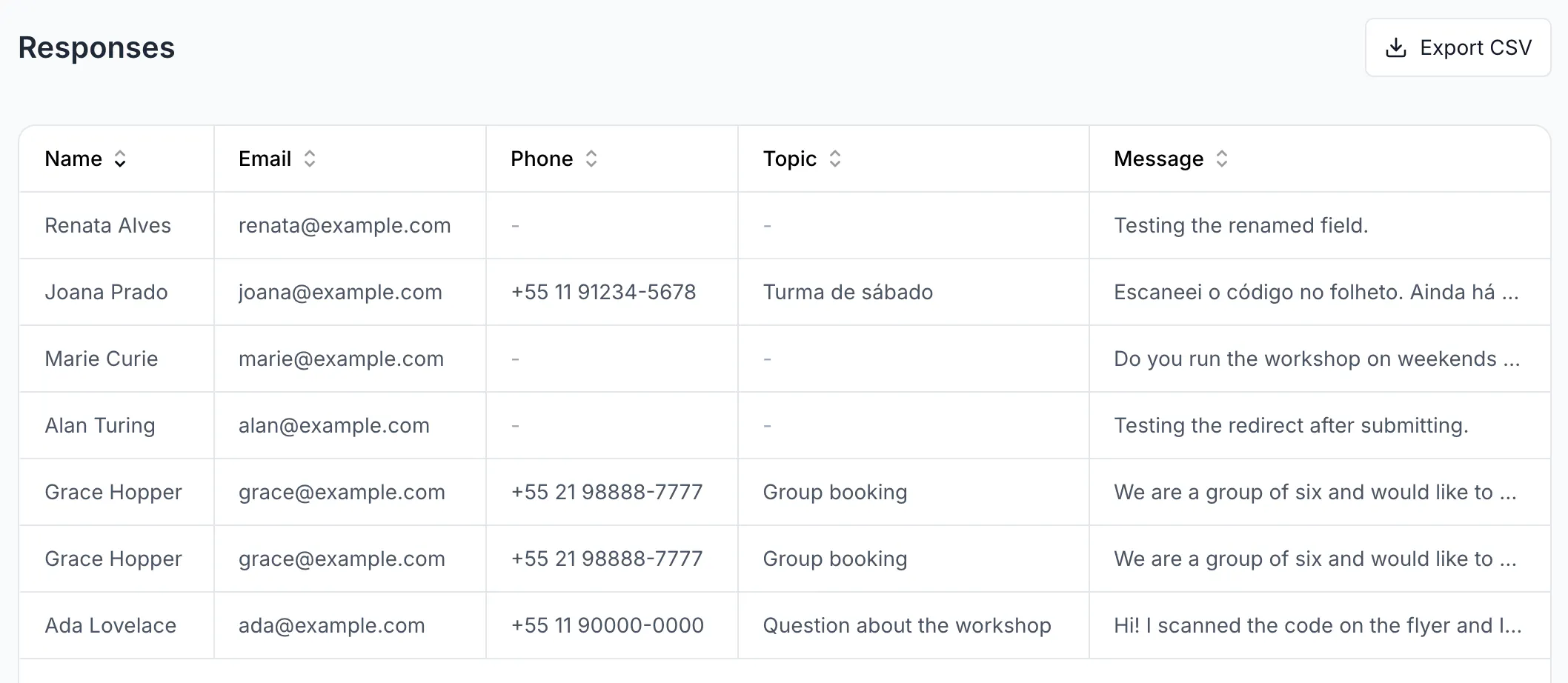
Responses lists sent forms only. Somebody who opened your page, started typing and left is counted in Starts and Drop-offs at the top of the editor, but never appears here — so every row in front of you is a person you can actually reply to.
A dash inside a row means that one field was left empty, not that the form is unfinished. Optional fields produce them all the time.
Export everything
Select Export CSV. The browser downloads responses.csv immediately — nothing is emailed and there is nothing to wait for.
The file has a fixed set of columns first, then one per field of your form:
createdAt— What it holds: when the row was written, in UTCname,email,message,rating— What it holds: the four values every page type sharescompleted— What it holds: alwaystrue— the export carries sent forms onlyduration— What it holds: seconds spent filling it inconsentAt— What it holds: when the person ticked the consent box
Phone numbers are exported with a leading apostrophe so a spreadsheet keeps the +55 instead of turning it into a formula.
Renaming a field renames its column, including over answers collected before the change.
Get an email for every new lead
On the page, in Form Content, turn on Email me new leads and select Save. From then on each completed submission sends a message with the subject New lead on followed by your page title.
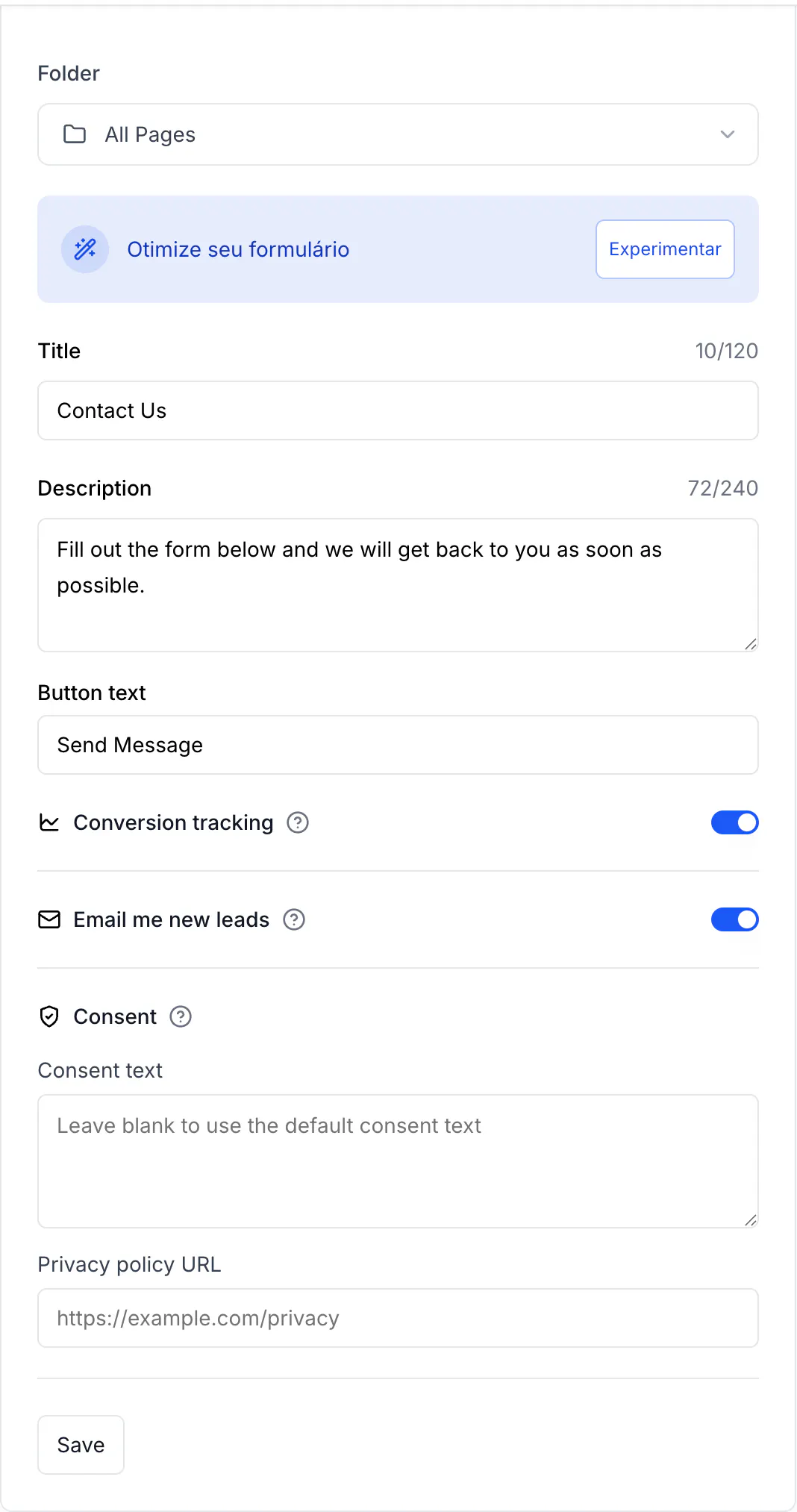
Two limits worth knowing before you rely on it: the message goes to the workspace owner only — members with other roles are not notified and cannot be added — and there is nothing that retries a message the mail server refused. Treat the email as a nudge and the Responses tab as the record.
Verify it works
Send yourself a test submission from a private window, then reload Responses. Your entry is at the top. Export the file and confirm your row carries completed,true and a consentAt timestamp.
Troubleshooting
The table is empty and you know someone answered
Check that you are looking at the right page: each page keeps its own responses, and a workspace can hold several pages with similar names. The address under the page name is what identifies it.
The notification email never arrives
Look in the spam folder first. Then confirm that the account receiving it is the workspace owner — that is the only role the notification is sent to.
The export opens as one long column
Your spreadsheet is set to a different separator. The file is comma-separated; in Excel use Data → From Text/CSV rather than double-clicking it.
You need a response deleted
Deleting the page deletes every response it holds, permanently and with no archive. There is no way to delete a single entry from the interface.
Someone submitted junk
The form carries an invisible trap field that catches most automated submissions, and it limits how many times the same visitor can send in a minute. What gets through is what a person typed by hand — see No responses are arriving from your page for the other direction of the same problem.