
How to Integrate CodeQR with RD Station
Learn how to integrate CodeQR with RD Station to automate lead capturing via QR Codes, short links, and smart forms.

What is RD Station?
RD Station is a Brazilian marketing automation and CRM platform that helps companies generate, nurture, and convert leads into customers. By integrating CodeQR with RD Station, you can automate the entry of leads captured via CodeQR's QR Codes, short links, and smart forms directly into your marketing funnel.
CodeQR Modules Available in RD Station
The integration of CodeQR with RD Station provides powerful features to help you automate lead capturing and connect online and offline campaigns:
Triggers
- CodeQR Event (Lead/Sales - Create): Triggered when a new lead is captured by a smart form, QR Code, or short link from CodeQR with monitoring enabled. This trigger automatically sends the lead to RD Station.
Step-by-Step Guide to Integrate CodeQR with RD Station
1. Connect CodeQR to RD Station
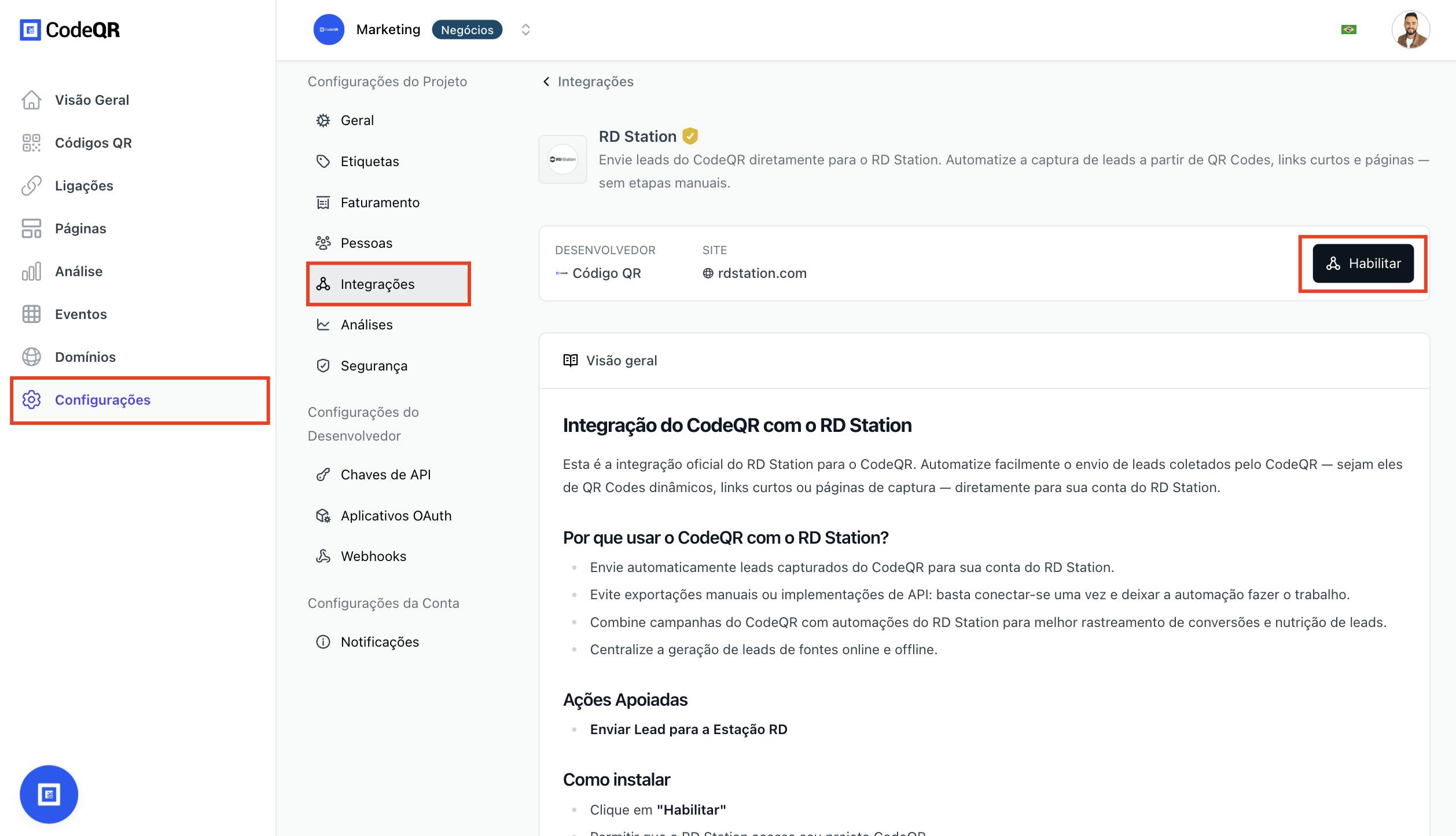
- Log in to your CodeQR account
- Go to Settings > Integrations or go directly here
- In the available integrations section, locate RD Station.
- Click the Enable button
- You will be redirected to RD Station's OAuth authorization
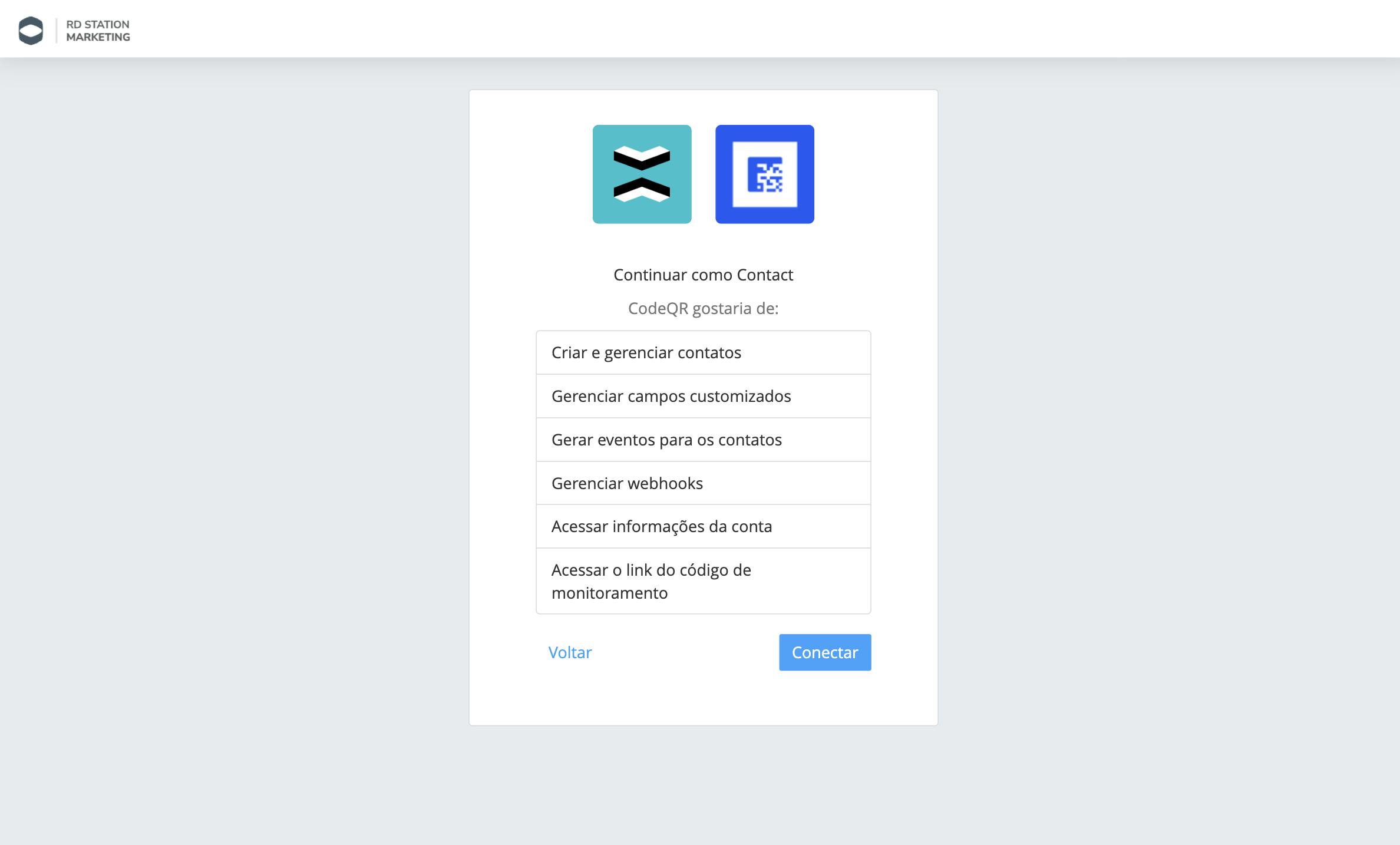
All set! The integration will be automatically activated.
2. Map Data Fields
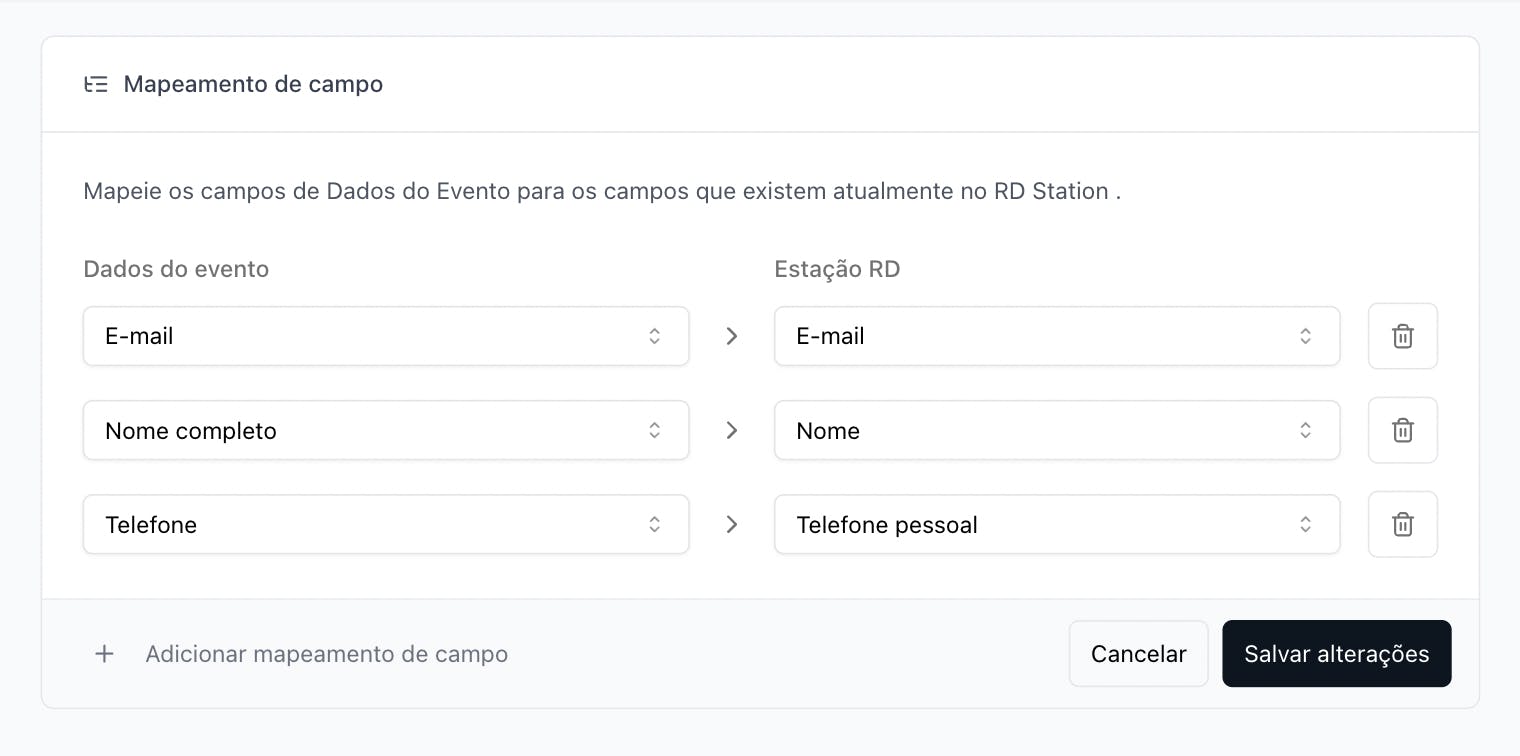
To ensure that your CodeQR form data is correctly sent to the corresponding fields in RD Station:
- After connecting your account, look for Field Mapping.
- Map the fields from CodeQR (for example, "Email," "Name") to the corresponding fields in RD Station. This ensures that your CodeQR form data automatically fills out the contact information in RD Station.
- Click "Save changes".
3. Set up a Smart Form in CodeQR
- In the sidebar menu, go to Dashboard > Pages
- Create a new page or edit an existing one
- Add a smart form
- Enable the Conversion Monitoring option
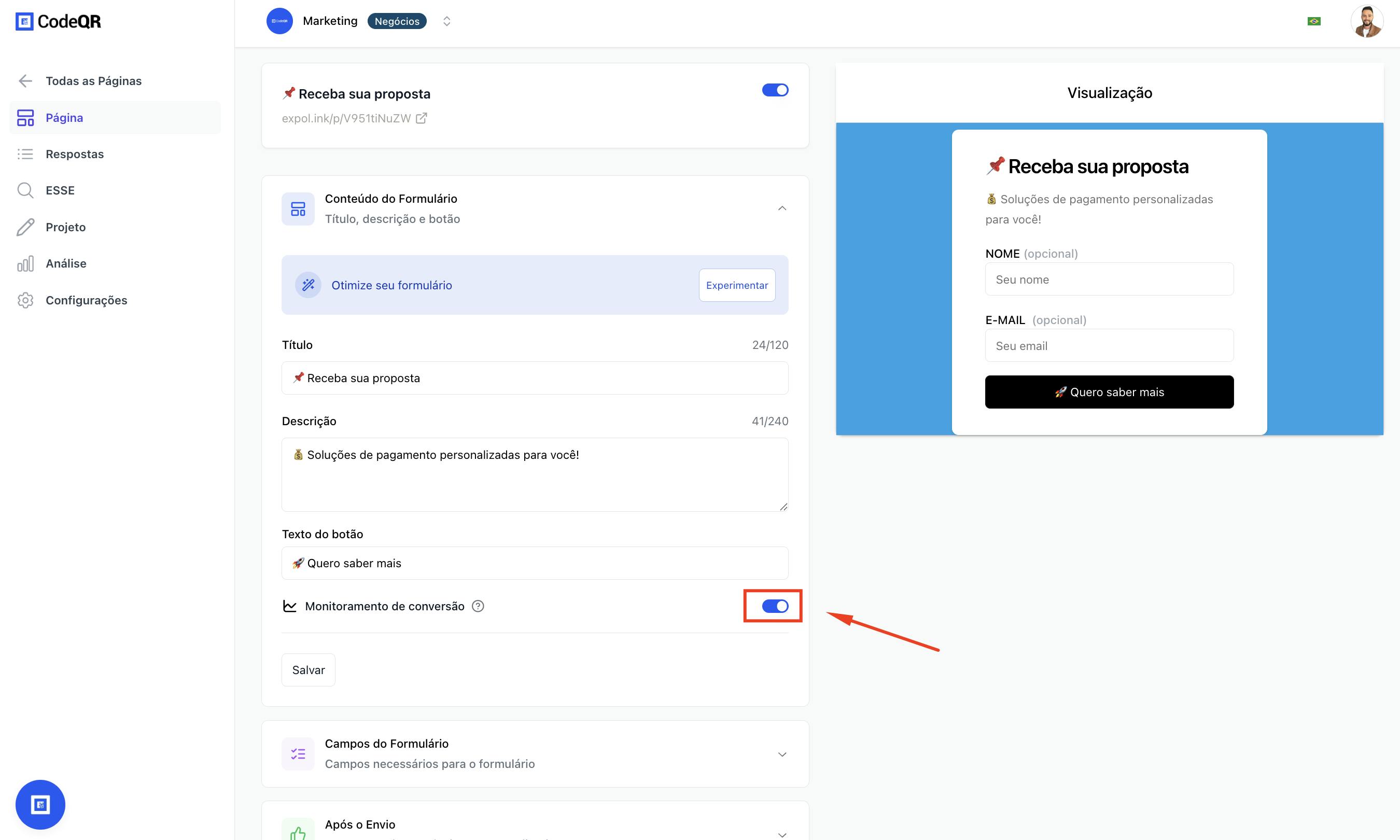
- Save the page and copy the form link
Whenever someone fills out this form, the lead will be automatically sent to RD Station with the filled information. Let's test it.
- Access the CodeQR form link and fill in the data (e.g., "João", "joao@email.com").
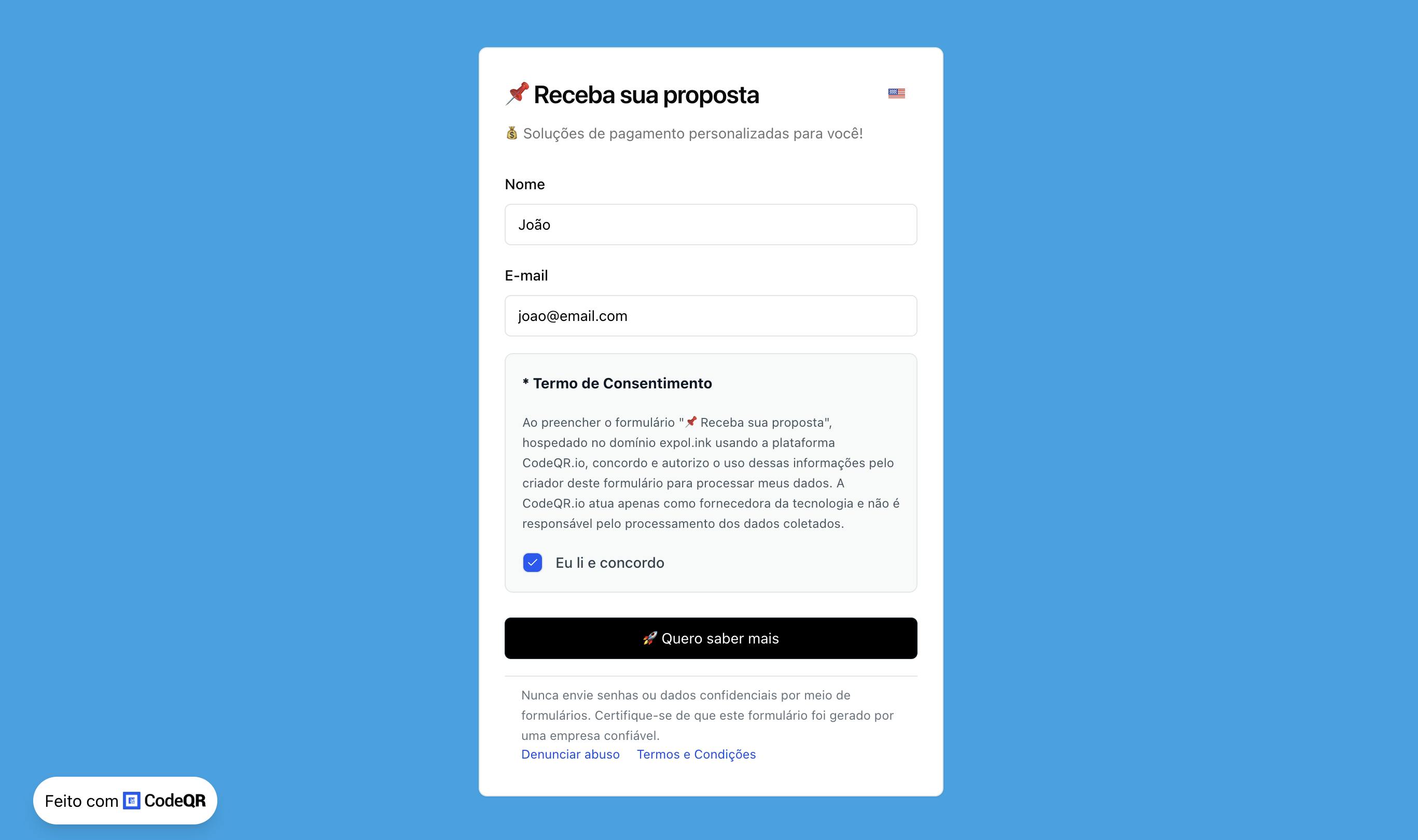
- Submit the form.
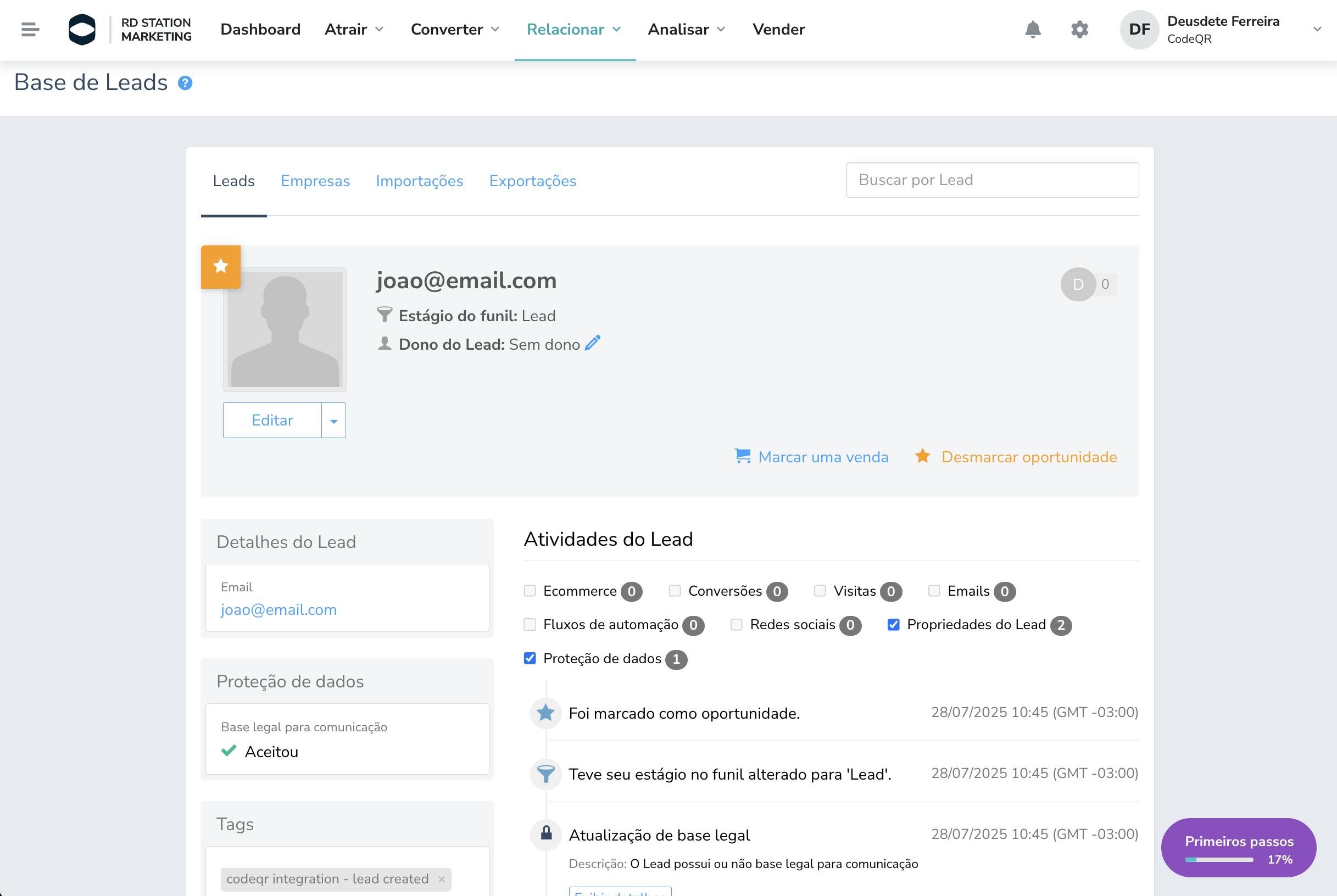
- Return to RD Station and check the "Lead Base" section. You will see that the new contact ("João") was added with tags and information automatically filled out.
4. Capturing Leads with QR Codes and Short Links
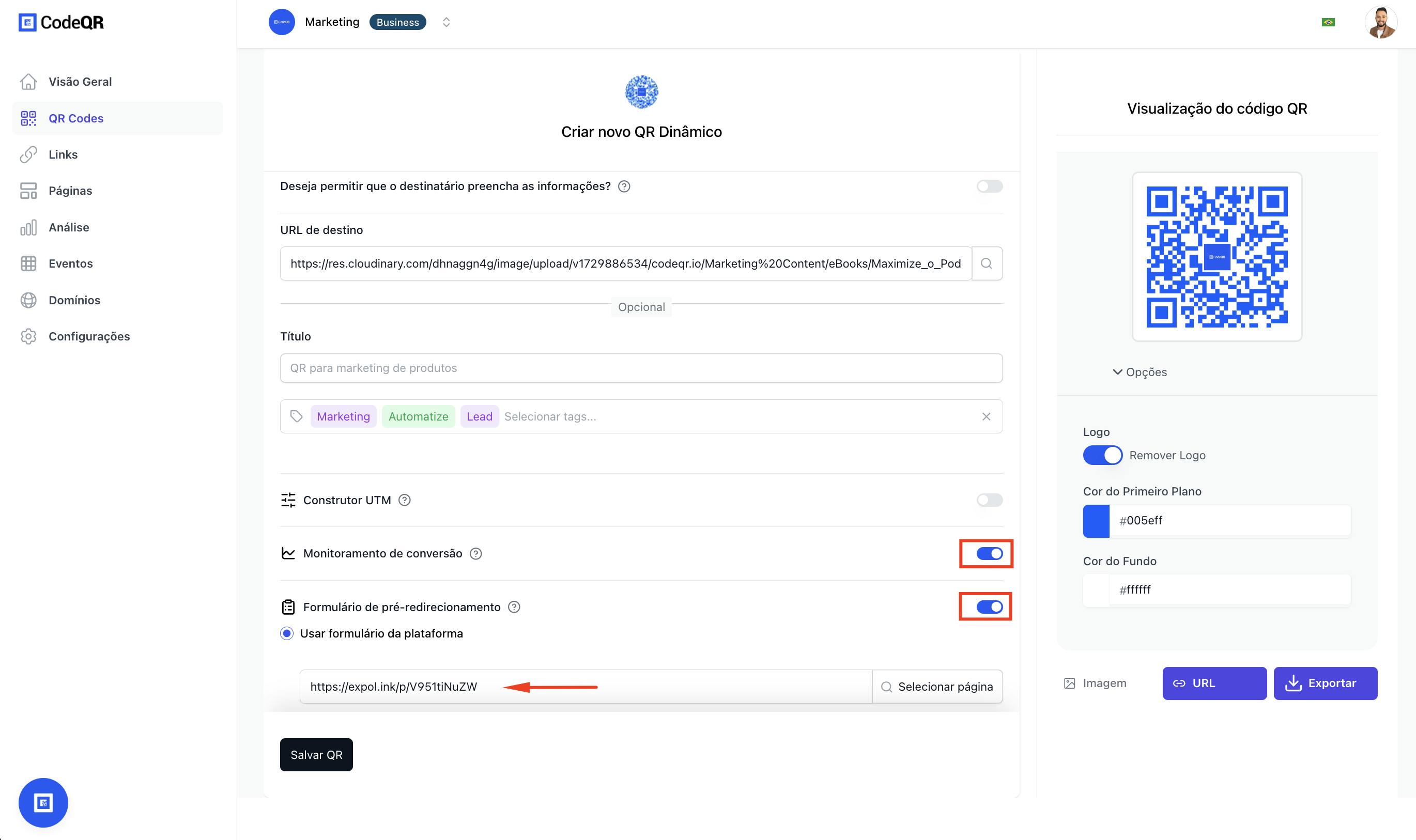
A) QR Codes with Pre-Redirect Form
- Go to the QR Codes section
- Create a new QR Code pointing to a destination (URL, text, etc.)
- Enable:
- Conversion Monitoring
- Pre-redirect Form
- Select a previously created smart form
- When someone scans this QR Code, the form will be displayed before redirection. After submitting the form, the lead will be sent to RD Station.
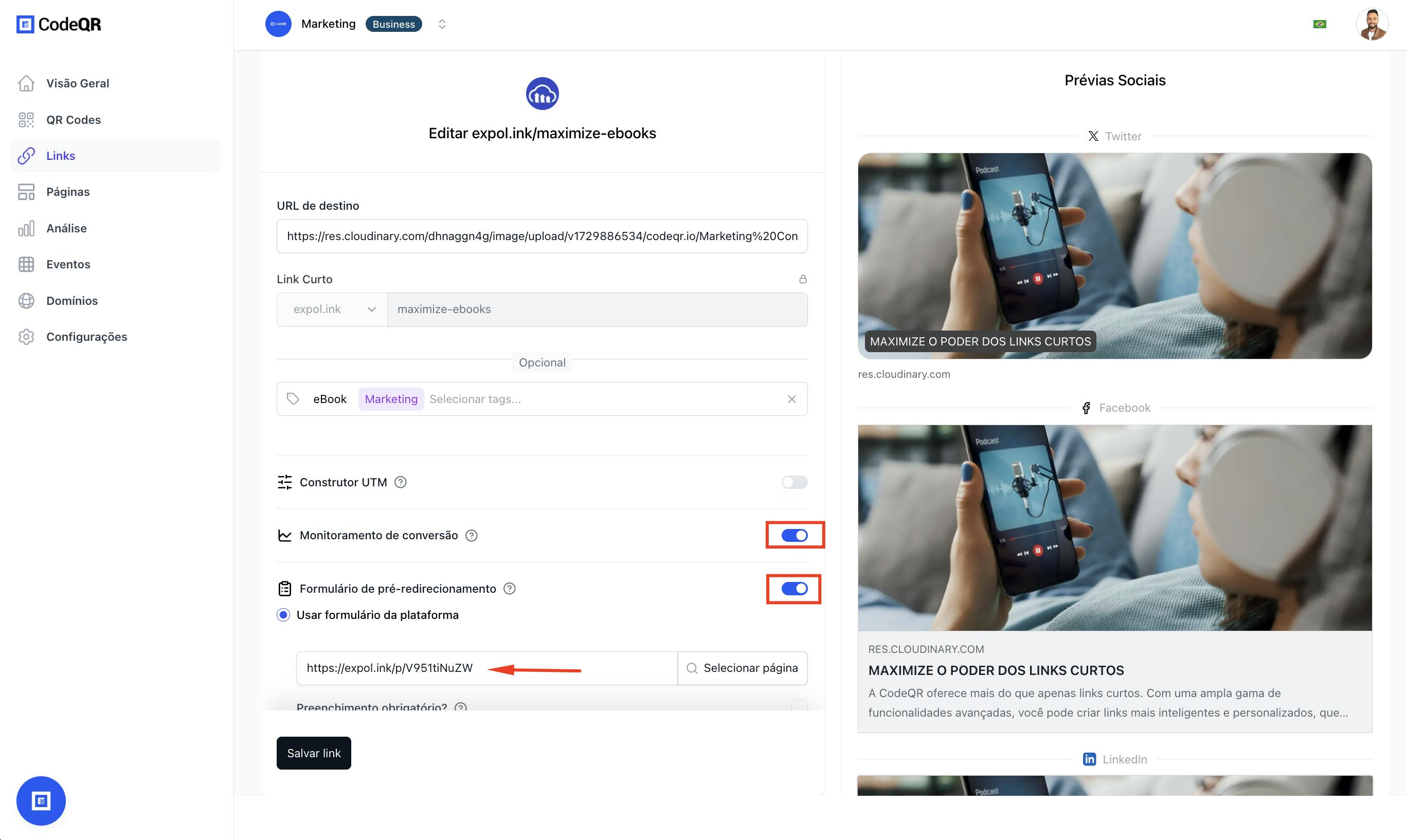
B) Short Links with Conversion Interstitial Page
- Go to the Links section
- Create a short link with the desired destination (e.g., e-book, sales page)
- Enable:
- Conversion Monitoring
- Pre-redirection Page
- Select the form that will be shown before redirection
- When the link is accessed, the page with the form will be displayed. The lead will be sent to RD Station after submission.
Examples of Using the Integration with RD Station
- Lead capture in offline campaigns: QR Codes on flyers or events direct the user to a capture form before redirection, sending the lead to RD Station.
- Converting visitors on pages and links: Forms on CodeQR pages or short links capture data and send it to RD Station seamlessly.
- Segmentation and automations: With data such as name, email, and evaluation sent by CodeQR, you can create custom segments and smart automations.
Conclusion and Next Steps
Now that you know how to integrate CodeQR with RD Station, you can start turning every click, scan, or form submission into a qualified lead in your marketing funnel. This integration is ideal for connecting online and offline campaigns using tracked QR Codes and links, smart forms, and conversion monitoring — all 100% integrated via OAuth with RD Station.
Start turning your leads into loyal customers today! Try out the integration.