CodeQR & Make.com Integration: Automate Workflows
Learn to automate short links, QR codes, and lead capture by integrating CodeQR with Make.com. Set up triggers and actions without coding.


What is Make.com?
Make.com is a powerful automation platform that allows users to create workflows by connecting different applications without the need for coding. With CodeQR now available on Make.com, you can integrate it with tools like Google Sheets, Slack, Notion, HubSpot, and many others to automate QR Code generation, link management, and tracking activities.
Register on Make.com through this link and get 1 month of the Pro plan with 10,000 free operations!
Available CodeQR Modules on Make.com
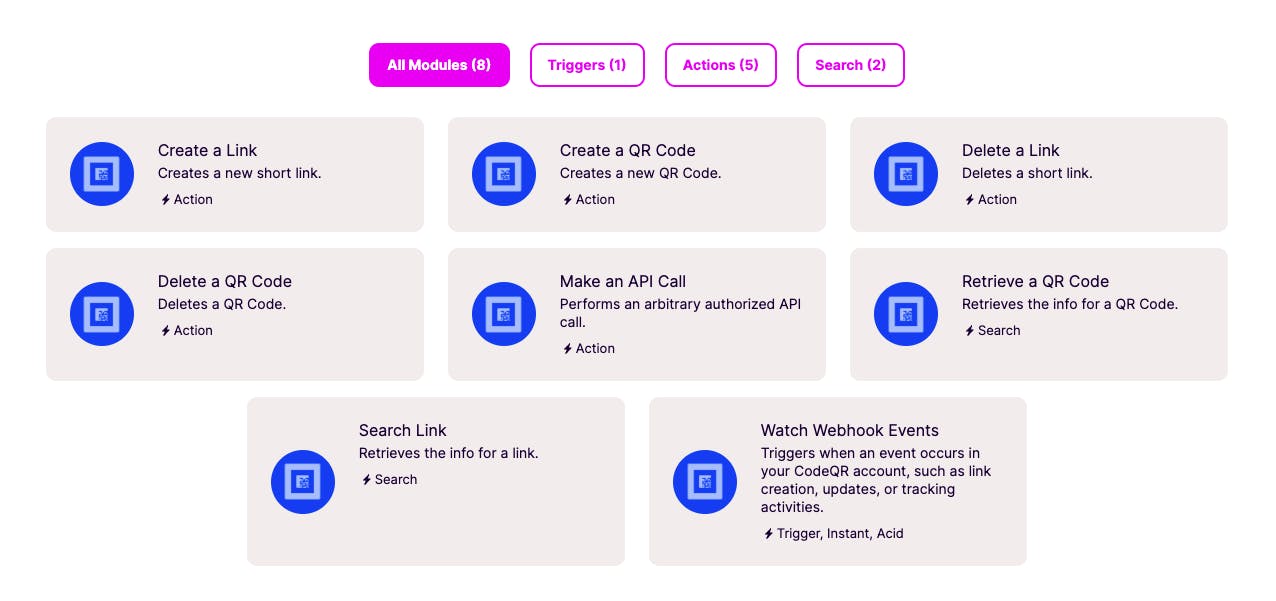
The CodeQR integration on Make.com offers various triggers, actions, and searches to help you build customized workflows:
Triggers
- Watch Webhook Events: Triggers when an event occurs in your CodeQR account, such as link creation, updates, or tracking activities.
Actions
- Create a Link: Generates a new short link.
- Create a QR Code: Creates a new QR Code.
- Delete a Link: Removes a short link from your account.
- Delete a QR Code: Deletes an existing QR Code.
- Make an API Call: Allows you to perform an authorized API request.
Searches
- Retrieve a QR Code: Fetches information about a QR Code.
- Search Link: Retrieves details about a specific short link.
Step-by-Step Guide to Integrating CodeQR with Make.com
1. Connect CodeQR to Make.com
1 - Go to Make.com and log in to your account.
2 - Click on "Create a new scenario".
3 - In the search bar, type "CodeQR" and select it from the available apps.
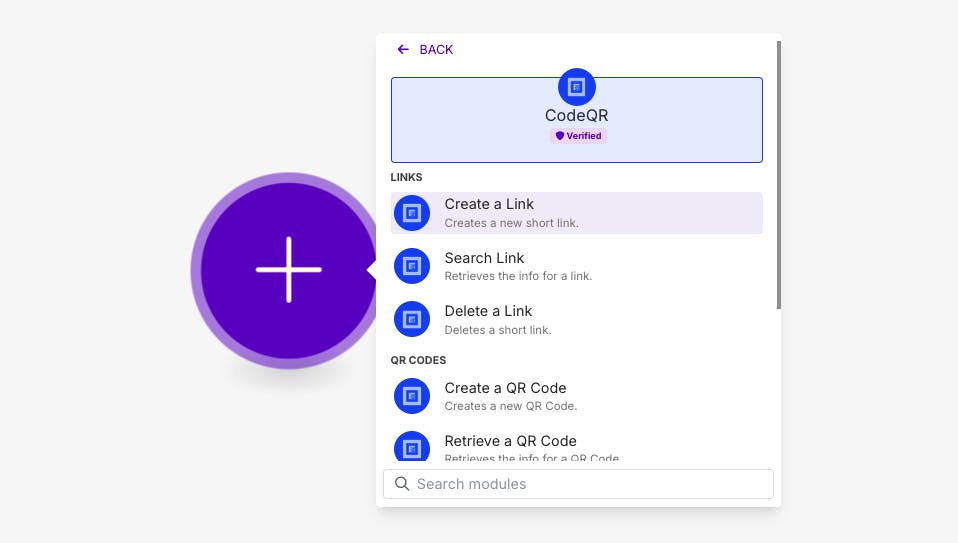
4 - Click on "Add a Connection" and authenticate using your CodeQR account.
2. Automating CodeQR Workflows
Once connected, you can start automating tasks with CodeQR by using triggers and actions. Below are two practical examples.
Example 1: Create a Link and Save it to Google Sheets
In this example, we will create a short link in CodeQR and automatically save it to a Google Sheets spreadsheet.
1 - Add CodeQR as the first module and select "Create a Link".
Configure the link details, such as the destination URL.
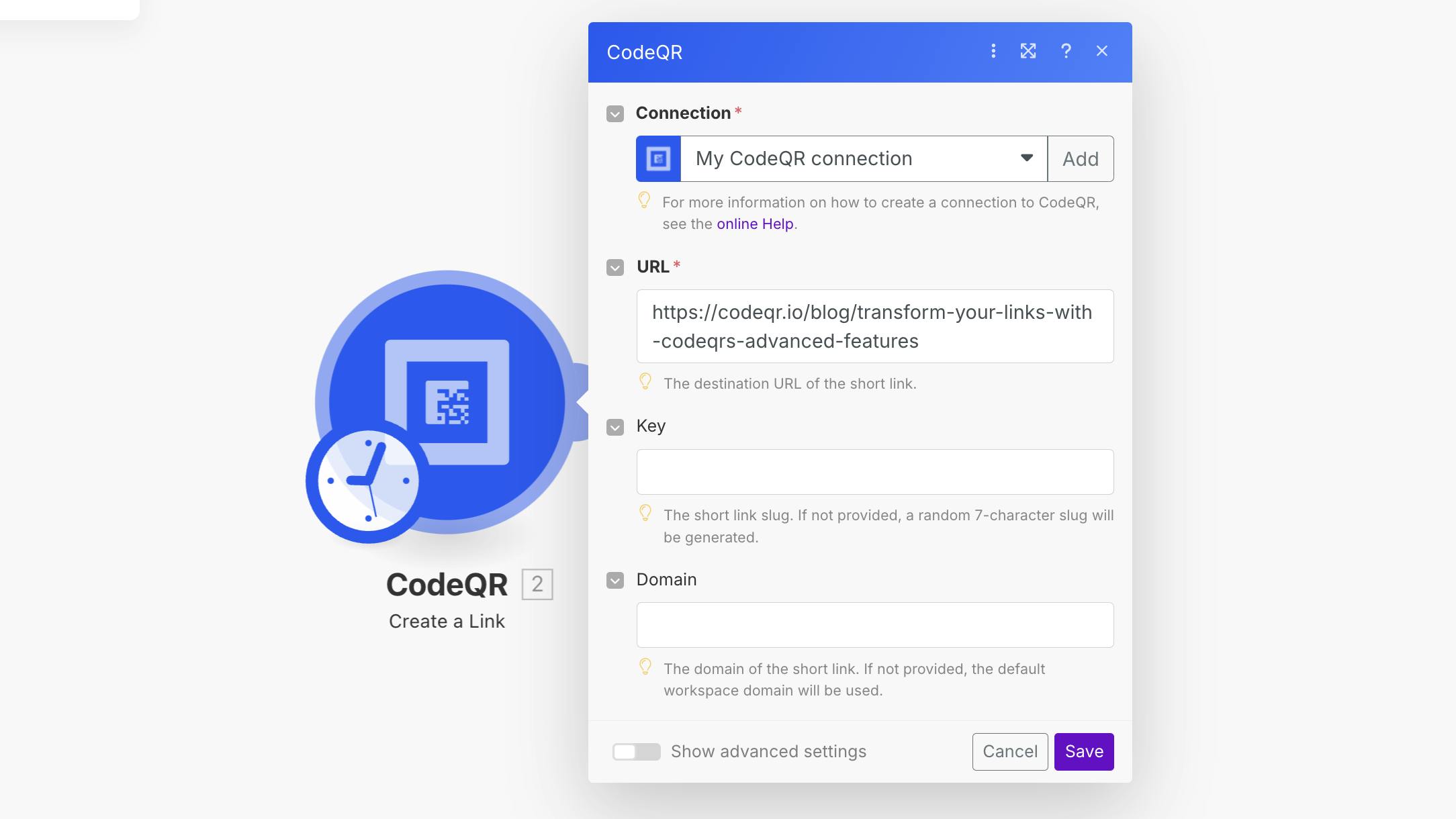
2 - Add Google Sheets as the next module and choose "Add a Row".
3 - Connect your Google account and select the desired spreadsheet.
Map the short link data (e.g., link, creation date) to the corresponding columns.
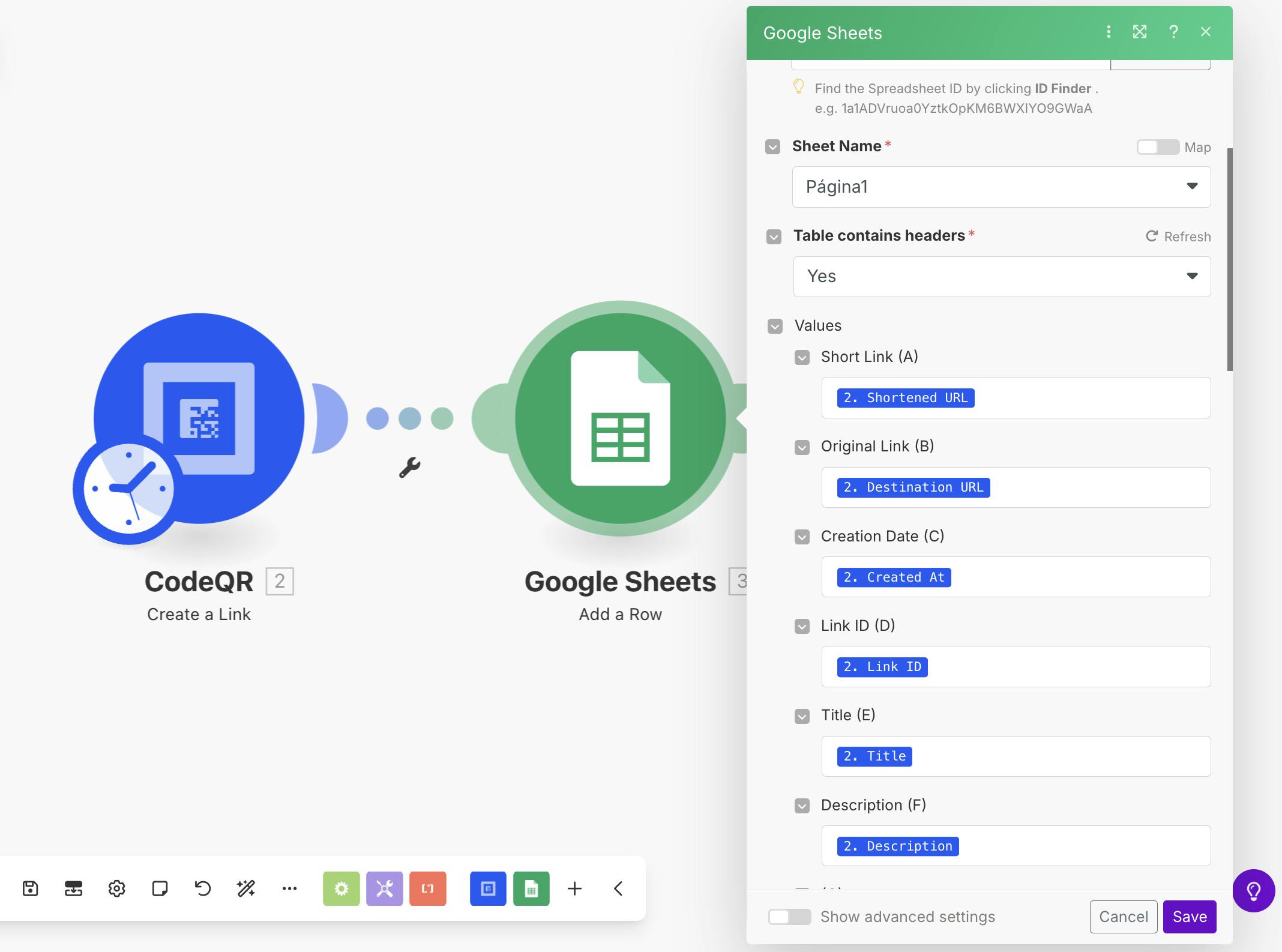
4 - Save and activate the workflow.
Outcome: Every time a new short link is created, its details will be logged in Google Sheets.
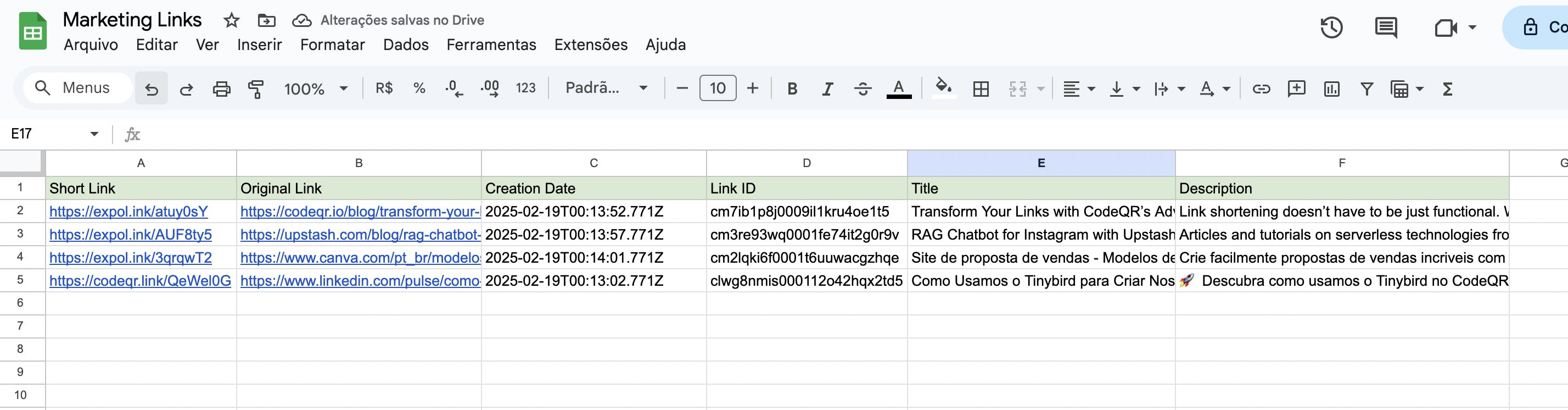
Simplify your workflow even further! With Make, you can automate link creation and updating of Google Sheets spreadsheets.
Example 2: Create a Link, Save to Google Sheets, and Notify Slack
Now, let's extend the previous example by sending a notification to Slack whenever a new short link is created and saved in Google Sheets.
1 - Follow Example 1 to create a short link and save it in Google Sheets.
2 - Add Slack as the next module and select "Send Message".
3 - Connect your Slack account and choose a channel where the notification should be sent.
Customize the message with the short link details.
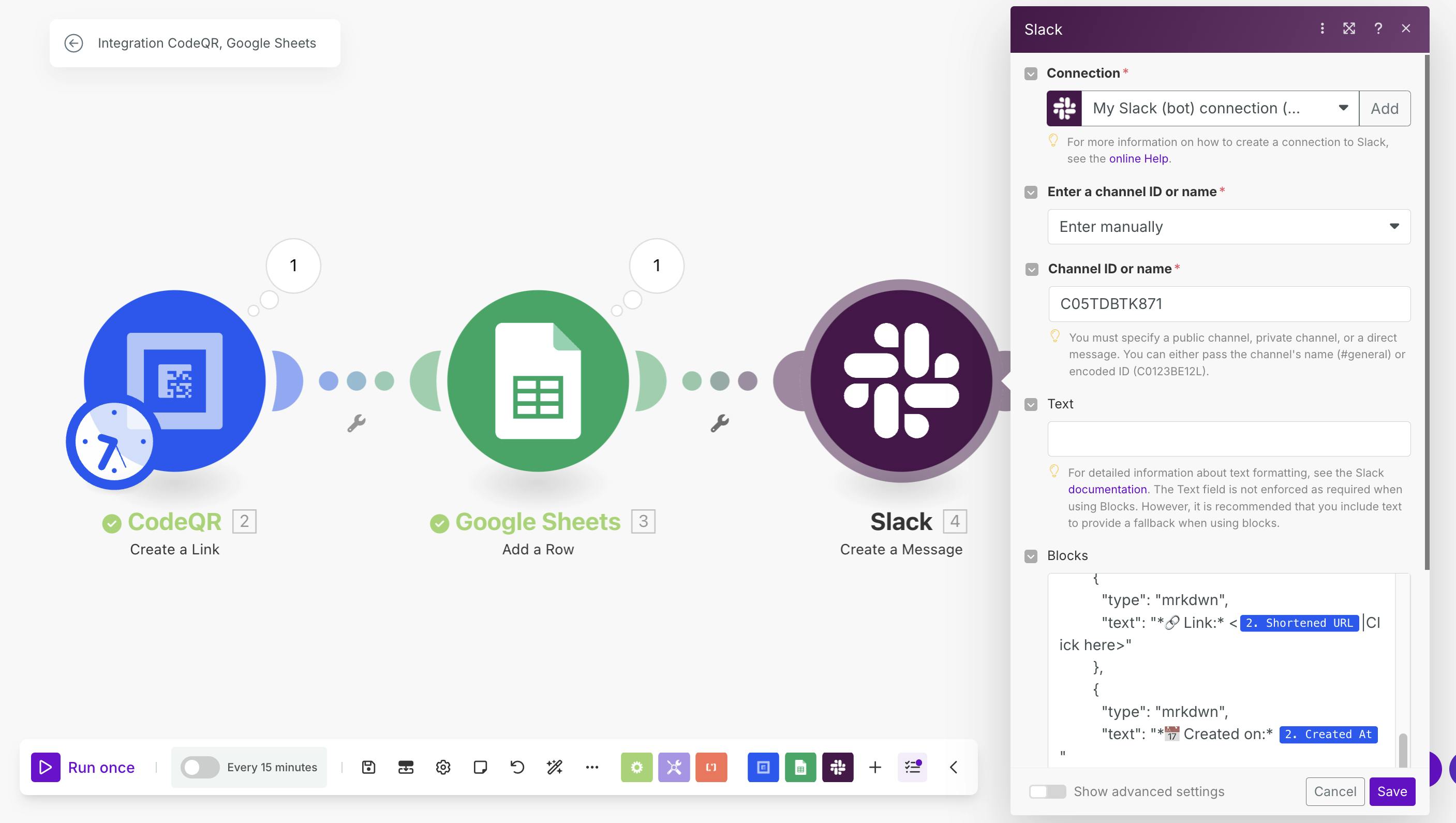
4 - Save and activate the workflow.
Outcome: Whenever a short link is created, it will be saved in Google Sheets and a Slack notification will be sent.
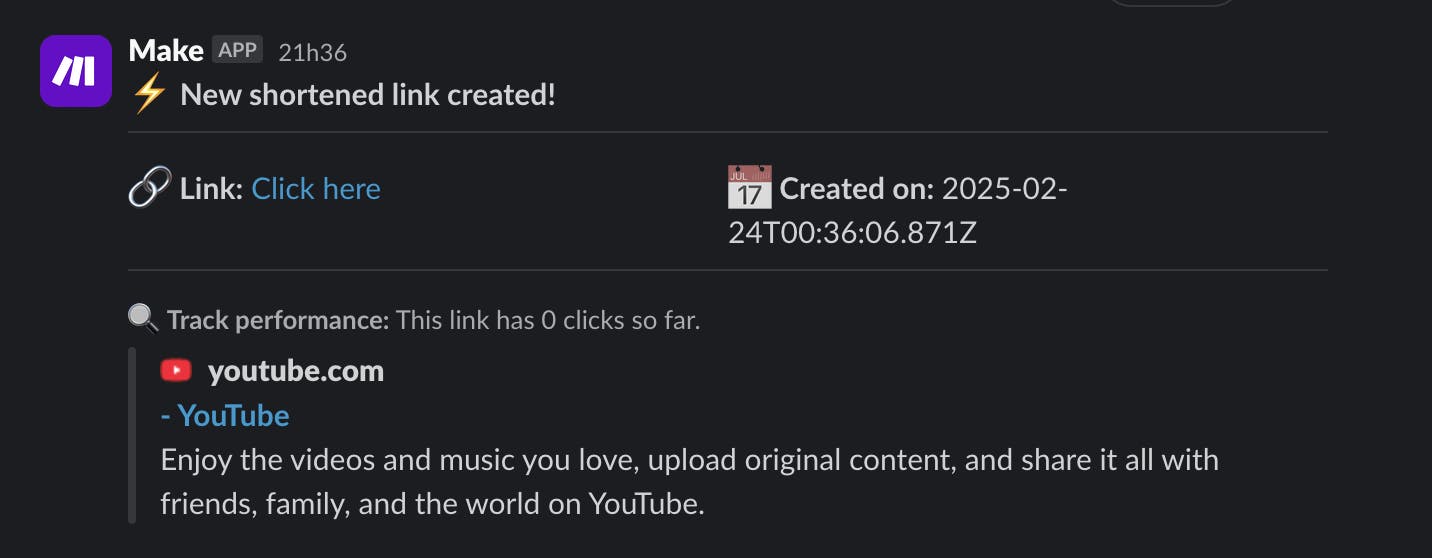
This is just one example of what you can do with the CodeQR and Make.com integration. Explore the endless automation possibilities!
Examples of Automations with CodeQR on Make.com
With Make.com, you can create powerful automations using CodeQR:
✅ Save lead capture data to Google Sheets or CRM platforms like HubSpot.
✅ Generate QR Codes automatically when a new entry is added to Notion or Airtable.
✅ Track link clicks and QR Code scans and send reports to Slack or Telegram.
✅ Schedule automatic deletions of expired QR Codes.
✅ Send notifications via email or WhatsApp when a QR Code is scanned.
Conclusion and Next Steps
Now that you know how to integrate CodeQR with Make.com, you can start automating your workflows and improving efficiency. Whether you want to track user interactions, generate QR Codes dynamically, or integrate with CRM tools, Make.com provides a flexible no-code solution.
Start automating your workflows with CodeQR and Make today! Sign up to Make.com using this link and get 1 month of the Pro plan with 10,000 operations for free!